Need help?
Do you have a question about the SpectraLink Versity 92 Series and is the answer not in the manual?
Information on Wi-Fi range and device hardware. Overview of Spectralink and utility apps.
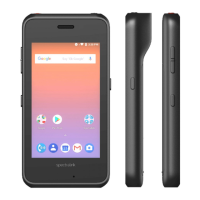
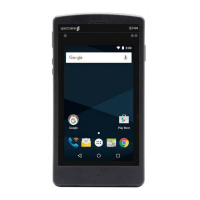
Details on the physical components and features of the Versity smartphone models.
Overview of Spectralink and Android applications available on the Versity smartphone.
Steps for initial charging, powering on, and unlocking the Versity smartphone.
Instructions on how to power on the Versity smartphone.
Guide on how to unlock the Versity smartphone using swipe, PIN, or pattern.
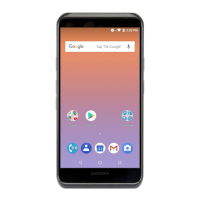
Guide to the home screen, status bar icons, and managing notifications on Versity.
Explanation of icons displayed in the status bar for network, battery, and time.
How notifications appear and are managed on the Versity smartphone.
Instructions for using the built-in barcode scanner, including operation and tips.
Step-by-step guide on how to scan barcodes using the device.
View battery status and configure settings for battery monitoring and low battery alarms.
Steps to configure the Batt Life app, including alarm settings and thresholds.
Accessing and managing call history for recent calls.
Managing contacts, adding new entries, and searching the directory.
Instructions on how to place an emergency call from the lock screen or dialer.
Covers incoming calls, active calls, multiple calls, transfers, and conference calls.
Details on programmable buttons and their default or assignable actions.
How to customize programmable button functions within the app.
How to use the Push-to-talk feature, including receiving broadcasts and managing channels.
Instructions on how to receive and manage Push-to-talk broadcasts.
Explanation of the SAFE app's motion monitoring, warning, alarm states, and Panic Button usage.
Describes the warning state of the SAFE app, including event types and countdown.
Details the alarm state in the SAFE app, including notifications and emergency calls.
How to activate the Panic Button for emergency alerts or calls.
Information on setting up sound profiles, volumes, and rules for audio management.
How to set up rules for applying sound profiles based on time or charging status.
Guide to checking for, downloading, and installing software updates for the device.
Basic instructions for cleaning and maintaining the Spectralink smartphone.
Information on compatible Spectralink products for different series.
Statement regarding FCC RF radiation exposure limits for portable devices.
Declaration of conformity with EU directives for radio equipment.
Guidelines and warnings for safe use and handling of chargers and battery packs.
Details on SAR limits and testing for Spectralink Versity wireless smartphones.
 General
| Brand | SpectraLink |
|---|---|
| Model | Versity 92 Series |
| Category | Cell Phone |
| Language | English |

 To Next Page