20
Oppm
9/16/2015
9/16/2015
Master (14’ x 12’)
Bedroom
Jackson Homestead
9/15/2015
Single family house.
Good seal.
Jackson Homestead
10 Downing St.
Hopedale, MA
SAVE
SCAN
42.1306 N
71.5417 W
ADD JOB
Date Shot
Date Clear
Notes
Address
Job Details
Location Details
Name
Job Name
Location
Notes
Scanned
Concentration
Latitude
Longitude
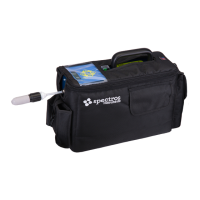
• We collect in real time data from the SFExplorIR
TM
Monitor.
This data is stored in the application on the cell phone/
smart device until transferred. The transfer is initiated by
the user when the collection is done. The data is then
ported to the internet and the Spectros Instruments
Website www.spectrosinstruments.com
• Clearance data is collected; secured and archived for later
use.
• The operational procedure includes
• Step I: Setup
• Enter User Name
• Enter Password
• Save
• Step II: Device
• Only those SF-ExplorIR™ Monitor Serial Numbers
assigned to a specific user account will be available
• Chose Serial Number
• Step III: Jobs
• Add a Job and specify
• Name
• Address
• Step IV: Scan
• Press Scan Button to collect data at each location
• Values obtained for each Scan include
• Time/Date Stamp
• GPS Location
• Sulfuryl Fluoride Concentration Value and Date
Cleared


 To Next Page