11
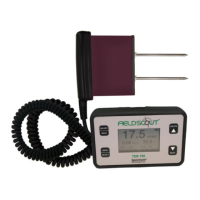
The FieldScout TDR meter will function properly under normal
conditions experienced in field use. The sensor block is sealed
and will not be damaged by immersion in water. The display is
not waterproof, so it should not be used during heavy rainfall or
left exposed during irrigation events. If the display does get wet, it
should be dried out immediately.
Follow these tips to prolong the life of the device:
- Store in a cool and dry place when not in use.
- Keep the meter and probe rods clean and dry in between uses.
- Remove the batteries if not used for an extended period of time
(ie: between seasons).
Battery life
If the battery level is low or a bat-
tery is inserted incorrectly, the low
battery icon appears on the screen
and the display will power off.
Battery life is affected by the ena-
bled features, accessories connect-
ed, and the frequency of use. If not
needed, the Bluetooth*, GNSS Location* and backlight features
can be disabled. The backlight can also be set to AUTO mode (p.
8). This allows enough time to see the reading and conserve the
battery. The chart below gives a rough estimate of the number of
readings that can be taken given certain configuration parameters.
Meter Care
Total Readings
Bluetooth* GNSS* Backlight Alkaline Lithium
ON ON ON 12,000 24,000
ON ON OFF 24,000 35,000
OFF OFF OFF 150,000 225,000
*GNSS and Bluetooth functionality is an optional equipment
upgrade.


 To Next Page
 Loading...