English-13
>
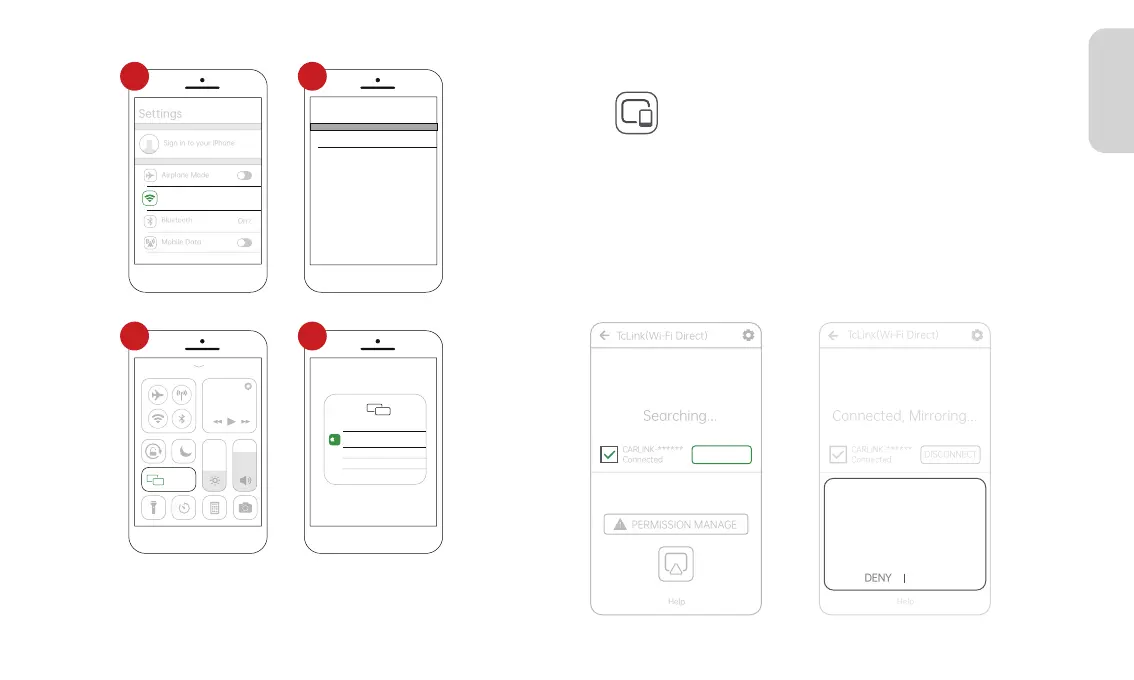
Wi-Fi
CARLINK-******
Password 12345678
Cancel JoinEnter Password
Screen
Mirroring
Screen Mirroring
SmartScreen
TV
1 2
3 4
3.5 Android Cast
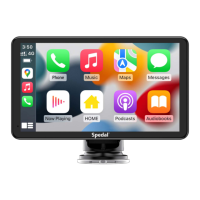
Click " " on the home screen to enter the Android Cast.
1. Scan the QR code on the Android Cast screen to download the
TcLink App.
2. Connect your phone to Wi-Fi, the Wi-Fi name is
"CARLINK-******".
3. Open the installed TcLink App on your phone, select the Wi-Fi
name and click "CONNECT". In the popup, choose "Allow".
Android Cast connection is successful.
CONNECT
TcLink(Wi-Fi Direct)
Connected, Mirroring...
CARLINK-******
Connected
DISCONNECT
PERMISSION MANAGE
!
Help
Allow TcLink to record/project the
screen?
This app will record or project everything
on the screen. to protect your privacy,
avoid entering passwords or opening
private information such as payment
details, messages, and phots.
ALLOW



 To Next Page