4100/4200 Router User’s Guide Configuring Network Settings
Bridge Mode
The Router supports two fundamental modes of operation with respect to connectivity between the Local
Area Network (LAN) and the Wide Area Network (WAN): bridge/routing mode and bridge mode.
The default mode of operation is bridge/routing mode. With bridge/routing mode, the Router provides
typical routing functionality between the WAN side and the LAN side. However, all LAN-side interfaces
are "bridged."
The second mode of operation provides only "bridging" functionality. This applies to both WAN-to-LAN
connectivity as well as to all LAN-side interfaces. Point-to-Point (PPP) connections are not available
under the bridge mode of operation.
Important! If you switch to Bridge mode, you will lose access to the Web management interface and can
only return to Router mode by resetting the Router to factory defaults.
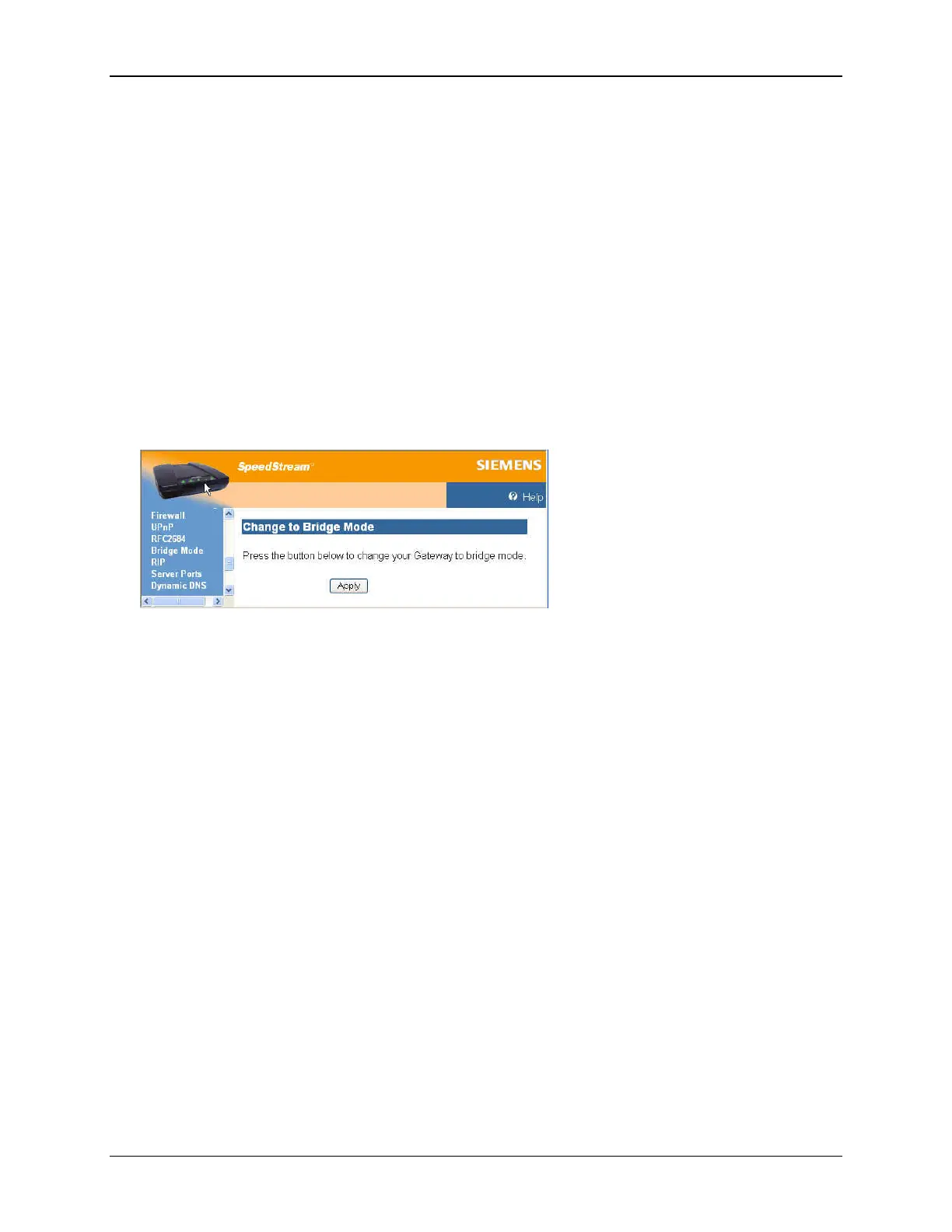
To change to bridge mode:
1. Select Setup>Bridge Mode from the left navigation pane of the Web interface. This displays the
“Change to Bridge Mode” window.
2. Click Apply.
35



 To Next Page