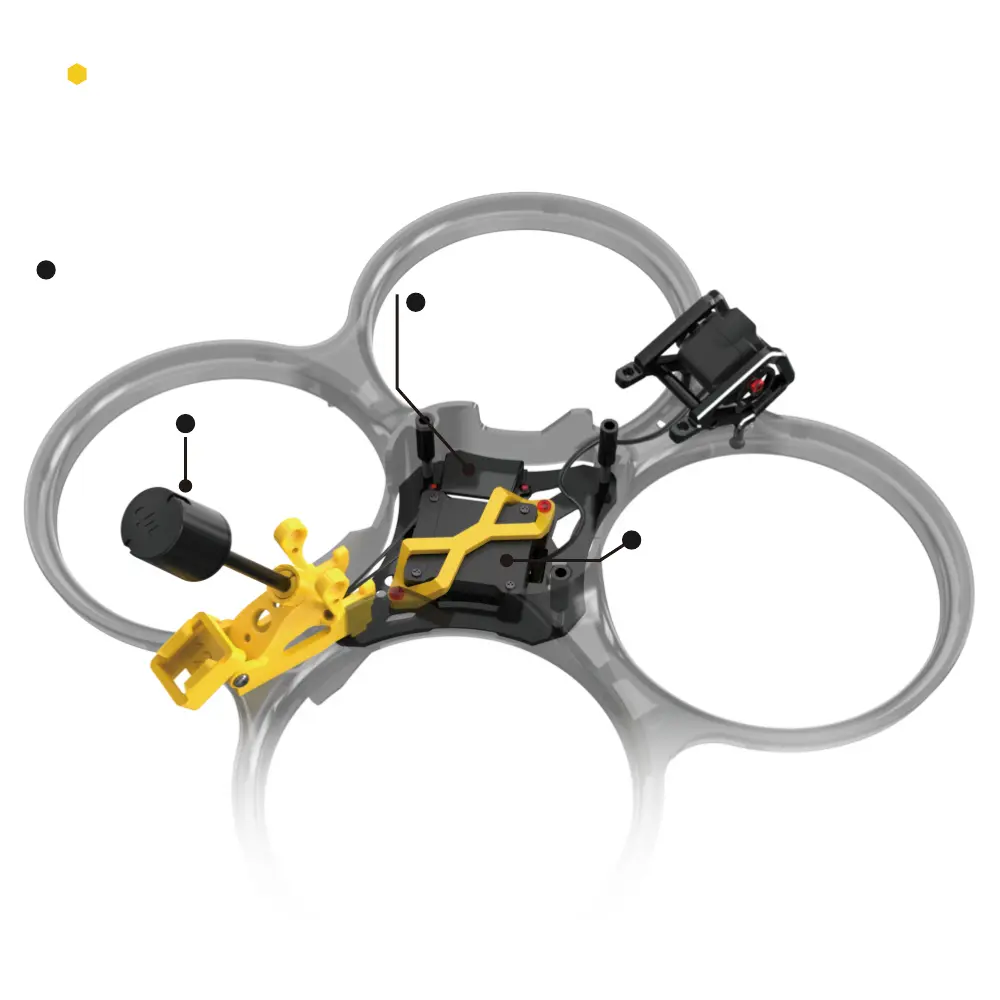
Install the video transmitter into the
aluminum bracket (pay attention to
the orientation), and then secure it
with the TPU video transmitter mount.
CNC cooling pa installation
2
3
1
First, install the aluminum
alloy at the bottom position.
Install the video transmitter
antenna into the TPU antenna mount.
6
2
Note: BEE35 comes with a carbon ber base plate, while BEE35 PRO comes with an
aluminum alloy heat sink base plate.



 To Next Page