EasyManua.ls Logo

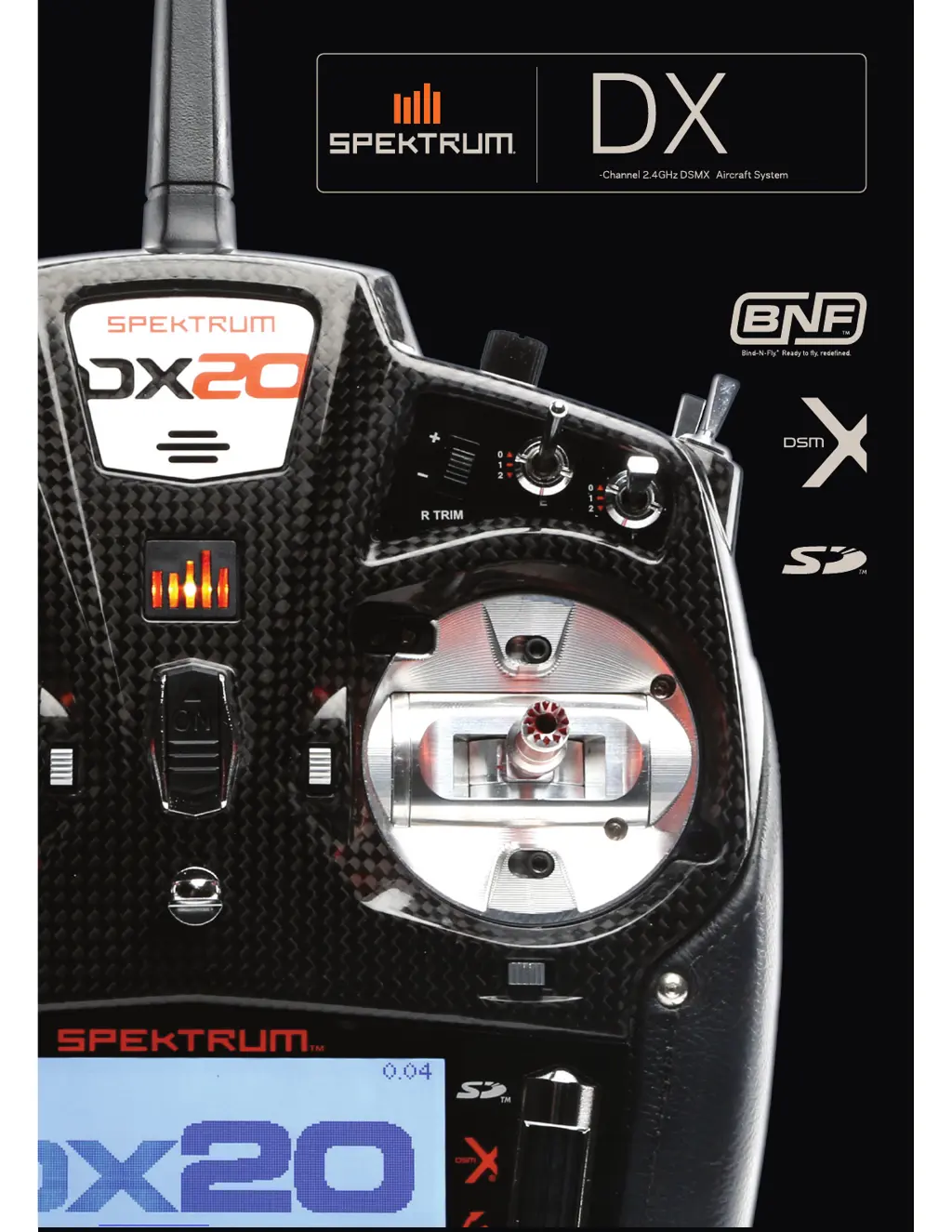
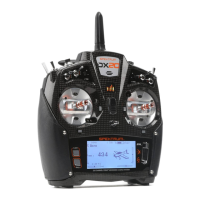
Spektrum DX20 - User Manual

Spektrum DX20
60 pages
Print Icon
To Next Page IconTo Next Page
Loading...
Instruction Manual/Bedienungsanleitung/
Manuel d’utilisation/ Manuale di Istruzioni/
Manual de instrucciones
®
20
20
®

Table of Contents

Questions and Answers

  • D
    Darren ReynoldsAug 4, 2025
    Why won't my Spektrum DX20 bind to the aircraft?
    • X
      xdouglasAug 4, 2025
      If your Spektrum transmitter won't bind to the aircraft, it might be due to several factors. Ensure the transmitter isn't too close to the aircraft during the binding process; move it a few feet away and disconnect, then reconnect the flight battery to the aircraft. Also, check if the aircraft or transmitter is near any large metal objects and move them away. Verify that the bind plug is correctly installed in the bind port. A low charge in either the flight or transmitter battery can also cause binding issues, so replace or recharge the batteries. Note that if the transmitter is a DX20 EU version and the receiver is DSM2, this could also be the reason.
  • T
    Thomas Thompson Jr.Aug 8, 2025
    What to do if my Spektrum receiver quits responding during operation?
    • S
      Sydney FrancoAug 8, 2025
      If your Spektrum receiver stops responding during operation, it could be due to low battery voltage; completely recharge the flight battery. Another potential cause is loose or damaged wires or connectors between the battery and receiver. Inspect these wires and connections, repairing or replacing them as necessary.
  • R
    Rachel WilsonAug 12, 2025
    What does it mean if my Spektrum receiver is slowly blinking at landing?
    • M
      melanie01Aug 12, 2025
      If your Spektrum receiver is slowly blinking at landing (DSM2 Only), it could indicate a loss of power to the receiver during flight. Check the battery voltage. It can also mean that the system was powered on and connected, then the receiver was powered off without powering off the transmitter. Always power off the transmitter when the receiver is powered off.
  • B
    Brandon CuevasAug 16, 2025
    What to do if my Spektrum receiver goes into failsafe mode a short distance away from the transmitter?
    • K
      Kelly BellAug 16, 2025
      If your Spektrum receiver goes into failsafe mode a short distance away from the transmitter: * Check the receiver antenna to be sure it is not cut or damaged. * Install main and remote receivers at least 2 inches (51mm) apart, if they are too near each other.
  • N
    Nina GrantAug 21, 2025
    Why does my Spektrum receiver lose its bind?
    • N
      Nancy ChavezAug 21, 2025
      Your Spektrum receiver might lose its bind if the bind button was pressed before the transmitter was powered on. To resolve this, rebind by performing the binding instructions.
  • R
    Ryan MartinAug 26, 2025
    What causes irregular control response or undesirable fades, losses, or holds on my Spektrum aircraft?
    • K
      Kelly FlemingAug 26, 2025
      If your Spektrum aircraft exhibits irregular control responses or the flight log registers undesirable fades, losses, or holds, it could be due to poor signal reception. Try repositioning the remote receivers to improve RF signal path diversity. Electronic feedback from servos or motor systems to the ESC or receiver could also be a cause; check for and stop any such feedback. Low power is another potential issue; check the aircraft's power draw and increase battery power, or decrease the power demand by installed systems. Ensure all aircraft batteries are fully charged and that the installed BEC for an electric aircraft is adequate for the power demand.
  • W
    William HopkinsOct 30, 2025
    What to do if my Spektrum DX20 Transmitter won't link to the aircraft after binding?
    • H
      Hannah AbbottOct 30, 2025
      If your Spektrum transmitter won't link to the aircraft after binding, it could be due to several reasons. First, ensure the transmitter isn't too close to the aircraft during the linking process; move it a few feet away and try disconnecting and reconnecting the flight battery to the aircraft. Also, check for large metal objects nearby and move the aircraft or transmitter away from them. Make sure the bind plug isn't left in the bind port; rebind the transmitter to the aircraft and remove the bind plug before cycling power. If you're using a ModelMatch™ radio, verify the correct model memory is selected on the transmitter. Low battery charge in either the flight or transmitter battery can also cause this issue, so replace or recharge the batteries. Additionally, the transmitter may have b...

Summary

Meaning of Special Language

General Notes

Provides essential advice for operating radio control models safely and effectively.

Pilot Safety

Outlines crucial safety practices for pilots operating remote-controlled aircraft.

DX20 Features

Before Using Your Transmitter

Instructions for initial setup, including registration and firmware updates.

Box Contents

Lists all items included in the Spektrum DX20 transmitter package.

Battery and Charging Precautions and Warnings

Charging Your Transmitter

Detailed steps for charging the DX20 transmitter's internal LiPo battery.

Main Screen

Navigation

Explains how to navigate through the transmitter's interface using the scroll wheel and buttons.

SD Card

Installing the SD Card

Guides on inserting an SD card for model storage, software updates, and sound files.

Registering the Transmitter with Spektrum

Steps to export the serial number and register the transmitter online.

Binding

Binding Using the Receiver and Receiver Battery

Procedure for binding a receiver using a separate battery source.

Programming Failsafe Positions

SmartSafe Failsafe

Details on the SmartSafe failsafe technology and its operation.

X-Plus Module

Model Type Programming Guide

System Setup

Model Select

How to access and manage the 250 internal model memory locations.

Model Type

Selecting the aircraft type (Airplane, Helicopter, Sailplane, Multirotor) for model setup.

System Setup

Model Name

Assigning a custom name (up to 20 characters) to the current model memory.

Aircraft Type

Selecting wing and tail configurations for airplane models.

System Setup

Helicopter Flight Mode Setup

Assigning up to five flight modes for helicopter models using switches.

Sailplane Flight Mode Setup

Assigning up to ten flight modes for sailplane models using switches.

Multirotor Flight Mode Setup

Assigning up to five flight modes for multirotor models using switches.

System Setup

Spoken Flight Mode Setup

Enables audio alerts for flight mode changes, allowing custom names.

Channel Assignment

Reassigning receiver channels to different transmitter channels.

System Setup

Trim Setup

Adjusting trim step size and type for different flight modes.

System Setup

Model Utilities

Functions for creating, deleting, copying, and sorting model memories.

System Setup

Warnings

Programming voice, tone, or vibration alerts for switch or control stick positions.

Telemetry

Telemetry Settings

Configuring display options, units, and auto-configuration for telemetry data.

Telemetry Auto-Configuration

Automatically detects and configures new telemetry sensors.

System Setup

Preflight Setup

Program a pre-flight checklist that appears on transmitter power-on.

Frame Rate

Changing the transmitter frame rate and modulation mode.

Bind

Trainer

Wired Trainer

Setting up a wired connection for master/slave transmitter training.

Trainer

Wireless Trainer

Setting up a wireless connection for master/slave transmitter training.

System Setup

Trainer FPV Mode

Enables FPV head-tracking control via wired or wireless trainer.

Analog Switch Setup

Configuring analog sticks/knobs as kick points for functions.

System Setup

Center Tone

Enables feedback for passing through control centers and disables center tones.

System Settings

Accesses screens for user name, contrast, backlight, and language.

System Setup

Backlight

Adjusting screen backlight time and brightness.

Mode

Changing the transmitter's gimbal stick mode (1, 2, 3, or 4).

System Setup

Extra Settings

Controls for system sounds, vibrator, trim indicators, and volume.

System Setup

Serial Number

Displays transmitter serial number and AirWare software version.

Calibrate

Procedure to calibrate transmitter controls for accurate response.

System Setup

Transfer SD Card

Manages importing/exporting models and updating software via SD card.

System Setup

Updating Spektrum DX20 Sound Files

Instructions for installing new sound files onto the transmitter.

Update AirWare Software

Steps for updating the transmitter's firmware via SD card.

Function List

Servo Setup

Adjusts servo travel, sub-trim, reverse, speed, and balance settings.

Function List

Reverse

Reverses the direction of a selected channel's servo response.

Speed

Adjusts the response time for individual channels like retracts.

Function List

D;R & Exponential

Adjusts dual rates and exponential for control surface sensitivity.

Differential (ACRO and SAIL Types only)

Adjusts differential throw amounts for specific aircraft types.

Mixing

Offset

Moves the effective center position of a slave channel.

Assigning a Mix to a Switch

Assigns a programmed mix to a specific switch position.

Sequencer

Sequencer Set Up

Programs timed sequences for activating multiple functions.

Function List

ProTrim

Allows fine-tuning of rates, expo, mixes, and differential during flight.

Range Test

Confirms RF link operation by reducing transmitter power output.

Function List

Monitor

Displays servo positions graphically and numerically for verification.

Acro (Airplane)

Aircraft Type

Selects wing and tail configurations for airplane models.

Acro (Airplane)

Flap System

Enables flap programming and elevator mixing for airplanes.

ACRO Mixing

Applies mixes like Rudder to Aileron/Elevator and Aileron to Rudder.

Acro (Airplane)

Acro Gyro Function

Creates gyro gain points and curves for enhanced flight stability.

Heli (Helicopter)

Swash Type

Assigns the swashplate type for helicopter models.

Sail (Sailplane)

Sailplane Type

Selects wing and tail configurations for sailplane models.

Multi (Multirotor)

F-Mode Setup

Assigns flight modes to switches for multirotor aircraft.

Multi (Multirotor)

Motor Cut

Assigns a switch to stop the motor, independent of flight mode.

Physical Transmitter Adjustments

Transmitter Mode Conversion

Steps to change transmitter modes (1-4) via programming and mechanical adjustments.

Physical Transmitter Adjustments

Adjust Stick Tension

Tightens or loosens stick tension using adjustment screws.

Troubleshooting Guide

1-Year Limited Warranty

Warranty Services

Information on obtaining assistance, service, and returns for the product.

Warranty and Service Contact Information

FCC Information

Compliance Information for the European Union

Spektrum DX20 Specifications

General IconGeneral
ModulationDSM2, DSMX
Proper useAirplane, Aircraft
Product typeRemote control
Product colorBlack
Frequency band2.4 GHz
Channels quantity20 channels
Brand compatibilityAny brand
Throttle (TH) functionYes
Display typeLCD
Battery capacity4000 mAh

Related product manuals