EasyManua.ls Logo

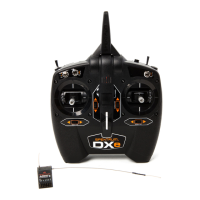
Spektrum DX8e - User Manual

Spektrum DX8e
49 pages
Print Icon
To Next Page IconTo Next Page
Loading...
Instruction Manual
Bedienungsanleitung
Manuel d’utilisation
Manuale di Istruzioni
8e
8
®
®
In
st
r
uct
i
o
n M
a
n
ua
l
Bedienungsanleitung
M
a
n
ue
l
d
ut
ili
sat
i
o
n
M
a
n
ua
l
e
d
i I
st
r
u
zi
o
n
i
®

Table of Contents

Questions and Answers

  • A
    Angela JohnsonJul 31, 2025
    Why will my Spektrum DX8e not bind to the aircraft?
    • B
      Brent ThompsonJul 31, 2025
      If your Spektrum transmitter won't bind to the aircraft, there are several potential causes. The transmitter might be too close to the aircraft during the binding process; move them a few feet apart and disconnect and reconnect the flight battery. Large metal objects nearby can also interfere, so move the aircraft or transmitter away from any large metal objects. Ensure the bind plug is correctly installed in the bind port to bind the aircraft to the transmitter. Low battery charge in either the flight or transmitter battery can prevent binding, so replace or recharge the batteries. Finally, if you're using a DX8e EU version transmitter, it's not compatible with DSM2 receivers.
  • B
    batesmonicaAug 5, 2025
    What to do if my Spektrum receiver goes into failsafe mode a short distance away from the transmitter?
    • A
      Amber ReyesAug 5, 2025
      If your receiver enters failsafe mode close to the transmitter, check the receiver antenna for any cuts or damage. Replace the antenna or contact Horizon Product Support. Also, ensure that the main and remote receivers are installed at least 2 inches (51mm) apart.
  • A
    Amanda LesterAug 9, 2025
    What to do if my Spektrum receiver quits responding during operation?
    • T
      Thomas JohnsonAug 9, 2025
      If the receiver stops responding during operation, it could be due to low battery voltage, so completely recharge the flight battery. Check the wires and connectors between the battery and receiver for any looseness or damage. Repair or replace any faulty wires or connectors.
  • L
    lydia36Aug 13, 2025
    What to do if the Spektrum receiver slowly blinking at landing (DSM2 Only)?
    • T
      tammy35Aug 13, 2025
      If the receiver is slowly blinking upon landing (DSM2 Only), it could be due to a loss of power to the receiver during the flight, so check the battery voltage. It can also happen if the system was powered on and connected, then the receiver was powered off without powering off the transmitter. Power off the transmitter when the receiver is powered off.
  • B
    Brian PowersAug 17, 2025
    Why does my Spektrum receiver lose its bind?
    • N
      Nancy WashingtonAug 17, 2025
      The receiver may lose its bind if the bind button was pressed before the transmitter was powered on. Rebind by performing the binding instructions.
  • M
    melissamartinezAug 22, 2025
    What to do if Flight log registers undesirable number of fades, losses or holds or aircraft responds irregularly to controls with Spektrum DX8e?
    • S
      Scott SmithAug 22, 2025
      If the flight log shows an undesirable number of fades, losses, or holds, or the aircraft responds irregularly, it could be due to poor signal reception. Reposition the remote receivers to improve the RF signal path diversity. Another potential cause is electronic feedback, so check for and stop any feedback from servos or motor systems to the ESC or receiver. Low power can also be a factor; check the aircraft's power draw and increase battery power, or decrease the power demand by installed systems. Ensure all aircraft batteries are fully charged and that the installed BEC for an electric aircraft is adequate for the power demand.
  • P
    Patricia SantosOct 26, 2025
    Why will my Spektrum Transmitter not link to the aircraft after binding?
    • B
      boonedianaOct 26, 2025
      There are several reasons why your Spektrum transmitter might fail to link to the aircraft after binding. It could be due to the transmitter being too close to the aircraft during the linking process; move the transmitter a few feet away from the aircraft and disconnect and reconnect the flight battery to the aircraft. Another cause could be large metal objects nearby, so move the aircraft or transmitter away from them. Ensure the bind plug is removed from the bind port after binding. Also, confirm that you've selected the correct model memory on the transmitter (ModelMatch™ radios only). Low battery charge in either the flight or transmitter battery can also cause this, so replace or recharge the batteries. Ensure that the aircraft is bound to the transmitter. A damaged remote receiver or...

Summary

Battery and Charging Precautions

Transmitter Functions Overview

Main Screen and Navigation

SD Card Functions

Update Spektrum AirWare Software

Instructions for updating the transmitter's firmware using an SD card, including automatic and manual methods.

Binding Procedures

Receiver Power System Requirements

Programming Failsafe Positions

SmartSafe Failsafe

Describes SmartSafe failsafe technology which acts only on the throttle channel to prevent arming or motor operation.

Model Type Programming Guide

System Setup

Model Select and Direct Model Access

How to access and manage the 250 internal model memory locations, including adding new models.

Model Type Selection

Guide to selecting model types (Airplane, Helicopter, Sailplane, Multirotor) and consequences of changing type.

Model Utilities

Functions for creating, deleting, copying, resetting, and sorting model memories.

Telemetry Settings

Configuring telemetry display options (Tele, Main, Roller, Auto) and units (US/Metric).

AS3 X Gain Live View

Real-time display and adjustment of AS3X gain values for Roll, Pitch, and Yaw in ACRO and SAIL modes.

Preflight Setup

Programming a pre-flight checklist that appears each time the transmitter is powered on.

Binding Function

Enables transmitter-receiver binding without powering off the transmitter, useful for failsafe setup.

Wireless Trainer Setup

Configuring the wireless trainer function to bind a slave transmitter to the master transmitter.

Programmable Master and Pilot Link Master

Modes for master transmitter control transfer to slave transmitters, ideal for training or complex models.

System Settings Menu

Accessing sub-menus for User Name, Contrast, Backlight, Mode, and Battery Alarm settings.

Mode and Battery Alarm Settings

Changing transmitter gimbal stick modes and configuring battery type and low voltage alarm limits.

Calibrating the Transmitter

Mandatory procedure to calibrate potentiometer endpoints after changing stick mode for accurate control.

Transfer SD Card Functions

Managing models by importing from or exporting to an SD card, including importing/exporting all models.

Import and Export Models

Detailed steps for importing individual models or all models from/to an SD card, including re-binding requirements.

Update AirWare Software

Information on updating the transmitter's AirWare software, with warnings about powering off during installation.

Function List Overview

Servo Setup: Travel Adjust, Sub-Trim, Reverse

Adjusting servo endpoints (Travel Adjust), center point (Sub-Trim), and direction (Reverse) for precise control.

AS3 X Gain Live View (ACRO;SAIL)

Real-time display and adjustment of AS3X gain values for Roll, Pitch, and Yaw, accessible via telemetry screen.

Dual Rates & Exponential

Adjusting control response sensitivity (Dual Rates) and center response (Exponential) for Aileron, Elevator, Rudder.

Throttle Cut (ACRO;HELI)

Assigning a switch position to stop the engine or motor, activating regardless of flight mode.

Mixing Functions

Allows control input for one channel to affect multiple channels, supporting various programmed mixes.

Range Test

Reduces transmitter power output for range testing to confirm RF link operation before flying.

ACRO (AIRPLANE) Setup

Aircraft Type Selection

Selecting wing and tail types to match the airplane model for correct control surface programming.

Flap System Programming

Enabling flap programming and elevator mixing for flap-enabled wing types.

ACRO Mixing Options

Common ACRO mixes like Rudder-Aileron, Elevator-Flap, and their applications in flight.

HELI (HELICOPTER) Setup

Swash Type Selection

Assigning the correct swashplate type for the helicopter model, affecting function list options.

Collective Type Adjustment

Setting collective type to Normal or Reverse for proper operation of throttle/pitch stick and related functions.

Swashplate Adjustments

Adjusting Swashplate Mix, Exponential, E-Ring, and Elevator Compensation for correct helicopter response.

Mixing for Helicopters

Utilizing Cyclic to Throttle mix to prevent RPM loss and Swashplate Mix for timing correction.

SAIL (SAILPLANE) Setup

Sailplane Type Selection

Selecting wing and tail types to match the sailplane model for appropriate control surface programming.

SAIL Mixing Options

Common SAIL mixes like Aileron-Rudder, Aileron-Flap, Elevator-Flap, and their applications.

MULTI (MULTIROTOR) Setup

Physical Transmitter Adjustments

Troubleshooting Guide

1-Year Limited Warranty

Spektrum DX8e Specifications

General IconGeneral
ModulationDSM2, DSMX
Proper useAirplane, Aircraft
Product typeRemote control
Product colorBlack
Frequency band2.4 GHz
Channels quantity8 channels
Brand compatibilitySpektrum
Compatible memory cardsSD
Number of memory records250
Display typeLCD
Built-in displayYes
Battery typeAA
Number of batteries supported4

Related product manuals