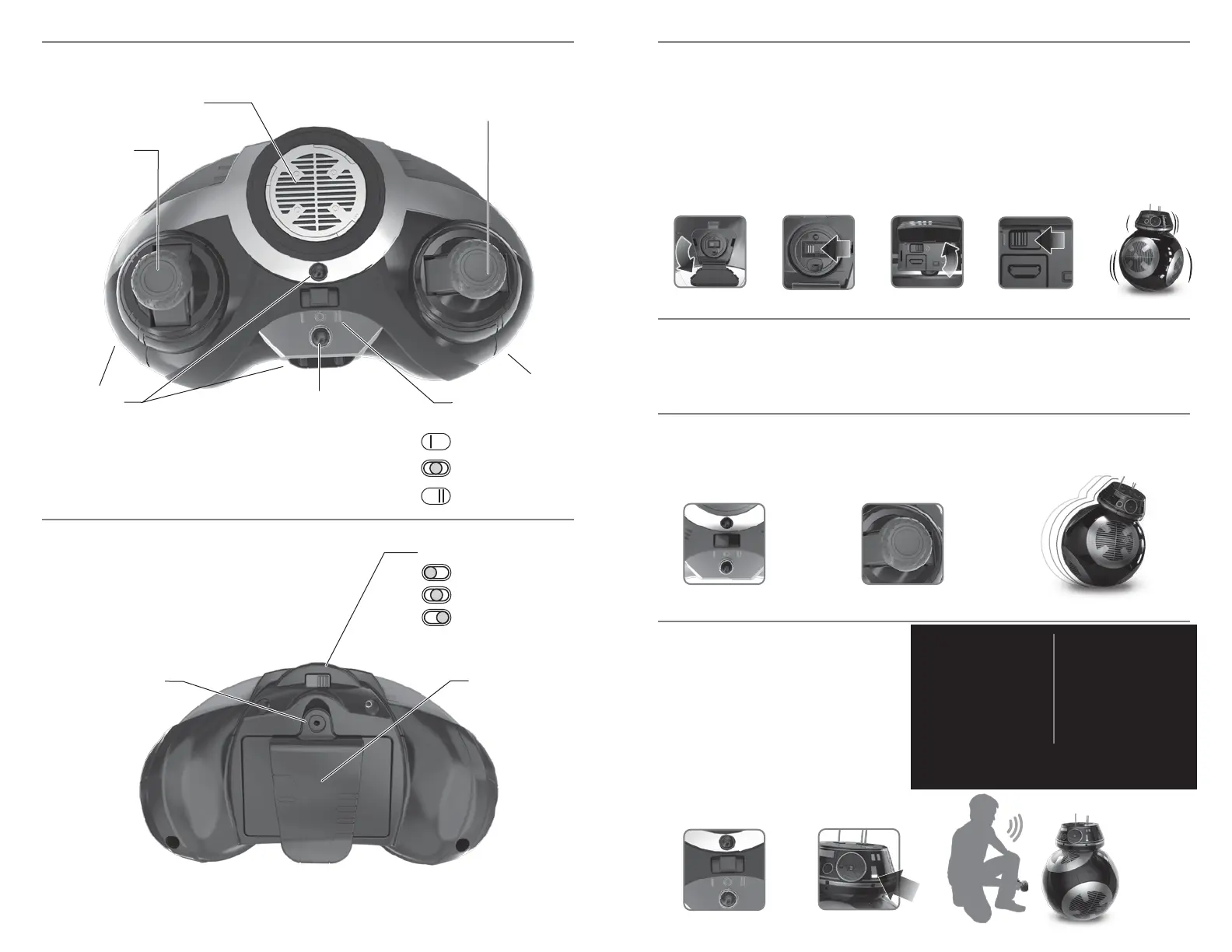
BATTERY DOOR BELT CLIP
1. Set the Remote Control to RC Mode. Make sure throttles are centered.
2. Move throttles to drive and steer BB-9E.
21
1
1
2
3
2
4 53
RC MODE
OFF (VOICE COMMAND MODE)
FOLLOW ME MODE
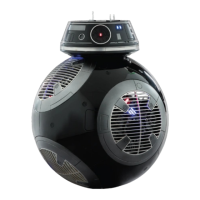
BB-9E has 3 PLAY MODES:
REMOTE CONTROL (RC) –
Direct control of BB-9E’s movements
VOICE COMMAND –
Verbally interact with BB-9E
FOLLOW ME –
BB-9E will follow you
REMOTE CONTROL MODE
1. Turn the remote OFF while BB-9E is
powered ON.
2. White light indicates that BB-9E is
listening for Voice Commands.
3. Speak clearly to BB-9E,
using the phrases listed at right.
Await BB-9E’s reactions.
VOICE COMMAND MODE
BB-9E
ATTENTION!
WHAT IS YOUR STATUS?
HAVE YOU SEEN CAPTAIN
PHASMA?
WHERE IS GENERAL HUX?
APPROACH! - CLOSER*
CLOSER
OUT OF MY WAY!
SCAN THE AREA**
DEACTIVATE
KYLO REN
SUPREME LEADER SNOKE
RESPONDS TO ENGLISH ONLY
REMOTE CONTROL FUNCTIONS
FRONT SIDE
REMOTE CONTROL
REAR SIDE
1. Open the Charging Port Door on the BB-9E Droid body.
2. Move the Power Switch to the ON position. Red power indicator light will go ON.
Close the Charge Port Door.
3. Open the Charging Port Door on the BB-9E Droid head.
4. Move the Power Switch to the ON position. Close the Charge Port Door.
5. BB-9E will calibrate before normal play modes begin.
GET STARTED
PLAY MODES
THROTTLE LEVER
(Forward/Backwards)
IR LED
POWER INDICATOR POWER SWITCH
MODE SELECTOR
THROTTLE LEVER
(Left/Right)
ANIMATION BUTTON
(Animate/Reverse Controls)
NOTE:
Maintain a distance within 40 feet, between the Remote Control and BB-9E.
NOTE:
Keep BB-9E still and on a flat surface when powering on.
NOTE:
Voice commands work best in a quiet environment.
RC CHANNEL SELECTOR*
A POSITION
B POSITION
C POSITION
IR LED
NOTE:
To Animate BB-9E press the animation button once.
To reverse controls press and hold the animation
button for 2 seconds.
*NOTE: Ask BB-9E to “Approach!”. If you want BB-9E to
come nearer to you, say “Closer”.
**NOTE: BB-9E will start scanning the room for intruders.
If any are detected, BB-9E will alert you.
8 9




 To Next Page