The Plus-2 can be controlled via the Drill Maker app on Android and
iPhones.
Android Phones
Download the Drill Maker app from Google Play.
iPhones
Download the Drill Maker app from the App Store and choose the model
Plus-2.
Using the Drill Maker App
Power on your machine and open the Drill Maker app on your phone.
Connect your phone to your machine’s WiFi network. Select and connect to
USR- xxx in WiFi settings before using the remote app.
Before you can use the Drill Maker you need to wait for the machine to nish
the start up calibration, and then press the PLAY button on your machine’s
control panel to start the machine. You can now press the CONNECT button
on the Drill Maker App.
Section 3: Drill Maker App
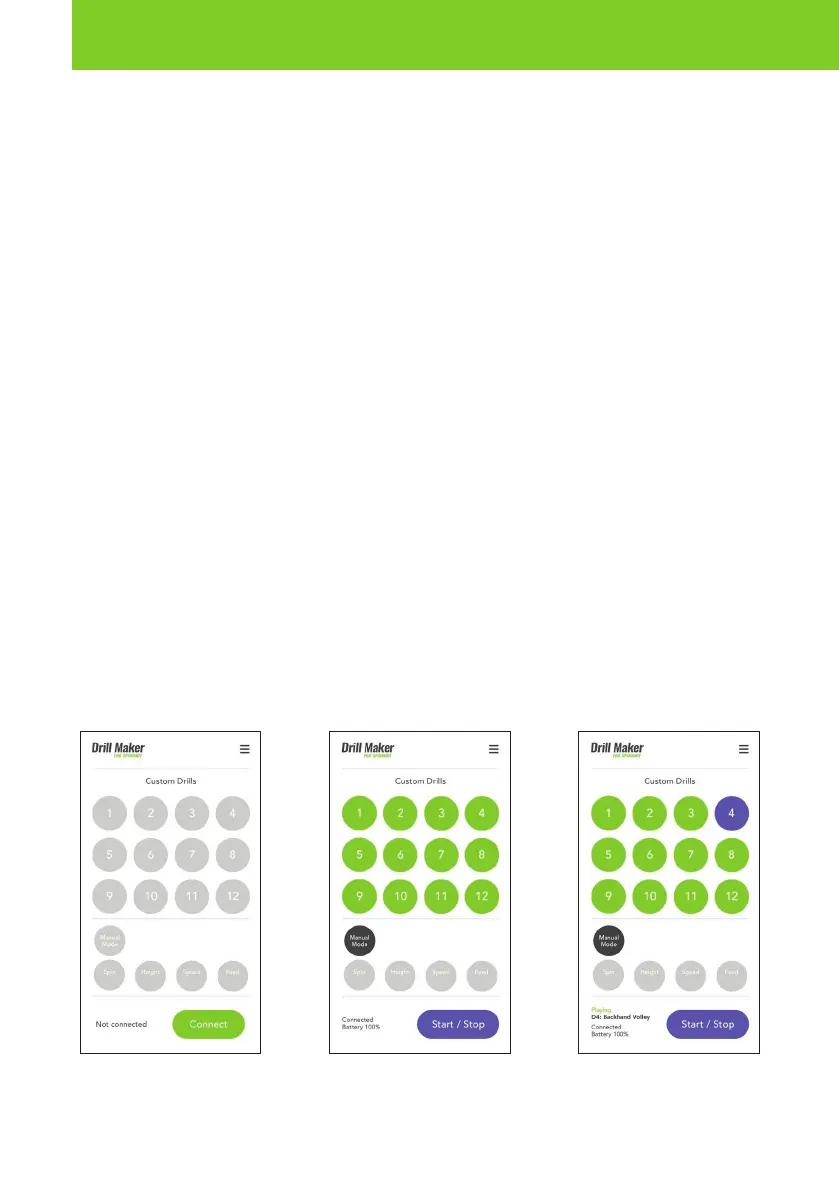
Power on machine and press
PLAY on control panel before
pressing Connect on app.
Machine connected and ready
for Drill selection.
Drill 4 (Backhand Volley)
selected. Press Start to begin
ball feed.



 To Next Page