User Manual, Spintso Referee Watch S1 PRO, vers 2.0
18 (30)
User Manual, Spintso Referee Watch S1 PRO, vers 2.0
19 (30)
7.2.2.2. Interval training display
If you want to have GPS tracking active during the training, select interval training on your watch at
least 2 minutes in advance. Then the GPS will have plenty of time to connect. (If the watch has recent-
ly been connected to GPS, the connection time is normally less than 30 seconds.)
The following actions are taken after selecting interval training.
• Touch screen is disabled
• GPS start try to connect. When GPS is connected the GPS symbol change from red to green.
• Number of training periods, rst training session time and total training time is presented.
• Start, paus and resume training are controlled by button A.
• Vibration feedback for button press and training events are enabled.
Start the training by pressing button A.
During training, the interval training clock can be paused and restarted by pressing
button A.
To exit the interval training, press and hold button A for 6 seconds. After 3 seconds
you will receive a blinking message that you are about to exit the training.
7.3. Stop watch
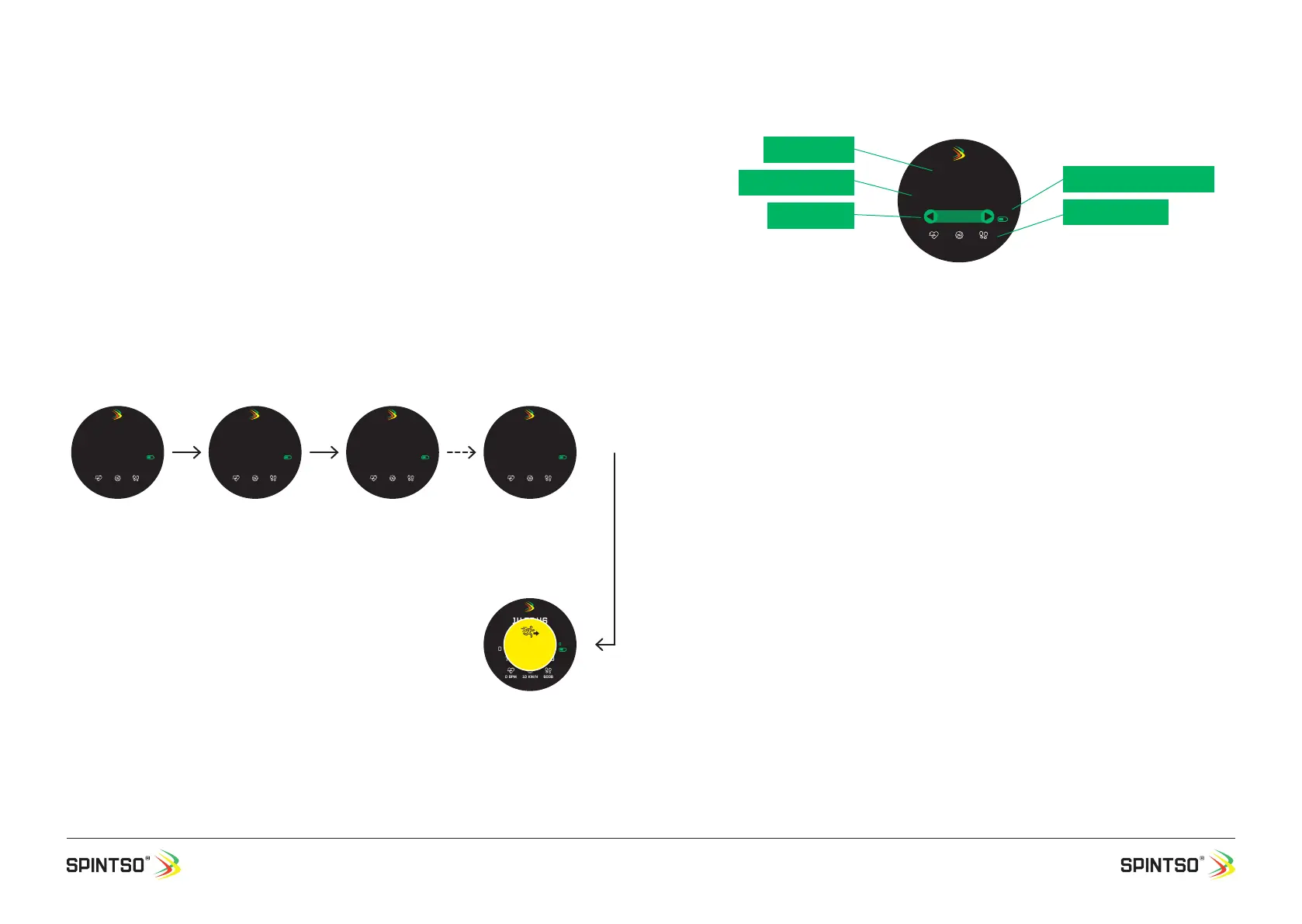
Current time: Shows the real time. 12/24h format is decided by the setting in your phone.
Stop watch timer: Show either total time or lap-time.
Lap counter: Shows either TOT 00 or LAP 01-99. TOT shows the total time and LAP shows the individ-
ual lap times.
GPS & Battery indicator: GPS ready is indicated by green symbol. GPS not ready is indicated by
crossed through red symbol. Current battery status is indicated by the degree of ll-out of the battery
symbol.
Live health data: Shows the current heart rate, speed, and number of steps.
7.3.2. Stop watch handling
If you want to have GPS tracking active during the training, select the stop watch on your watch at
least 2 minutes in advance. Then the GPS will have plenty of time to connect. (If the watch has recent-
ly been connected to GPS, the connection time is normally less than 30 seconds.)
The following actions are taken after selecting interval training.
• Touch screen is disabled while counting.
• GPS start try to connect. When GPS is connected the GPS symbol change from red to green.
• Start, register new lap, and stop training are controlled by button A.
• Vibration feedback for button press and training events are enabled
Start the stop watch by pressing button A.
When the stop watch is running, new laps are registered by pressing button A.
Stopping the time is done by pressing button A for 2 seconds until you receive the second vibration
conrmation.
Lap times can only be checked after the time have stopped. This is done by swiping left/right on the
screen.
To exit the stop watch, press and hold button A for 6 seconds. After 3 seconds you will receive a blink-
ing message that you are about to exit the training.
00:35
TOT 054:35:00
ACTIVE TRAINING
14:03:40
P40
0 BPM 10 km/h 6008
Gps
Interval training
selected. The settings
for the training are
displayed. The number
of training periods,
active training time, and
the total training time.
Watch starts to lock
to GPS if applicable.
Health functions are
activated but show zero.
00:35
TOT 000:00:00
ACTIVE TRAINING
14:04:40
P01
0 BPM 10 km/h 6008
Gps
Interval training is
started. The active
training time start
counting down, and
the Total training time
start to count up.
Training period nr. P01
is displayed. Health data
is continuously updated
and stored in memory.
00:44
TOT 000:36:00
14:06:46
P01
0 BPM 10 km/h 6008
Gps
ACTIVE resting
Active resting is start-
ed. The Active resting
time automatically start
counting down, and
the Total training time
continue to count up.
01:59
TOT 052:36:00
14:59:46
P40
0 BPM 10 km/h 6008
Gps
Resting
Resting is started. The
Resting time automati-
cally start counting down
to zero after all training
periods have nished.
Period
2-40
01:59
TOT 054:35:00
14:59:46
P40
0 BPM 10 km/h 6008
Gps
Resting
EXIT
Training
Exit training. Button is
pressed >6 sec to exit the
training. “EXIT TRAINING”
blink the last 3 seconds
to inform that training
mode is about to end.
99:45:45.59
LAP 99
20:08:37
0 BPM 10 km/h 6008
Gps
Current time
GPS & Battery indicator
Stop watch timer
LAP COUNTER
Live health data


 To Next Page
 Loading...