User Manual, Spintso Referee Watch S1 PRO, vers 2.0
16 (30)
User Manual, Spintso Referee Watch S1 PRO, vers 2.0
17 (30)
7.2. Interval training watch
The interval training watch feature assists the referee in preparing for
the mandatory tness test. For example: In Sweden div. 4, the football
referees run 75 meters and walk 25 meters under 17 seconds / 20
seconds. repeated 44 times.
7.2.1. Interval settings
Select settings on the screen by tapping on the interval settings circle.
PERIODS: Set between 1 and 99 periods. Conrm by pressing button A
or cancel by swiping to the right.
ACTIVE TRAINING: Set the active training time (Running period)
between 00:00 and 99:59. (mm:ss). Conrm by pressing button A or
cancel by swiping to the right.
ACTIVE RESTING: Set the active resting time (Walking period) between 00:00 and 99:59. (mm:ss).
Conrm by pressing button A or cancel by swiping to the right.
RESTING TIME: Set the resting time (Time before starting the next training activity) between 00:00
and 99:59. (mm:ss). Conrm by pressing button A or cancel by swiping to the right.
INDICATION: Select VIBRATION by touching the screen. Set vibration strength between 1 and 5, or off.
Conrm by pressing button A or cancel by swiping to the right.
SCREEN ON: Select always ON or active for 60 seconds. (Wake-up by turning your wrist)
7.2.2. Interval training
Select training on the screen by tapping on the TRAINING circle.
7.2.2.1. Training indications
The watch indicates all events by vibration.
Start of training is indicated by a 1 second vibration
End of active training and resting time period is indicated by a 5 second vibration. Pausing training is
indicated by a 2 second vibration
Resume of training is indicated by a 1 second vibration.
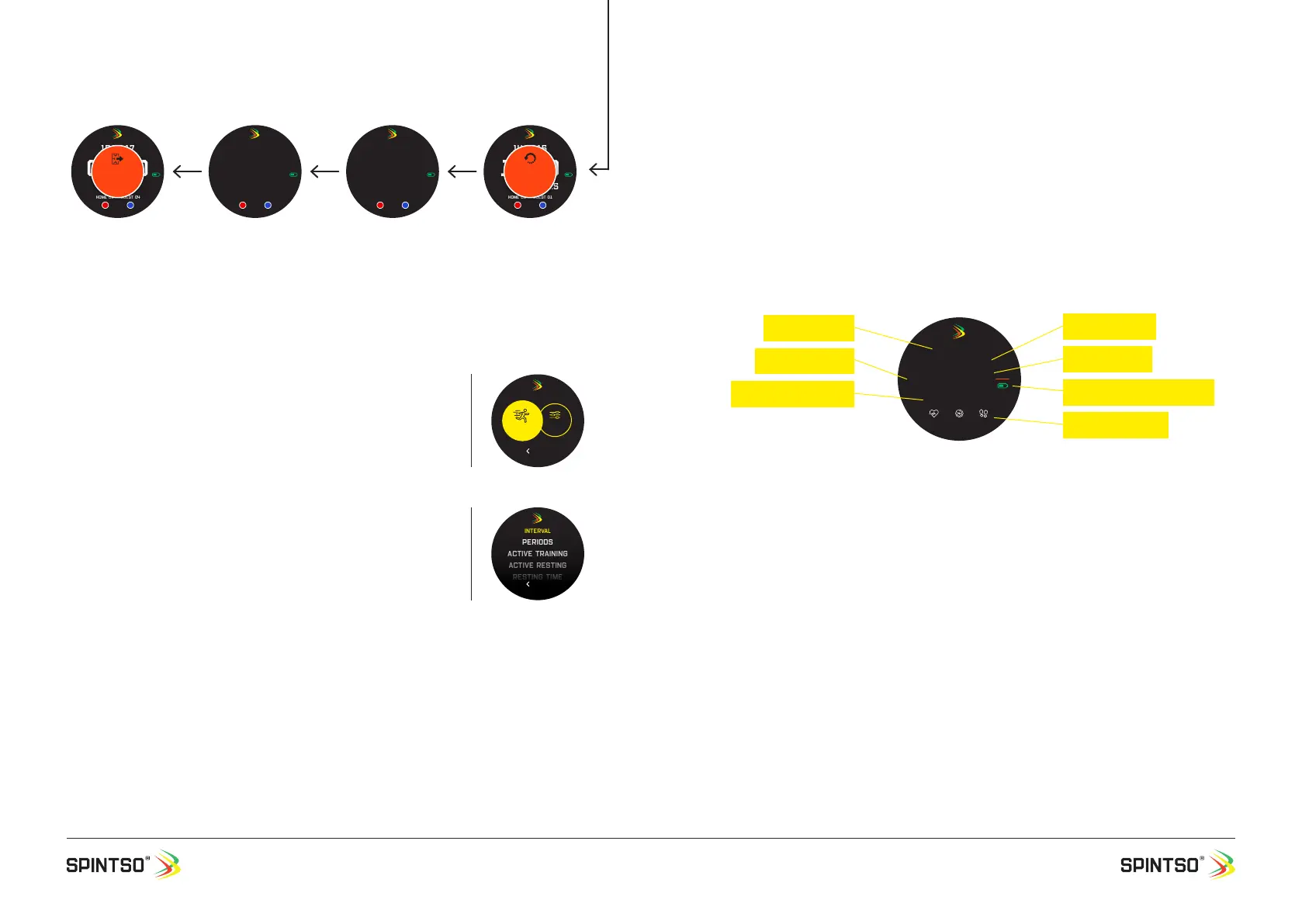
7.2.2.2. Interval training display
Current time: Shows the real time. 12/24h format is decided by the setting in your phone.
Training mode: Shows current training mode. Active training, active resting or resting time.
Period number (P): Shows the current training period. Each period consists of one active training and
one active resting session.
Training time: Shows the remaining training time for each training session.
Total training time (TOT): Shows the total training time and counts up during training.
GPS & Battery indicator: GPS ready is indicated by green symbol. GPS not ready is indicated by
crossed through red symbol. Current battery status is indicated by the degree of ll-out of the battery
symbol.
Live health data: Shows the current heart rate, speed, and number of steps.
15:44:17
00:00P3
Gps
Home 01 GUEST 04
EXIT
MATCH
Match end. Button is
pressed >6 sec to man-
ually exit the match.
“EXIT MATCH” blink the
last 3 seconds to inform
that you are about to
exit the match.
60 min
14:44:17
19:59P2
Gps
Home 00 GUEST 01
2nd period is started.
The Period time start
counting down. Break
time disappear.
7 min
14:37:16
20:00P2
Gps
Home 00 GUEST 01
B 10:00
2nd period ready.
Current Period nr., full
period time and the
next break time are
displayed. Goal scores
remain unchanged. Peri-
od time is stopped.
1 sec
14:37:15
19:49P1
Gps
Home 00 GUEST 01
B 09:59
RESET
PERIOD
2nd period is reset.
Button is pressed >6
sec to reset the period.
“RESET PERIOD” blink the
last 3 seconds to inform
that the period is about to
be reset.
Back
INTERVAL
SETTINGS
Training
Periods
Active training
Active resting
Resting time
Interval
Back
43:06
TOT 000:00:00
ACTIVE TRAINING
20:08:37
P44
0 BPM 10 km/h 6008
Gps
Training mode
Current time
Training time
GPS & Battery indicator
Period number
Total training Time
Live health data


 To Next Page
 Loading...