User Manual, Spintso Referee Watch S1 PRO, vers 2.0
10 (30)
User Manual, Spintso Referee Watch S1 PRO, vers 2.0
11 (30)
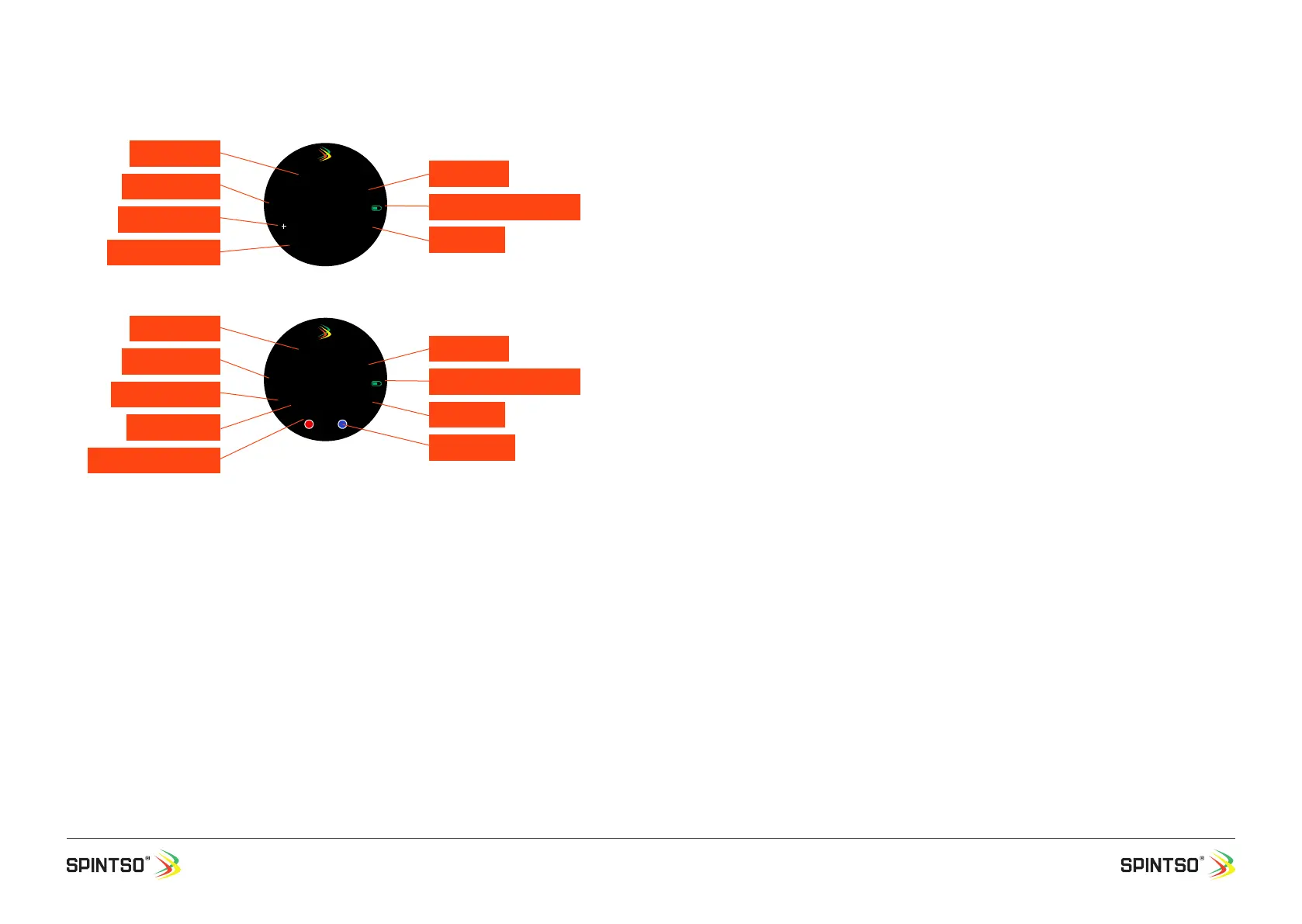
7.1.2.2. Match clocks and display indicator
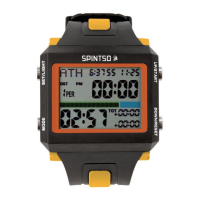
Current time: Shows the real time. 12/24h format is decided by the setting in your phone.
Period time: Shows the remaining period playing time.
Period number (P): Shows the current playing period.
GPS & Battery indicator: GPS ready is indicated by green symbol. GPS not ready is indicated by
crossed through red symbol. Current battery status is indicated by the degree of ll-out of the battery
symbol.
Additional Time (+): Shows for how long the current period have been paused.
Break time (B): Shows the remaining time until the next period shall start. Only visible during break.
Counting-up time (TOT): Shows the continuous time that have passed since the current period start-
ed and it continues to count up during break time. When the next period is started, the counting-up
time is set to the sum of all previous playing periods and continue to count up.
Penalty counter (PT): Shows the oldest currently active penalty. Maximum number of penalties during
a game is nine.
Penalty Timer: Shows the remaining time until a player is allowed back onto the eld. If additional
penalties are active at the same time, the newer penalty will appear after the old has ended and
disappeared.
Team score counter: Shows the number of goals that have been registered for each team. The maxi-
mum number of goals is limited to 99.
Team colour: Shows the colour of the home and guest teams.
7.1.2.3. Match preparations
Charging: Make sure that your watch has enough battery power to last through the match(es). Note
that the watch draws more power than normal during a match due to always on display and GPS
tracking. Preferably make sure that your watch is fully charged at the beginning of the match day.
Set-up: Make sure all match settings are correctly set before the game start. Note that you need to set
each period time and break time separately if your game has for example 2 periods/breaks or more.
GPS: GPS needs to be connected if you want your movement to be recorded. If your watch has not
been connected to GPS for a long time, the time to connect can be long. 0,5-2 minutes. To make the
watch connect to GPS quicker, update the watch with AGPS through the Spintso watch APP and make
a brief GPS connection at a convenient time. This can be done up to a couple of hours before the
match. Standing in an open area makes connecting to GPS go much faster.
In a city with houses all around, connecting to GPS may take a very long time if connecting for the rst
time. After GPS have once connected, movement recording in a city works very well.
7.1.2.4. General match handling
Applicable match can preferably be selected at warm-up before the match. Then the GPS will have
plenty of time to connect, and the watch will be 100% ready when starting the match. (Match can be
started even if GPS is not locked).
The following actions are taken after selecting a match (PRO 1, PRO 2 or YOUTH).
a. Screen remain always on.
b. Touch screen is disabled
c. Bluetooth is deactivated
d. All notications and the alarm clock are disabled.
e. GPS start try to connect. When GPS is connected the GPS symbol change from red to green.
f. Number of playing periods, First playing Period time and rst break time is presented.
g. All match clock functions are controlled by button A.
h. Vibration feedback for button press and match events are enabled.
43:06
20:08:37
P2
00:00 B 15:00
TOT 000:00
Gps
Period time
Current time
43:06
20:08:37
P2
PT1
15:00 B 15:00
Gps
Home 00 GUEST 00
PRO 1 / PRO 2
Youth
GPS & Battery indicator
Break time
Period number
Additional Time
Counting-up time
Period time
Current time
GPS & Battery indicator
Break time
Period number
Penalty counter
Penalty timer
Team colour
Team score counter


 To Next Page
 Loading...