Spirent C1 and C2 Installation Instructions
System Description
20 | Spirent C1 and C2 Installation Instructions
PN 71-008959 Rev A April 2020
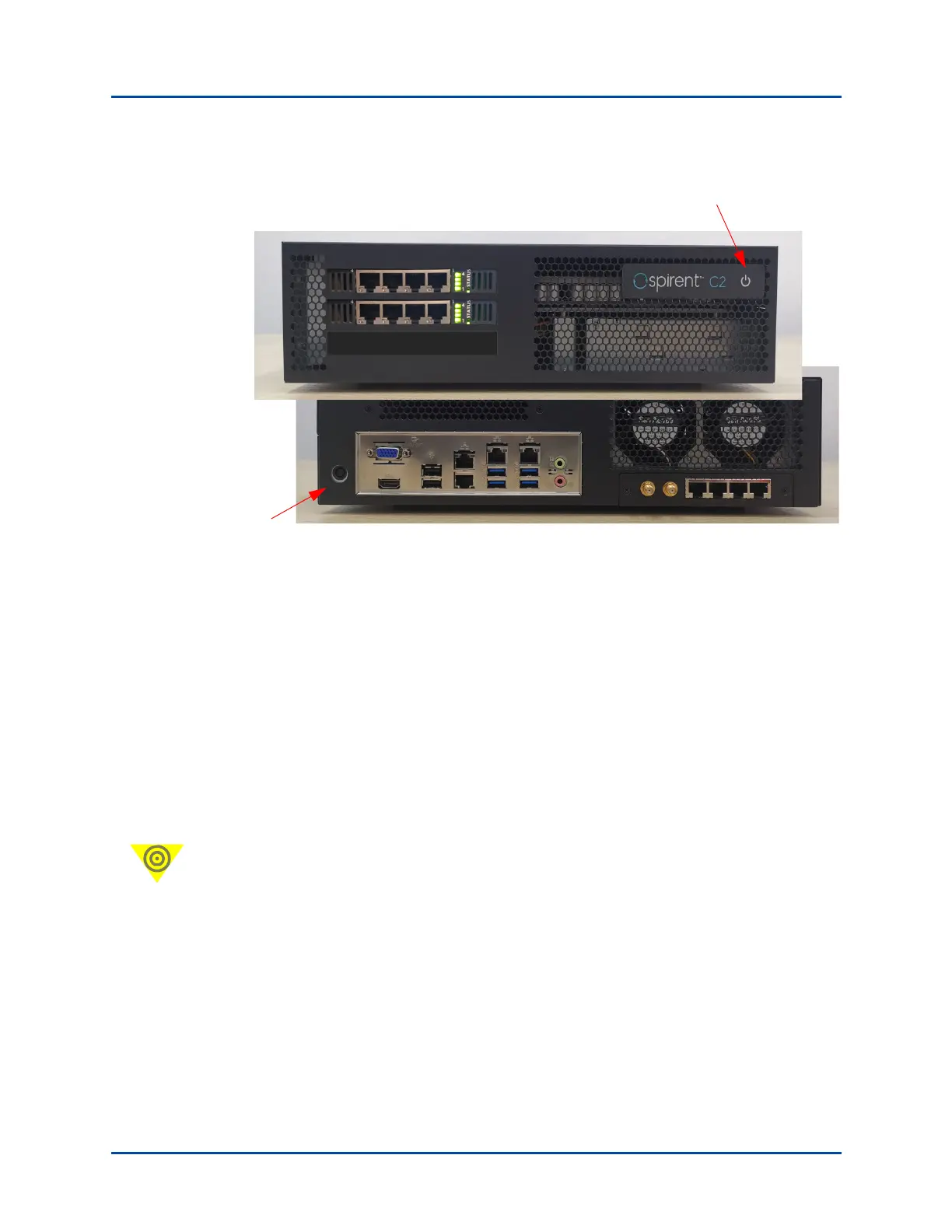
Figure 16. SPT-C2 Power Button and Power Cord Socket
Powering up the SPT-C1/SPT-C2
Press the power button on the front of the unit (Figure 15 on page 19) to turn on the
appliance.
The typical boot time is two (2) minutes. Package switch times (switching from Spirent
TestCenter to another product, or from another product to Spirent TestCenter) and
firmware upgrades take approximately 10-15 minutes.
Powering down the SPT-C1/SPT-C2
Important: Press and release the power button on the front of the appliance (Figure 15)
tn it off.
Do not unplug the appliance while it is in operation (blue indicator light on). Power off the
appliance, before you unplug it.
Power button
(front of unit)
Power cord socket
(back of unit)



 To Next Page