Spirent C1 and C2 Installation Instructions
Appliance Firmware Support
Spirent C1 and C2 Installation Instructions | 29
PN 71-008959 Rev A April 2020
Appliance Firmware Support
With the dual boot feature, you can switch between two installed versions of Spirent
TestCenter using the command line interface. You can identify the current version and
standby version using the appropriate commands described in this section.
For SPT-C1/SPT-C2 appliances, the feature applies to Spirent TestCenter releases 4.94
and later. When you initially upgrade to release 4.94 or later, both installed versions will
be 4.94 or later. Subsequent upgrades to releases later than 4.94 will result in two separate
partitions, containing the current version and the standby version, respectively.
Notes: • Downgrading to a Spirent TestCenter version below 4.94 removes this
feature.
• If you are using Spirent TestCenter version 4.53 or earlier, and you want to
upgrade to version 4.94, go to the Customer Service Center (CSC)
Knowledge Base, and follow the instructions in FAQ11021.
• Downgrading to 4.81 or below is a two-step process (if you are at 4.94 or
above). First downgrade to 4.81 and then to the version you intend to use.
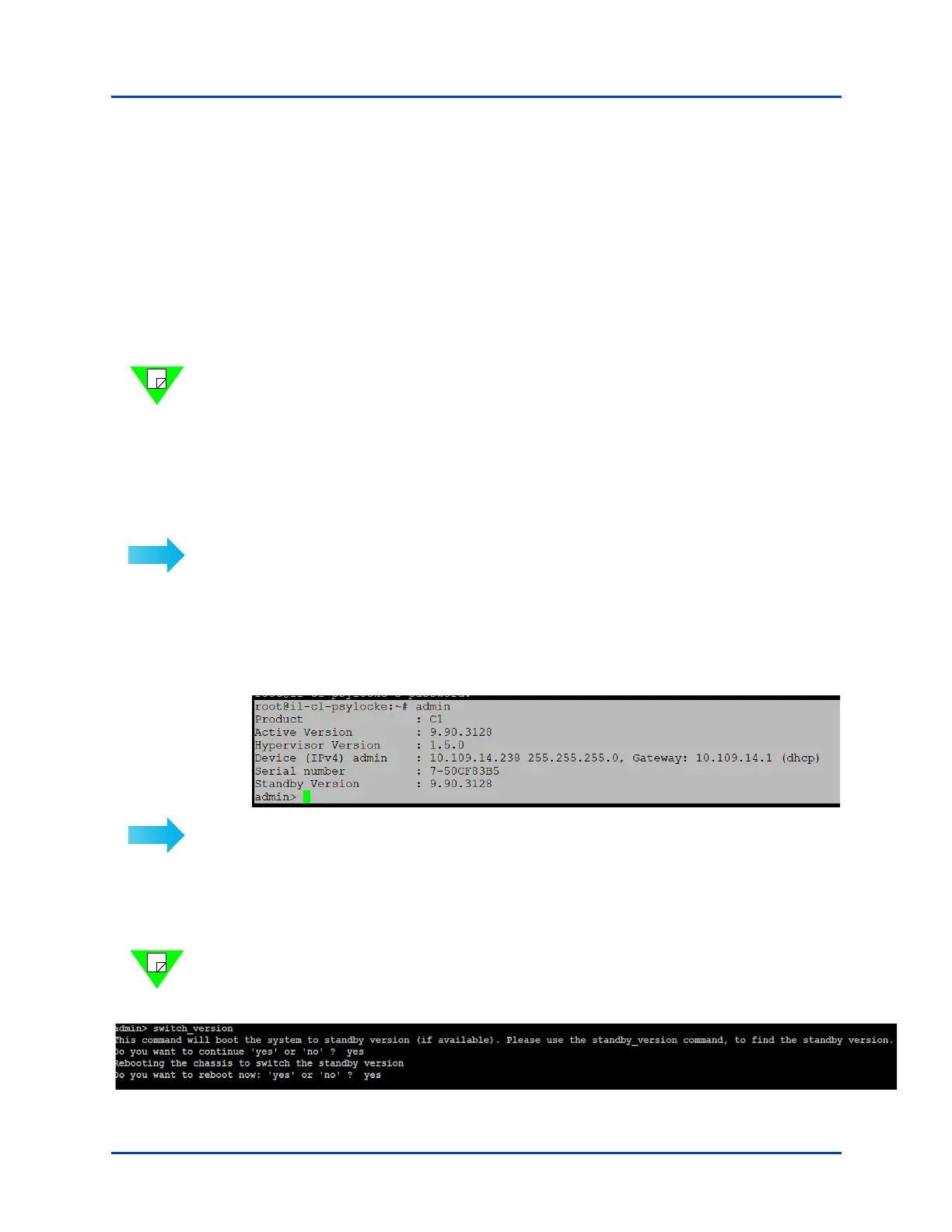
To see the available Spirent TestCenter versions using the command line interface:
1 SSH to Spirent TestCenter as an admin.
2 Use the applicable command
•Type
version to identify the active Spirent TestCenter version.
•Type standby_version to see the standby version.
To switch between two installed versions using the command line interface:
1 SSH to Spirent TestCenter as an admin.
2 Type
help to view the list of options.
3 Select switch_version with yes as an option to switch to the standby version.
Note: A reboot is required to switch versions. Select yes if you want to reboot and use the
standby version. If you select no, the switch to the standby version will take effect with
the next reboot.



 To Next Page