Spirent C1 and C2 Installation Instructions
Appliance Firmware Support
30 | Spirent C1 and C2 Installation Instructions
PN 71-008959 Rev A April 2020
SPT-C1 and C2 Firmware Support
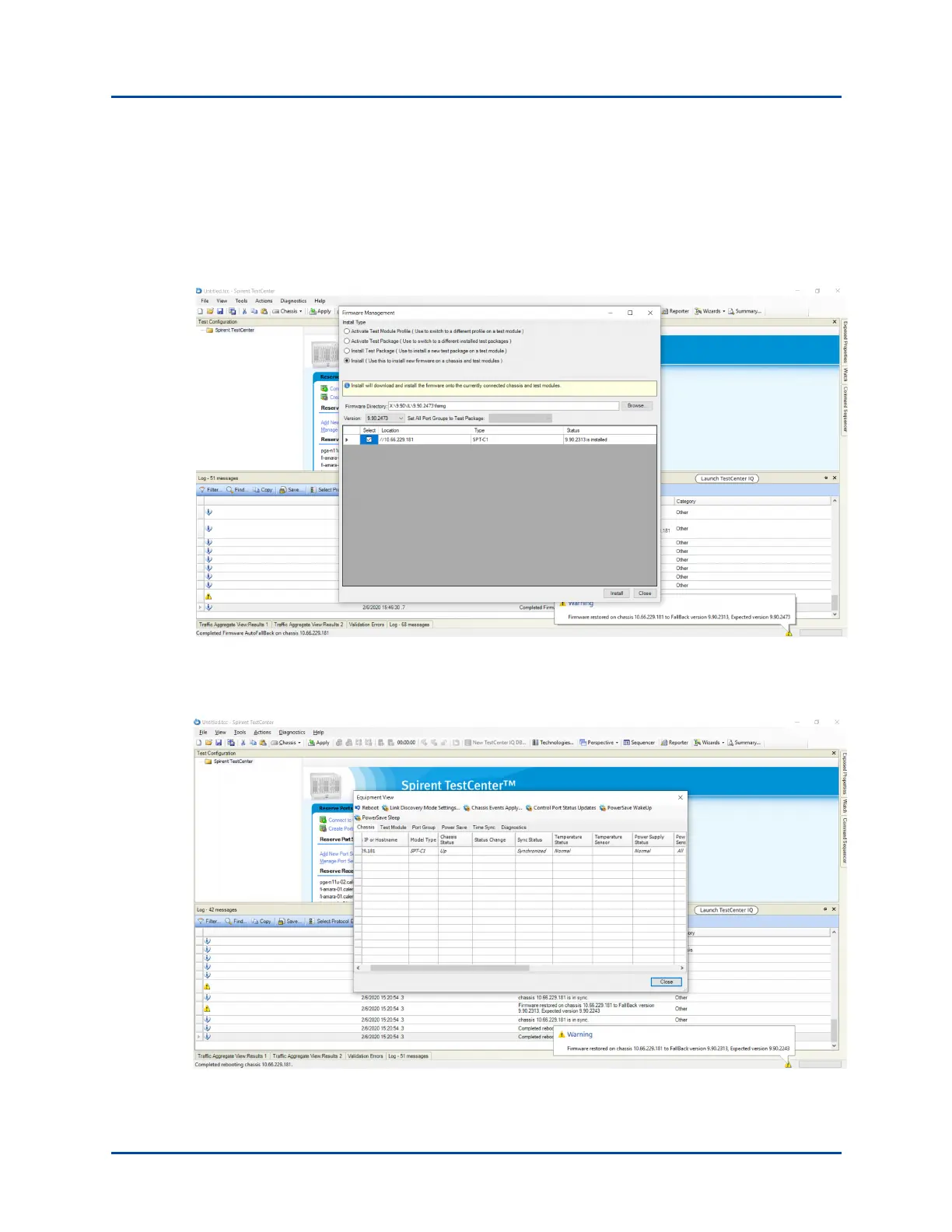
With the AutoFallBack feature, the supported appliance will switch back to the previously
installed version of Spirent TestCenter, if there is a firmware upgrade failure. You will see
AutoFallback messages in the Firmware Management tab and the Log window. A warning
message will display in the lower right of the pane. Refer to the screen capture.
The AutoFallBack behavior is also true for a reboot initiated from the Equipment View.
Notifications will display in Log window and a warning message will display in the lower
right pane as shown in the screen capture.



 To Next Page