data from that position by pressing the play button . The real time data will then be replaced
with the data in the recorded Log file. Now you can go to the different profiles and see how the
signal values changed while you were driving. By looking at the Log data you can do adjustments
on the profiles and save it. Then you can do another test run and see if the transmission
performed correctly.
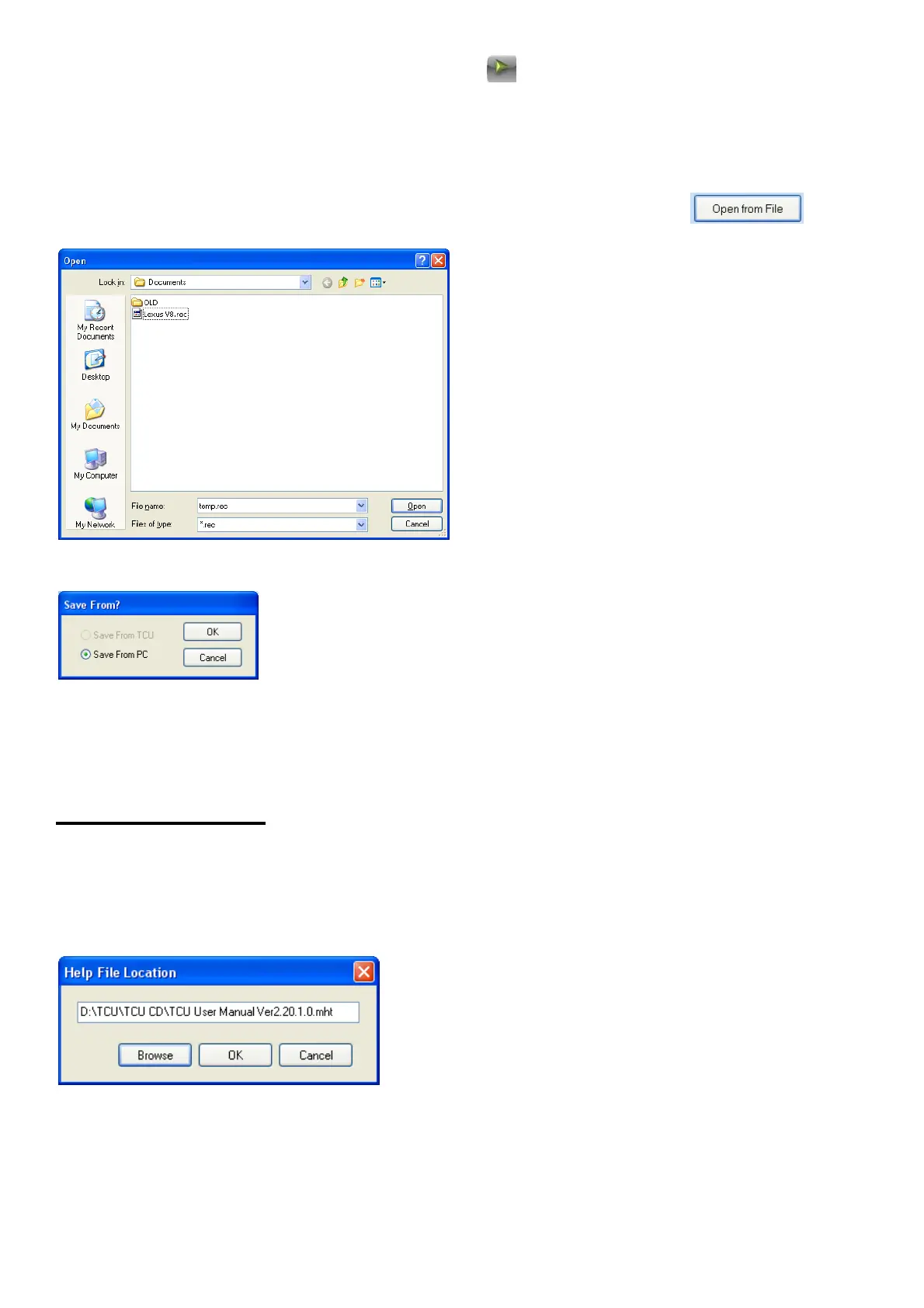
The Log file can be opened and replayed at a later stage by pressing the button.
This feature will also allow the file to be mailed to the tuner for remote fault finding.
To do adjustments remotely first load in the transmission profile and then open the file. Play it back
and do adjustment. Then save the profile file by pressing save from PC.
6.9 Manual (F5)
When you use the manual for the first time the program will prompt about the location and
filename of the help file. The help file normally comes in PDF format for standalone use and HTML
format (TCU User Manual Ver2.20.1.0.mht) to work in the tuning software. Click on Browse and
guide the explorer to the .mht file. Click OK and the file will load. This program will store this file
location in the tcu.ini file so that the next time you don’t need to repeat the process.
If you want to load n newer version of the manual, delete the old manual file first or delete the
ecu.ini file and copy the new one to the hard disk. Close the program and reopen it. Repeat the
above process.



 To Next Page