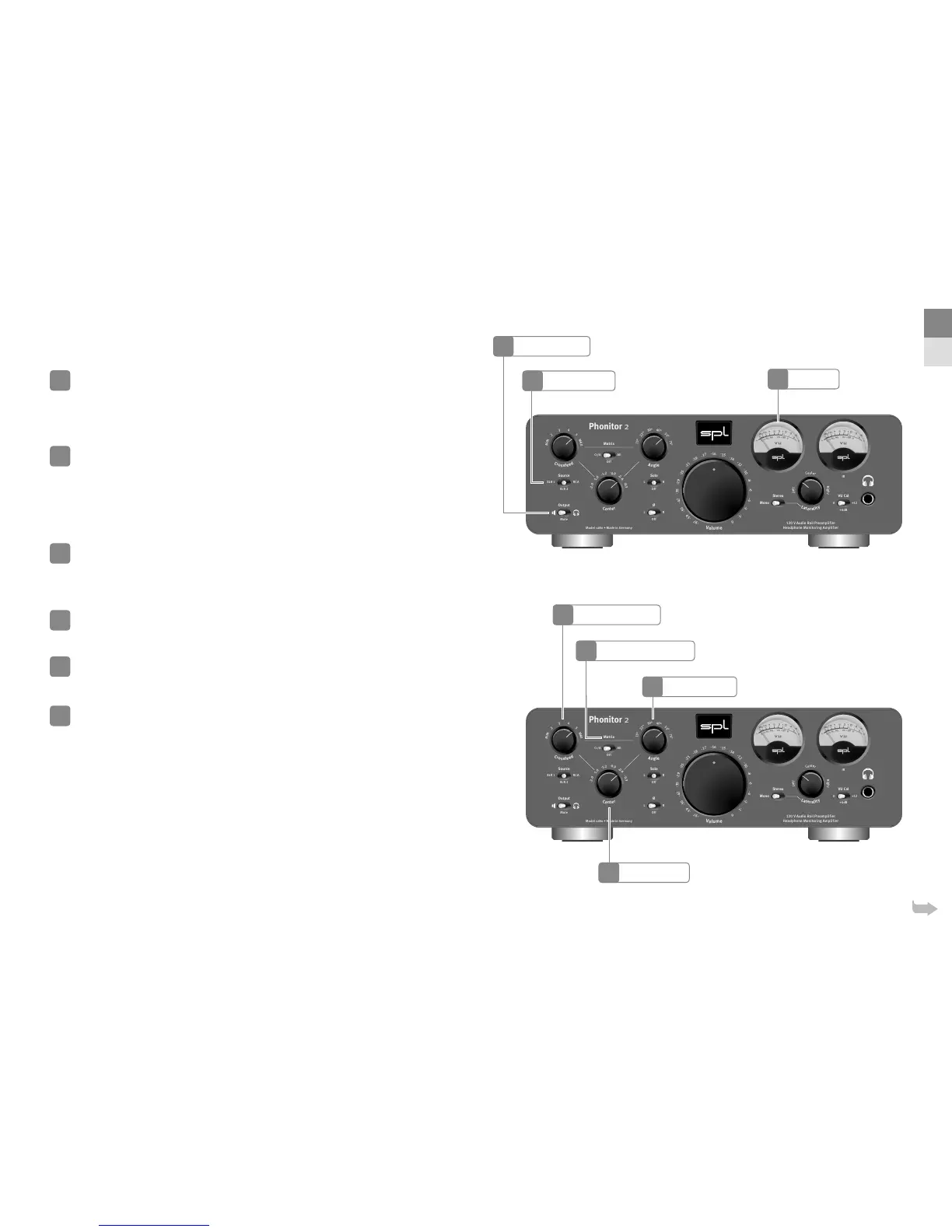
Source selection
Choose an analog source with the Source switch – XLR , XLR or RCA.
Output selection
By using the Output switch you can select an output – headphone or audio
outputs for speakers on the rear of the Phonitor . In the Mute position no
signal passes through to the outputs.
If the output is muted the VU display lights up red.
Phonitor Matrix settings
By using the Matrix switch you can activate the Phonitor Matrix – with Center
control (All) or without (Cr/A). In O position the Phonitor Matrix is deactivated.
The Phonitor Matrix creates a speaker-like listening experience on headphones. When listening to speakers sound
coming from one side is also perceived with the ear on the opposite side. The Phonitor Matrix calculates the time
and level dierences with their specic frequency responses to deliver a true rendition of a speaker playback.
With the Crossfeed switch you adjust the level dierence.
The size, reflections and absorption characteristics of a room influence the level with which a sound coming from a
speaker is perceived with the opposite ear. The Phonitor Matrix provides positions to adjust this level.
With the Angle switch you adjust time dierence.
The placement of the speakers determine the stereo width. In a standard stereo speaker setup the angle is typically
°. The Matrix oers ve more angles. The wider the speakers are apart the higher the time dierence.
With the Center control you regulate the intensity of the center signal.
Is the Center control activated (Matrix switch = All) the stereo signal is converted to a Mid/Side (M/S) signal, the
mid signal is then attenuated by . up to . dB. Finally the M/S signal is reverted to a stereo signal. Mix engineers
require this function as a tool for successful mixing on headphones.
13
14
15
16
17
18
Output Selection
Source Selection
Center Switch
VU Meter
22
14
13
EN
DE
18
Crossfeed Switch
Phonitor Matrix Switch
Angle Switch
16
15
17


 To Next Page
 Loading...






