Phonitor xe – Quickstart Phonitor xe – Quickstart
Phonitor
xe
V
O
L
U
M
E
M
I
N
2
3
4
5
M
A
X
Off On
MATRIX
C
R
O
S
S
F
E
E
D
2
2
°
3
0
°
4
0
°
5
5
°
A
N
G
L
E
VOLTAiR
120V DC Audio Rail
Headphone Amplifier
ON
RCA
XLR
Coax
Optical
AES
USB
S
O
U
R
C
E
Mono
Stereo
MODE
L
A
T
E
R
A
L
I
T
Y
L
e
f
t
C
e
n
t
e
r
R
i
g
h
t
StandardBalanced
0 +12
F R
VU
+6
~ 115V AC / ~230V AC, 50 Hz / 60 Hz, P max. 45 W
RL
LR
USBOPTICAL
COAX
Phonitor xe
Serial
Number
Made in Germany
PGM
VOLUME
Refer to
Manual
IR
AVIS: RISQUE DE CHOC ÉLECTRIQUE • NE PAS OUVRIR
RISK OF ELECTRIC SHOCK
DO NOT OPEN
CAUTION
Fuses:
Voltage Selection:
230V AC: T 500 mA L 250 V
115V AC: T 1 A L 250 V
1. Remove Fuse Holder
2. Exchange Fuses
3. Flip Over 4. Reinstall
XLRs: balanced, Pin 2 = Hot (+)
For unbalanced operation
bridge Pin 3 to GND.
RCAs: Unbalanced, Tip = Hot (+)
WIRING
ON BOTTOM SIDE:
DIP SWITCHES
1 ON: HP Out +22dB
2 ON: RCA -10dBV to 0dBu
ANALOG SOURCES DIGITAL SOURCES
ANALOG SOURCES DIGITAL SOURCES
HEADPHONES OUTPUTS
HEADPHONES OUTPUTS
AES
R
L
StandardBalanced
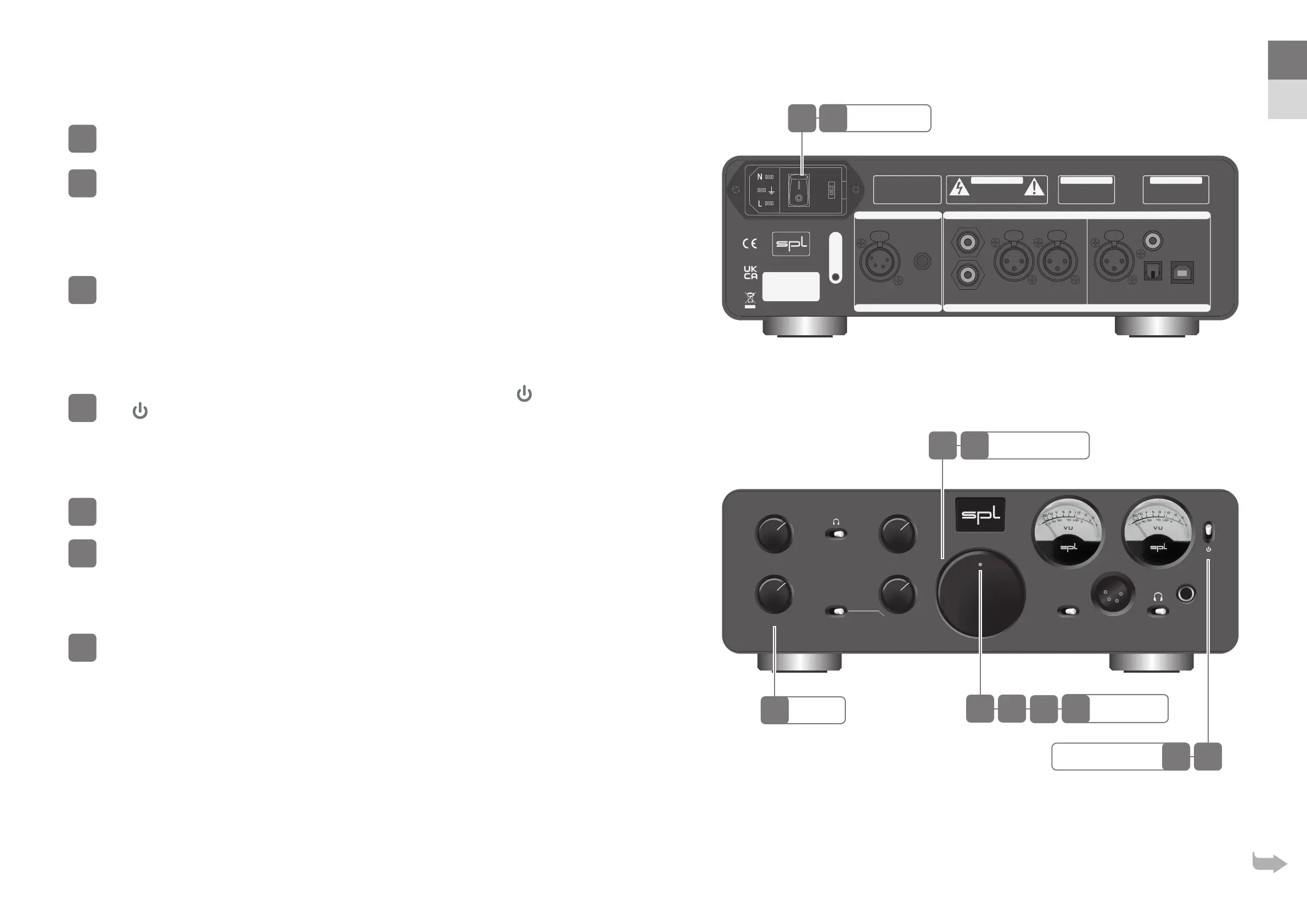
Power up
Turn down the volume of the Phonitor xe.
Switch on mains switch on the back of the Phonitor xe (On = I).
Power LED is dimly lit.
Operation
Switch the Phonitor xe from standby into operation by setting the standby
switch to ON.
Power LED now lights up brightly.
Standby
Switch the Phonitor xe into standby by setting the standby switch to
( = Standby).
Power LED is dimly lit.
Power down
Turn down the volume of the Phonitor xe.
Switch o mains switch on the rear of the Phonitor xe (O = O).
Power LED no longer lights up.
Source selection
Choose a source with the SOURCE switch.
Source
Standby Switch
Power LED
Mains Switch
Volume Control
EN
DE



 To Next Page