14
REPLACING THE BATTERY
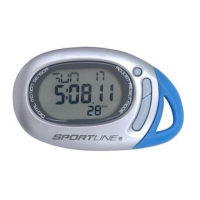
The Sportline Qlip Pedometer uses one CR2032 3V lithium battery.
Battery replacement will be required from time to time, and should occur when:
1. The display fades in part or completely
2. The pedometer function will not activate
Replacing the battery:
1. Unscrew the battery compartment cover on the backside of the unit using a small Phillips
screwdriver and remove the cover.
2. Remove the exhausted battery from the unit, and insert a new battery (be sure to place
the positive (+) side of the battery is visible, facing toward the battery compartment
cover).
3. Replace the battery compartment cover on the battery compartment and fasten the screw
(CAUTION: do not over tighten).
CAUTION – BATTERY SAFETY INFORMATION
• Non-rechargeable batteries are not to be recharged
• Rechargeable batteries must be removed before recharging
• Rechargeable batteries only to be recharged under adult
supervision
• Do not mix alkaline, standard (carbon-zinc), or rechargeable
(nickel-cadmium) batteries
• Do not mix old and new batteries
• Exhausted batteries to be removed
• Do not dispose of battery in fire; battery may explode or
leak
• Do not dispose of product in fire; battery may explode or
leak
WV4405IS01SPT.indd Sec2:14WV4405IS01SPT.indd Sec2:14 7/9/08 10:04:57 AM7/9/08 10:04:57 AM




 To Next Page