3
Qlip
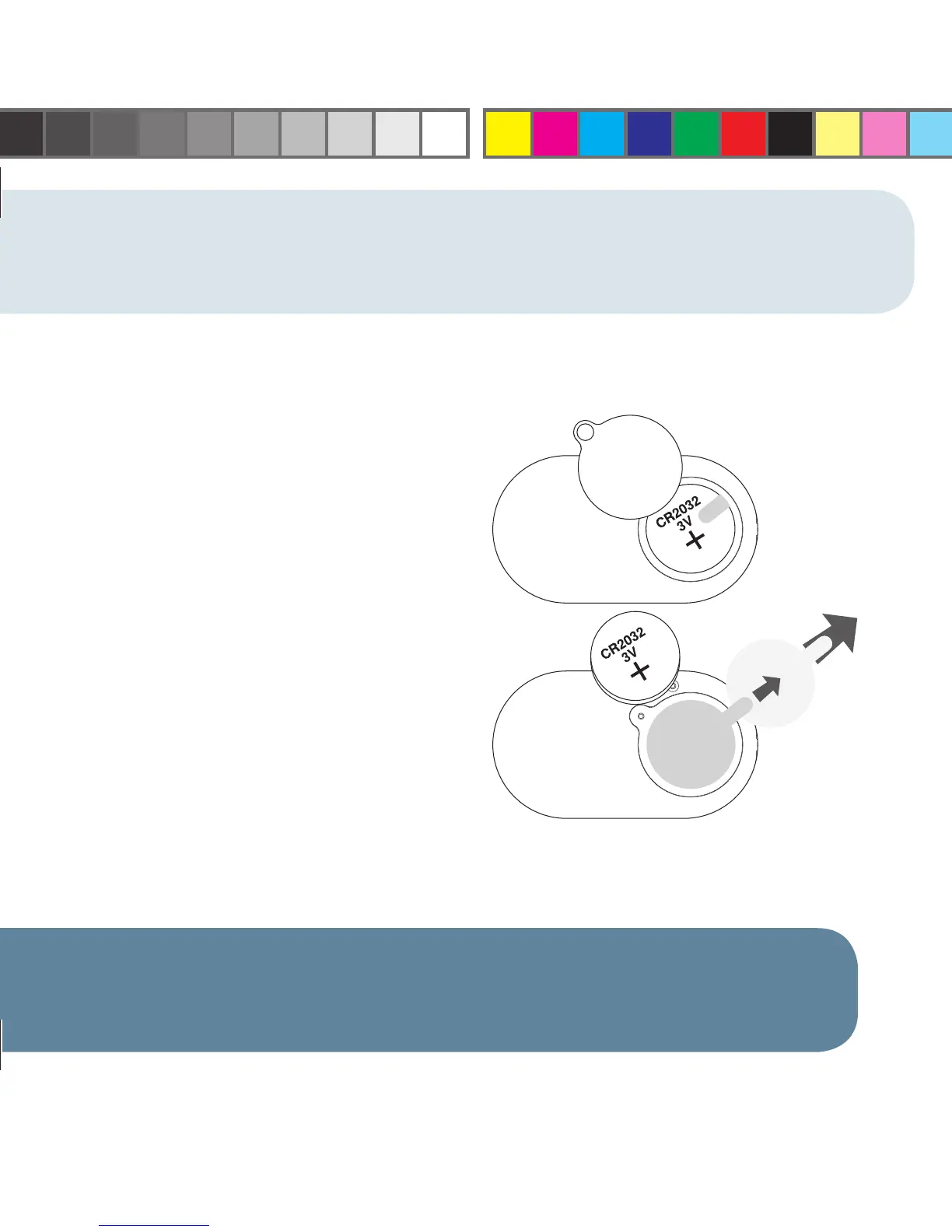
NOTE: In order to activate your pedometer after purchase, you must remove the battery
insulator tab inside the battery compartment.
1. Unscrew the battery compartment door with a
small Phillips screwdriver.
2. Remove the tab (be sure that the battery is in
the correct polarity position – positive (+) side
of the battery is visible).
3. Replace the battery compartment door and
tighten the fastening screw with a Phillips
screwdriver.
4. Remove the label that appears on the
pedometer display.
REMOVING THE BATTERY INSULATOR TAB
WV4405IS01SPT.indd Sec2:3WV4405IS01SPT.indd Sec2:3 7/9/08 10:04:48 AM7/9/08 10:04:48 AM




 To Next Page