85
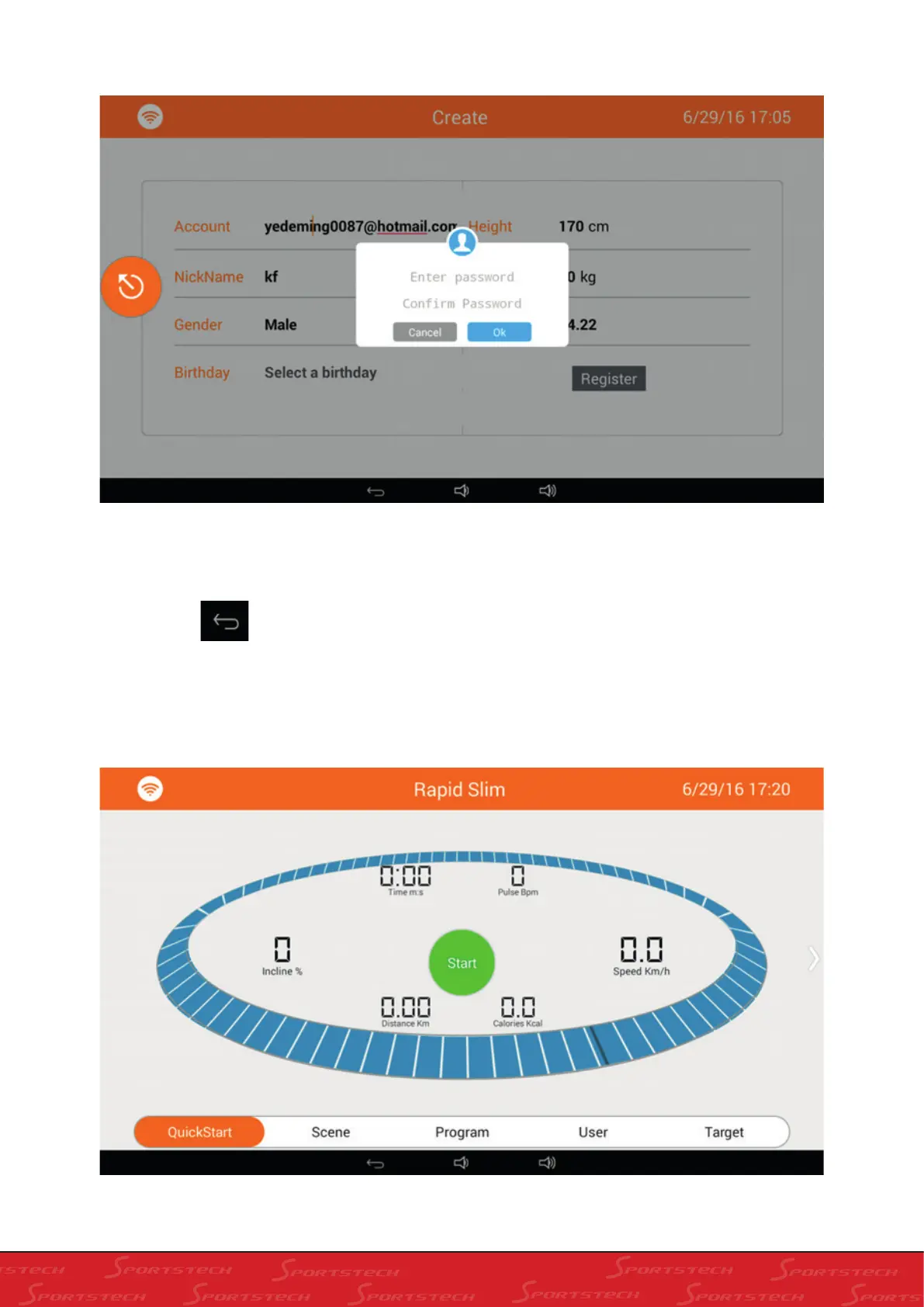
Fill in user data, press “Register” to register, a box will pop up for your to input passwords as below:
Input passwords, click Ok to register new account. You will be informed of registeration success. If not , the reason of
failure will show and you should modify as per the hint.
4). Press Back
to go back to the home screen.
4. ENTER INTO SPORTS SCREEN AND OPERATION
1). Click “Sports” on the home screen to enter into “Rapid Slim” as below:



 To Next Page