87
12 kinds of mode are available in the “Program” to users. Users can select a reasonable plan based on their own
needs to run. Slide left and right to switch among different plans. Set the time after the selection and then click Start;
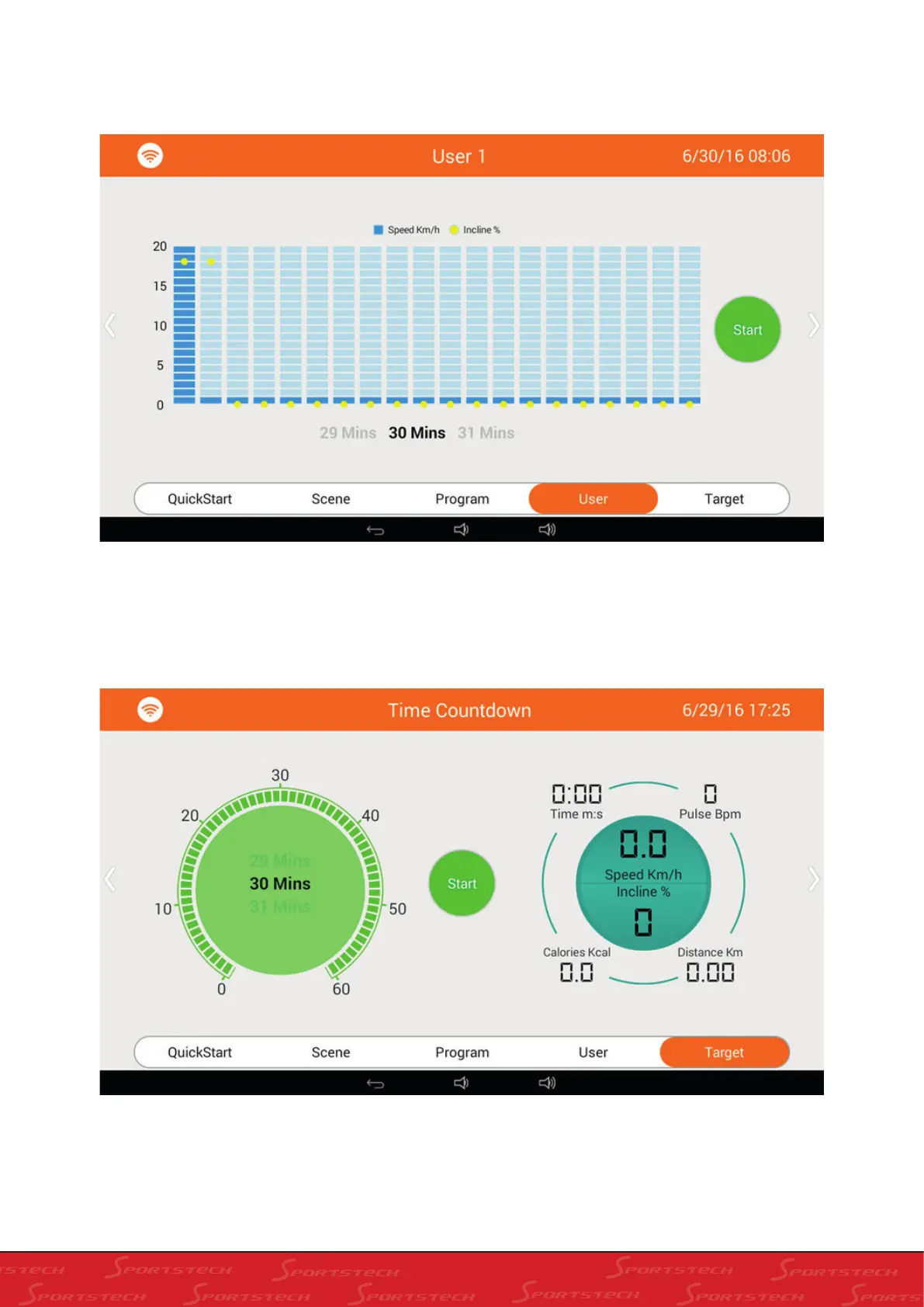
There are three groups of Customized Fitness modes available for “User” to select; slide left and right to select. Drag
the blue column in the middle to set the speed of the current section ; drag the yellow ball to set slope of current
section; after all sections are set (automatically saved after setting), set the time of running of this time and then click
Start;
There are three modes available to users in “Target”; users can select the reasonable mode to run based on their own
demands. Slide left and right to switch among different plans; then set time and click Start;



 To Next Page