99
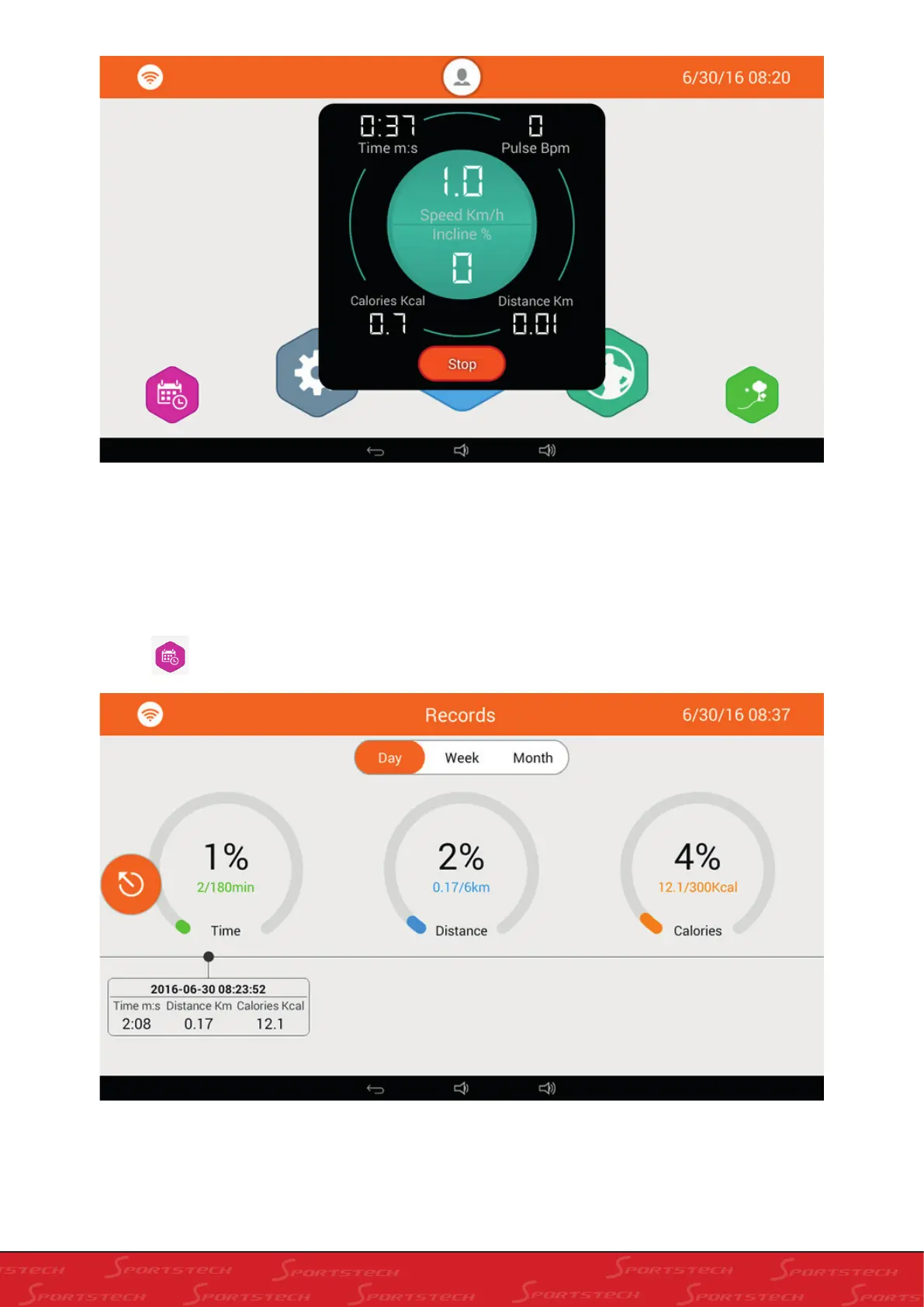
c. Click Speed and Slope window to have the Speed and Slope adjustment window; adjust Speed and Slope. Click
other position of the data window to hide the data display or it will automatically hide if there is no operation for 10s.
IV. RUNNING RECORDS QUERY (REGISTERED ACCOUNT AND LOGGED IN WITH THE
REGISTERED ACCOUNT)
a. Click on the home screen, enter into “Running records” screen as below:
b. In the running records screen, daily, weekly and monthly running records are displayed on the screen. The three
circles below show the accumulated time, distance and calorie. The percentage in the centre is between the previous
data and total data. Below is the data records for the running you just finished.



 To Next Page