103
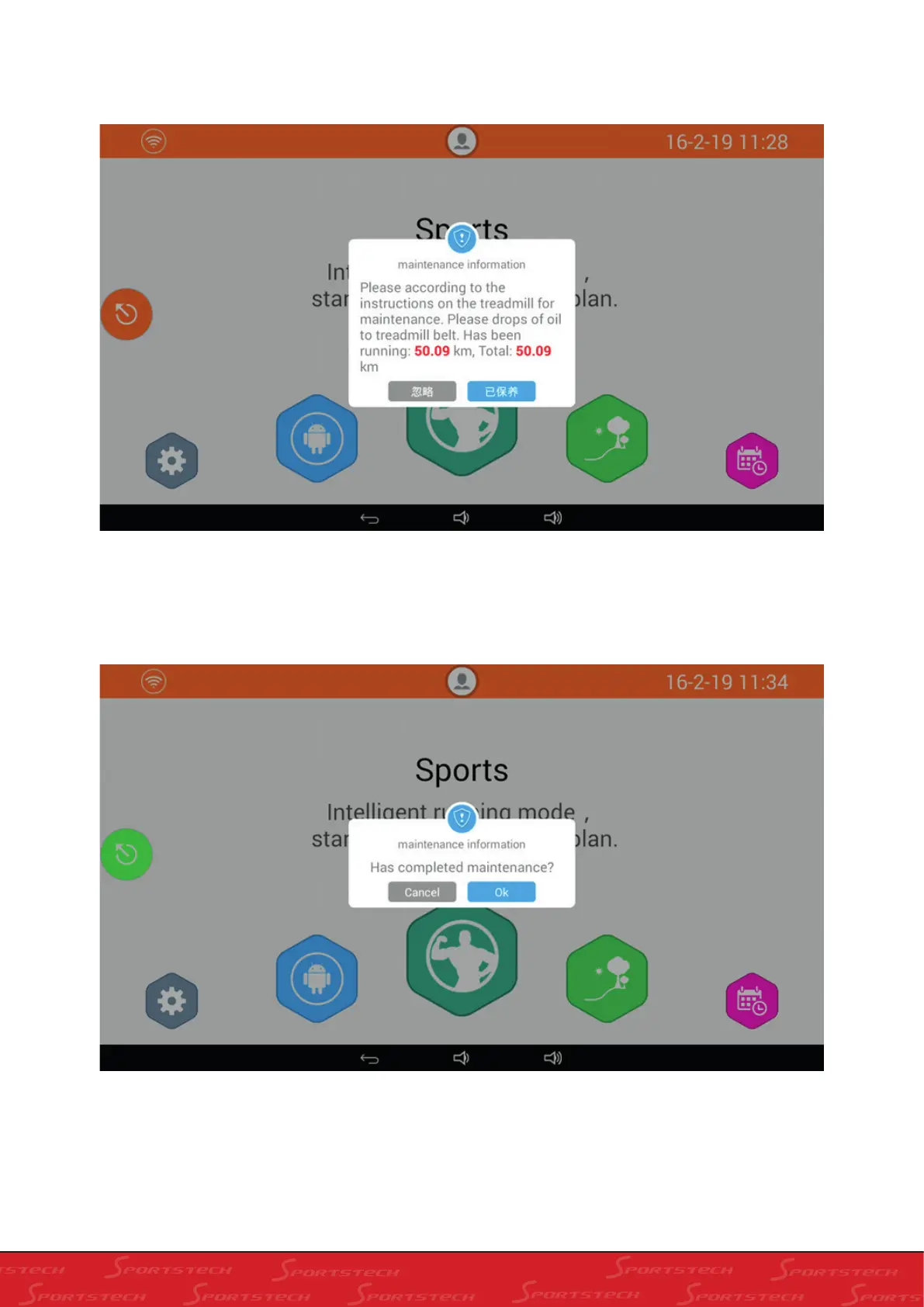
5. If you run for 50 km after last maintenance, Maintenance Information will pop up when you stop or start, see
below:
6. Click “Cancel’ in the above Maintenance Information box; the system will take it that the treadmill hasn’t been
maintained; if you click “Maintained”, the treadmill will be regarded as maintained and the following box will show:
7. In the above dialogue box, click “Cancel” to cancel the maintenance; Click “Ok” to complete the maintenance.
This window won’t automatically pop out for reminding users until the next maintenance period.



 To Next Page