Build Platform
Offline Printing
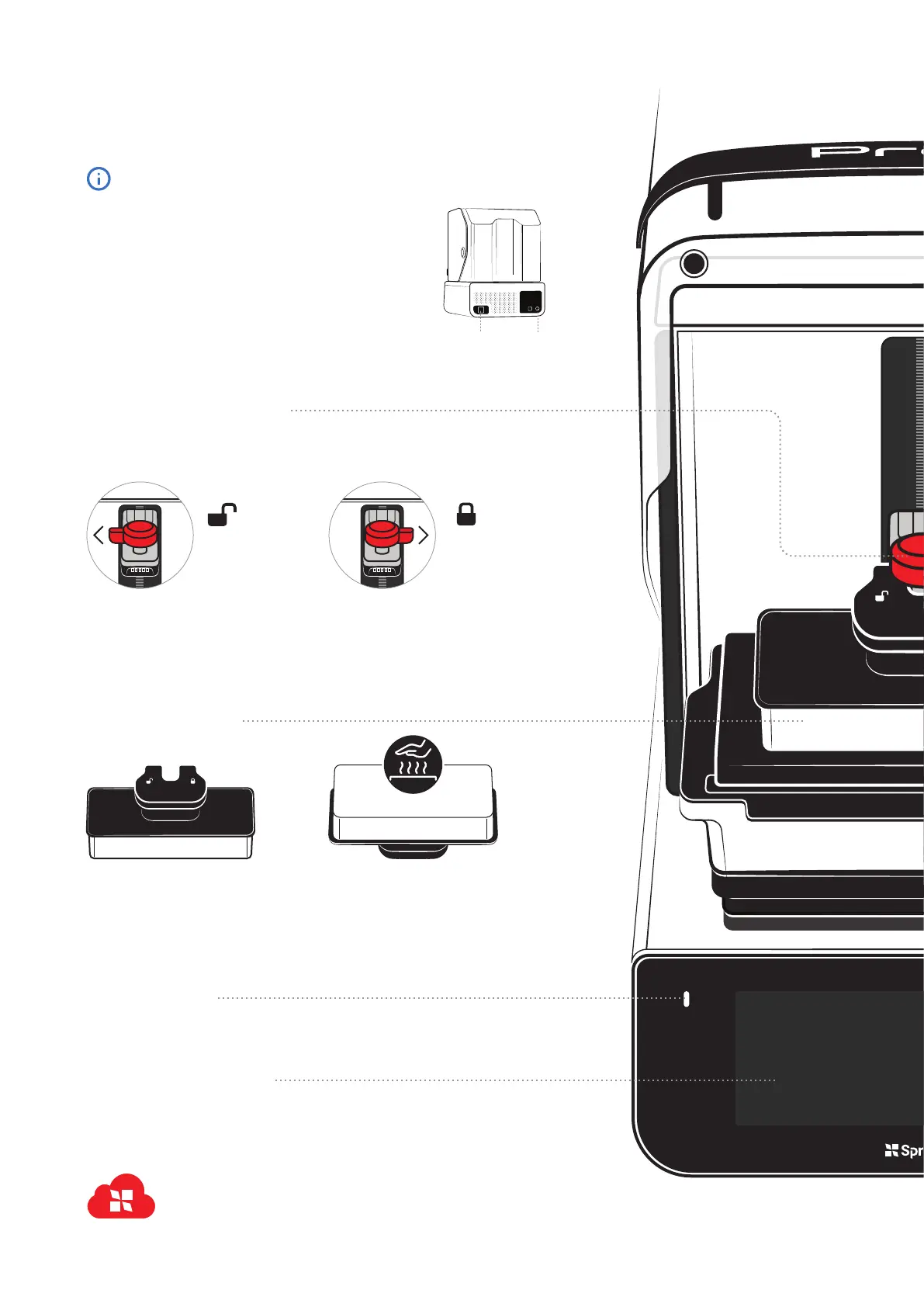
Use this USB-C port if you’re having connectivity issues. Download print
jobs onto a USB drive, then plug into Pro 2 and start printing.
Platform Heating
The build platform is equipped
with a powerful heater. It may be
warm to the touch.
Maintenance
Keep the platform clean and don’t
gouge it with sharp objects when
removing prints. Do not drop.
Build Platform Lock
Pro 2 uses a magnetic lock to perfectly
align and hold the build platform into place.
Plug In and Power Up
Use the provided power cable to plug your Pro 2 into an
uninterrupted power supply or surge protector. To turn it on,
press the power button.
When Pro 2 is on, press the power button to power off or
restart. You can also press and hold the power button for
5 seconds to power it off.
Command Center
The ultrawide screen and powerful onboard computer allow you to
create and manage print jobs, track the status of your consumables,
and get step-by-step instructions for many workflows.
Sign In with SprintRay
To get the most out of your Pro 2, make sure to connect
it to the internet and sign in with your SprintRay
Hello, SprintRay
Pro 2 comes out of the box with the build arm lowered to
the resin tank. The lid may also be locked to protect it in
transit.
When you turn Pro 2 on, the build platform will rise
Installation
To install, slide the platform onto the
arm, then turn clockwise to lock it in
Locked
Ready to print
Removal
To remove the build platform, turn the
knob counterclockwise to unlock, then
pull the platform toward you.
Unlocked
Remove to clean
Built-in Heater
Power
Port
Power
Button



 To Next Page