Ready to PrintPrint Job Finished
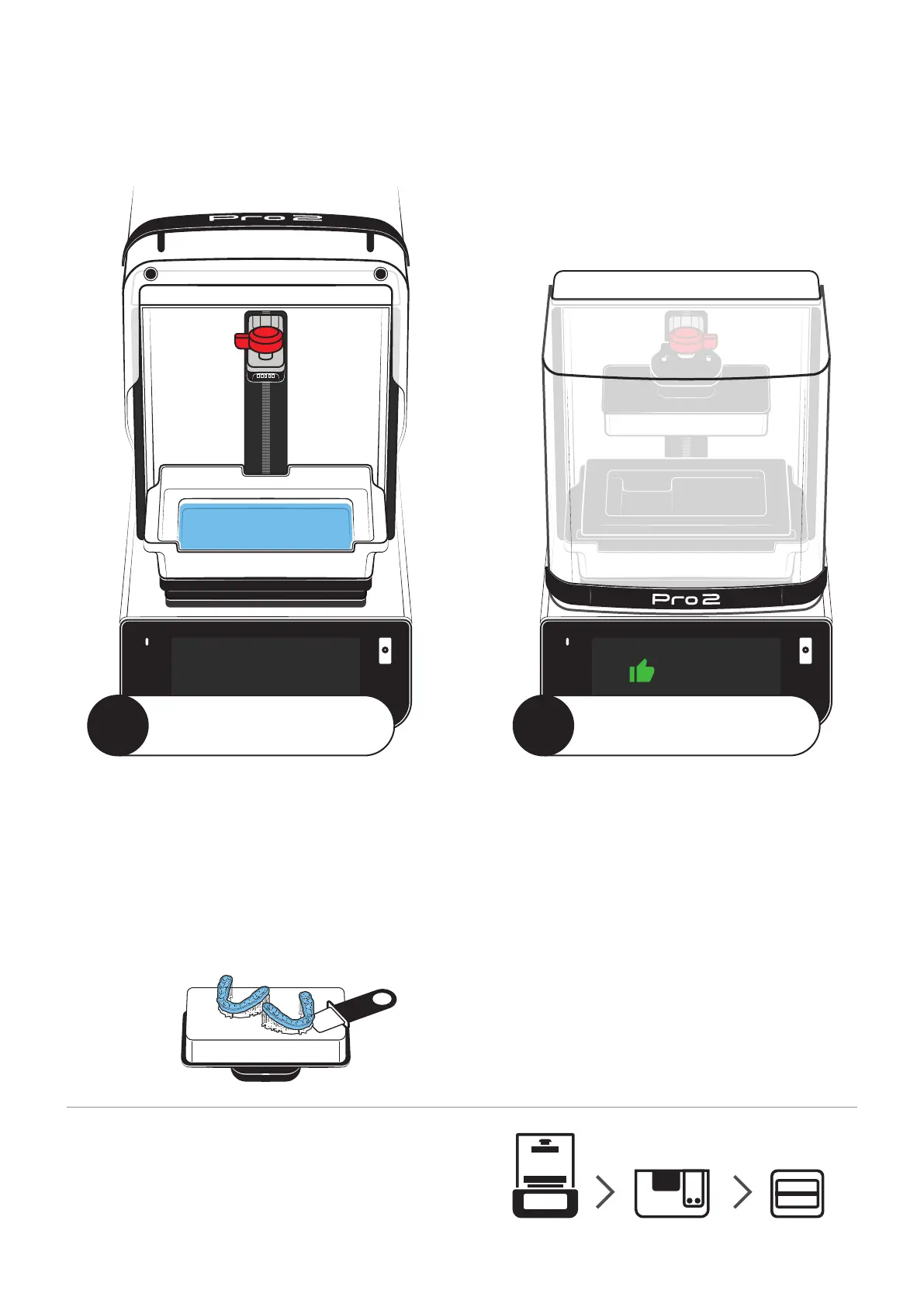
Remove the Build Platform
When the print job is finished, the build platform will rise up to
the resting position. Turn the knob counter-clockwise to unlock
the build platform, then pull it toward you to remove.
Remove the Printed Part
If you’re printing with supports, you should be able to remove
the model from the build platform by hand. If you’re printing
something flat, like a dental model, use the provided scraper to
remove the print.
Clean the Build Platform
Use the scraper to remove any hardened residue left on
the build platform, then spray the surface with IPA and
wipe it down with a soft cloth. Make sure there is no
debris.
Reinstall the Build Platform
Once it’s clean, slide the build platform over the build arm,
then turn the knob clockwise to lock it into place.
Cover the Resin Tank
If you’re finished printing for the day, secure the included
resin tank cover over the tank to help preserve the life of
End-to-End Workflow
Pro 2 is designed to work best with SprintRay washing and
curing devices for automatic handoff and processing profiles.
Visit sprintray.com to learn more about post processing devices.
3
Remove the Print
4
Ready the Printer



 To Next Page