Quick Start Guide
03.
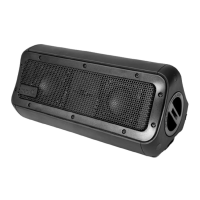
Connecting to your Nomad 3+ Speaker:
You can play music through your Nomad 3+ Speaker
using Bluetooth or an Auxiliary Cable.
Method 1: Connecting via Bluetooth
1. Press the power button for approximately three
seconds. The power/Bluetooth indicator will flash
blue and red to indicate the Nomad 3+ is ready
for pairing*.
2. Turn on Bluetooth on your mobile phone/music
device**.
3. ‘Nomad 3+’ will appear on your mobile phone/
music device. Select ‘Nomad 3+’ to pair.
4. Once your mobile phone/music device is connected
to the Nomad 3+, you will hear ‘Bluetooth
connected’***.
5. Enjoy your music
*If the single LED is not flashing red and blue,
hold the UNISYNC button for 5 seconds to initiate
Bluetooth pairing.
**If you are not familiar with Bluetooth pairing for
your mobile phone or music device, refer to the
user guide for your mobile phone/music device for
instructions to pair a new device using Bluetooth.
***Nomad 3+ will always store the last device paired
and if the device is within Bluetooth range, Nomad
3+ will automatically connect to the device.
09


 To Next Page