SPRT
3.3 USB
Use standard USB type B socket.
Chapter4 Operating instructions
4.1 Paper Installation
POS58V printers use 58 mm wide thermal paper roll.
Press
【
FEED
】
button to Load paper to the printer.
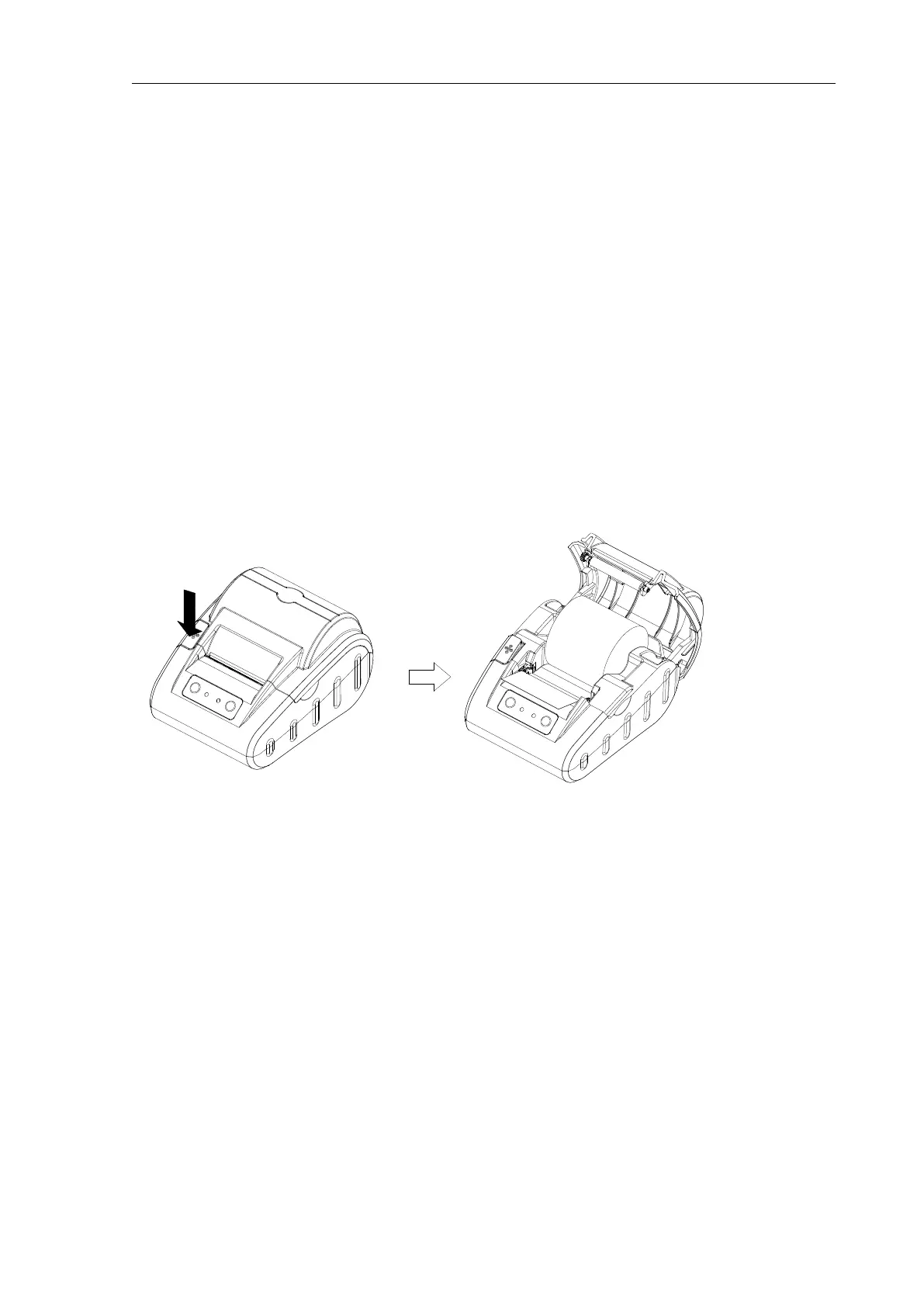
Change paper, follow these steps: Press the cover-open button to
the left to open the paper cover, thermal paper roll into the paper hit
machine positions, pulled from the roll for some, then the paper side
on the machine head, cover on the paper cover, hands down gently
press on from both sides
Do not use excessive force to close the paper cover, turn off the
printer cover. Correct operation: first printer cover closed to contact
with the nose, and then his hands on both sides appropriate to press
hard on the paper cover, to make it tight to the head card, normal
close.



 To Next Page