© 2022 Radiodetection Ltd 39
Section 10 - Appendices
10.1 Care and maintenance
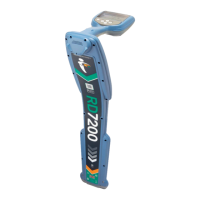
The RD7200 locator and transmitter are robust, durable
and weatherproof. However, you can extend your
equipment’s life by following these care and
maintenance guidelines.
General
Store the equipment in a clean and dry environment.
Ensure all terminals and connection sockets are clean,
free of debris and corrosion and are undamaged.
Do not use this equipment when damaged or faulty.
Batteries and power supply
Use only good quality Alkaline or NiMH batteries.
When using an AC adapter, use only Radiodetection
approved adapters.
Only use Radiodetection approved Li-Ion battery packs.
Cleaning
WARNING! Do not attempt to clean this equipment
when it is powered or connected to any power source,
including batteries, adapters and live cables.
Ensure the equipment is clean and dry whenever
possible.
Clean with a soft, moistened cloth.
If using this equipment in foul water systems or other
areas where biological hazards may be present, use an
appropriate disinfectant.
Do not use abrasive materials or chemicals as they may
damage the casing, including the reflective labels.
Do not use high pressure hoses.
Disassembly
Do not attempt to disassemble this equipment under any
circumstances. The locator and transmitter contain no
user serviceable parts.
Disassembly may damage the equipment and or reduce
its performance and may void the manufacturer’s
warranty.
Service and maintenance
The locator and transmitter are designed to minimize the
requirement for regular calibration. However, as with all
safety equipment, it is recommended (and may be
required by law) that they are serviced at least once a
year, either at Radiodetection or a Radiodetection-
approved repair center.
Regularly check your locator for correct operation using
eCert (see section 10.6) and the on-board Self-Test.
NOTE: Service by non-approved service centers or
operators may void the manufacturer’s warranty.
Radiodetection products, including this guide, are under
continuous development and are subject to change
without notice. Go to www.radiodetection.com
or contact
your local Radiodetection representative for the latest
information regarding the RD7200 locator or any
Radiodetection product.
10.2 Enhanced Self-Test
RD7200 locators incorporate an Enhanced Self-Test
feature. In addition to the typical checks for display and
power functions, the RD7200 applies test signals to it’s
locating circuitry during a Self-Test to check accuracy
and performance.
We recommend that a self-test is run at least weekly, or
before each use.
Running a Self-Test
As the Self-Test tests the integrity of the locate circuity,
it is important that it is carried out away from large
metallic object such as vehicles, or strong electrical
signals. To run a Self-Test:
1 Press the key to enter the menu
2 Scroll to the INFO menu using the or keys
3 Press the key to enter the INFO menu
4 Select TEST using the or keys.
5 Press the key to select YES
6 Press the key to begin the Self Test
7 Once the Self-Test is completed, the result (PASS
or FAIL) will be displayed.
8. Restart the locator using the key
10.3 RD Manager Online
RD Manager Online is the RD7200 Locator PC
companion and allows you to manage and customize
your locator. It also allows software upgrades to both the
locator and transmitter.
You can use RD Manager Online to register your
products to extend the warranty to a total of 3 years (see
Section 10.4), setup your locator by performing a
number of maintenance tasks, such as setting date and
time, activating and de-activating active frequencies,
setting up custom frequencies, or setting-up functions
like StrikeAlert.


 To Next Page