© 2022 Radiodetection Ltd 15
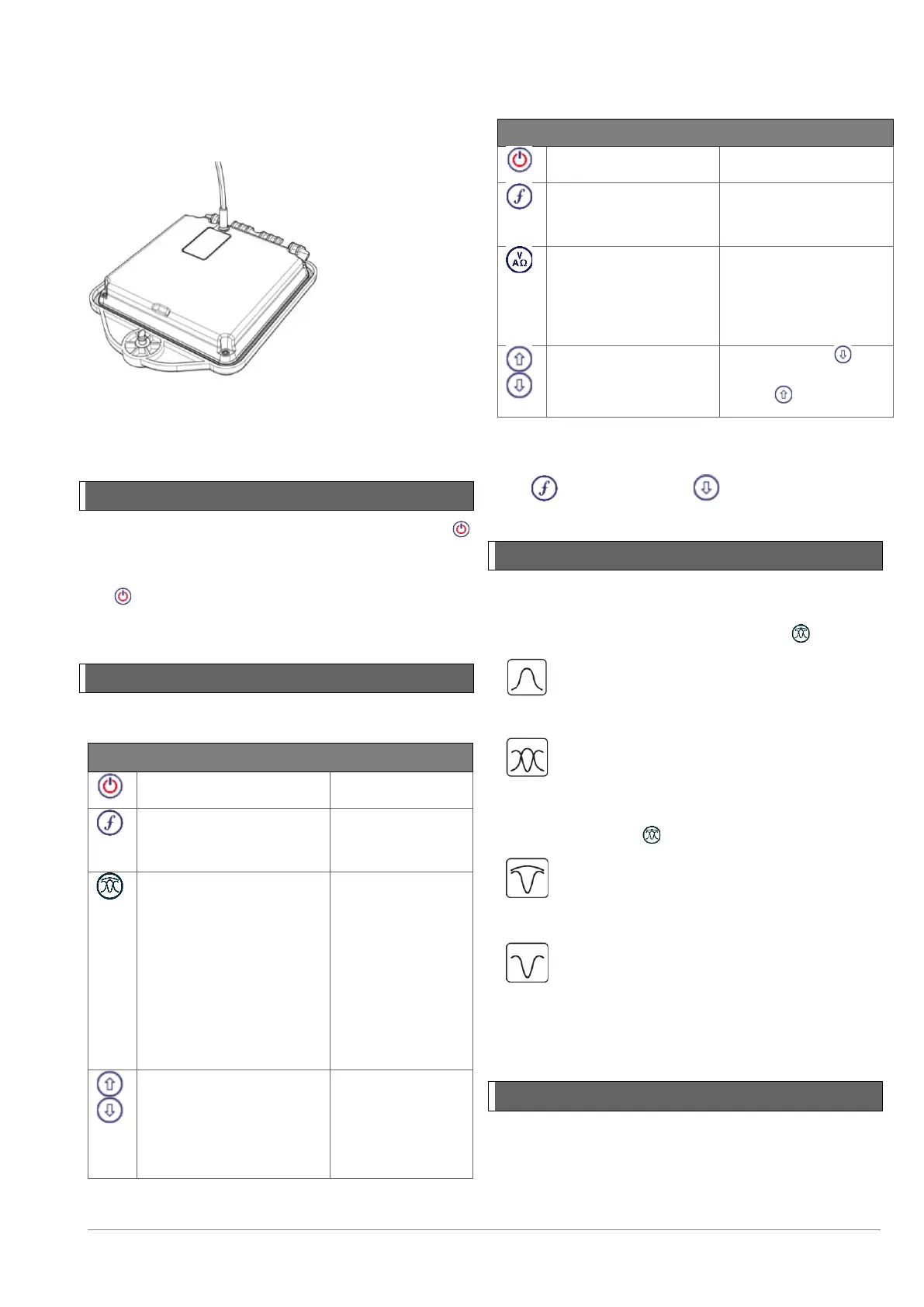
Transmitter Li-ion battery pack
To recharge the battery pack, remove the pack from the
transmitter and connect the transmitter battery charger.
Figure 4.13 Charging the transmitter Li-Ion battery pack
For more information about recharging batteries refer to
the instructions that came with your charger
4.2 Power on / off
Switch the locator or transmitter on by pressing the
key.
To switch the locator or transmitter off, press and hold
the key until the screen blanks off.
NOTE: The locator will automatically power off after 5
minutes if no keys are pressed.
4.3 Keypad actions & shortcuts
Locator key actions
Key Short press Long press
frequencies from low to
high
frequencies:
Toggle Peak, Peak+, Null
and Guidance antenna
modes.
In Power Mode:
scroll through Power
Filters™ for improved
discrimination of parallel
or strong power signals
mode:
Switch between
Guidance and
Null arrows
gain.
RD7200 automatically
sets gain to mid-point
when pressed
and decrease
gain steps in 1dB
increments
Table 4.1: Locator key actions
Transmitter key actions
Key Short press Long press
frequencies from low
to high
impedance
measurements using
selected frequency
impedance
measurements at a
standardized
frequency
signal
Select standby /
maximum standard
power
Table 4.2: Transmitter key actions
NOTE: to scroll through frequencies from high to low,
hold while pressing the button (applies to both
locators and transmitters)
4.4 Antenna modes
The RD7200 locator supports 4 antenna modes to suit
your particular application or the local environment.
To scroll between locate modes, press the key.
PEAK: For accurate locating, the Peak
bargraph provides a visual readout of the
signal strength. The Peak signal is found
directly over the buried utility.
PEAK+: Choose to combine the accuracy of
the Peak bargraph with Null arrows, which can
indicate the presence of distortion, or with
proportional Guidance arrows for rapid line
tracing – switch between them by pressing and
holding the key.
GUIDANCE: Proportional arrows and a
ballistic directional ‘needle’ combine with audio
left/right indication for rapidly tracing the
general path of a buried utility.
NULL: Provides a quick left/right indication of
the path of a utility. As Null is susceptible to
interference, it is best used in areas where no
other utilities are present
For more information on selecting and using the various
antenna modes to assist with cable and pipe location,
refer to Section 5.
4.5 System setup
The RD7200 locator and transmitter settings can be
accessed via the menu. Once in the menu it is possible
to change settings according to your personal
preferences and operating requirements. Some
examples of setting changes are shown below.


 To Next Page