Customizable Features
The Z12’s self-starting exibility becomes evident when you take advantage of the
camera’s programmable features using the Zetta Widget software.
Note: The Custom mode is used to start a recording automatically from designated
triggers or at preset times according to your instructions downloaded to the camera
from the Zetta widget computer software.
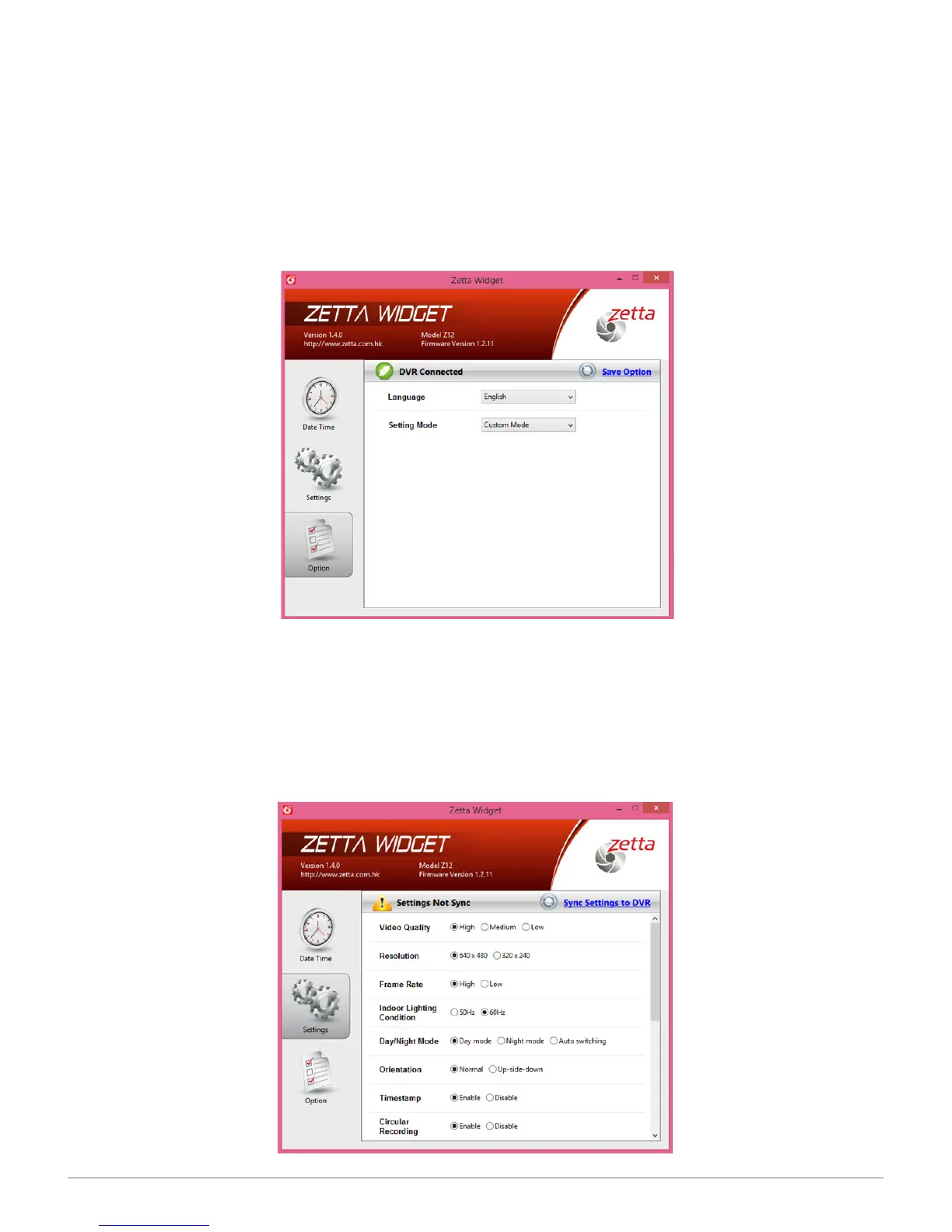
To see the Custom selection screens,change the Setting Mode from Express to
Custom, then click on the Save Option button. A check mark in a green circle will
appear on the left side of the screen conrming Option Saved. Now, when you click
on Settings in the left column, you’ll be greeted with a laundry list of capabilities
selectable via radio buttons.
SPYTEC Z12 INTELLIGENT SECURITY CAMCORDER USER GUIDE 6


 To Next Page