What’s in The Box
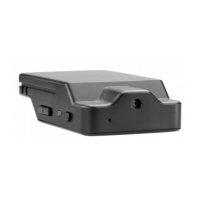
Camcorder (also called the DVR)
5V wall outlet adapter
5V car power adapter
USB 2.0 cable
User manual
Requirements
A microSD card with up to 200GB of memory
A Windows or Macintosh computer with USB port, media player software and
Internet access to download the camera’s control software.
GETTING STARTED
Quick Start
Here’s the fastest way to start recording video right out of the box. Since the battery
is unlikely to be charged, connect the USB cable to the camera and AC adapter and
plug the adapter into a power outlet. Insert a microSD memory card with a capacity
of 32GB or less. Keep in mind that the camera’s date/time stamp will not be accurate
since it would need to be rst adjusted from the computer software. If it’s not already
in place, move the three-position switch to the middle position, the On-the-go mode
indicated by the running man icon. Hold down the power button until the LED turns
green. When you see the green LED continually ashing, the camera is recording.
Make sure the front of the camera and its pinhole lens are pointed at your subject.
Charging the Battery
The LED ashes red while charging and turns off when the battery is fully charged.
The fastest way to charge the Z12 is by plugging the AC adapter into a wall outlet or
power strip while the other end of the cable is connected to the USB port on the right
side of the camera (with the lens facing you). If this is the product’s rst use or the
battery hasn’t been refreshed in several months, charge the battery for 6 hours (when
not recording) or until the red LED turns off. Charging the camera from a computer’s
USB port will take longer. You can also charge the camera using the included car
adapter, which turns the cigarette lighter into a USB charging port. Recharging the
camera regularly shouldn’t take more than 1 to 3 hours depending on how much the
battery has been depleted.
SPYTEC Z12 INTELLIGENT SECURITY CAMCORDER USER GUIDE 2


 To Next Page