Rubber Band Rubber Band Rubber Band
Rubber Band Rubber Band Rubber Band
Rubber Band Rubber Band Rubber Band
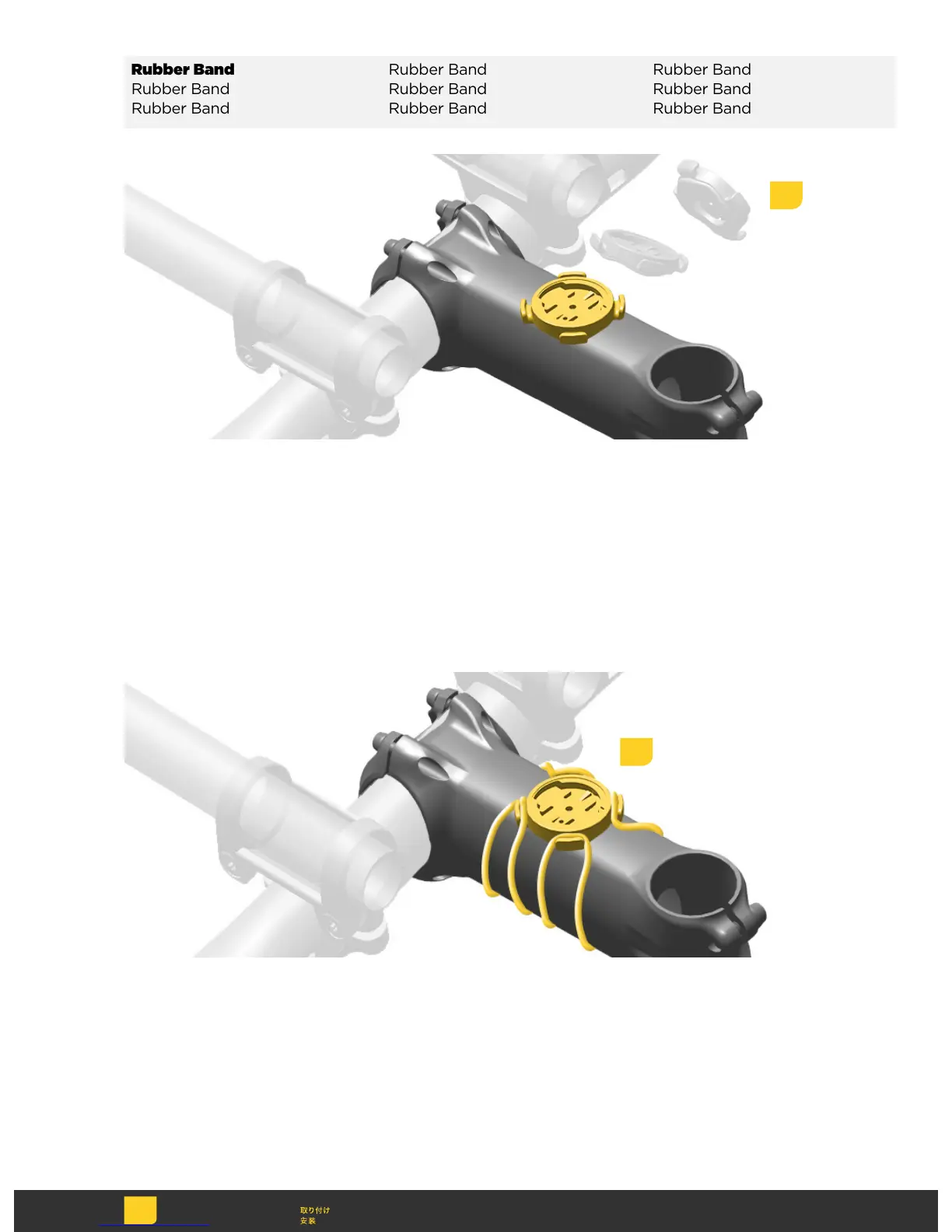
Position the mount onto the stem in
the desired location.
Position the mount onto the stem in
the desired location.
Position the mount onto the stem in
the desired location.
Position the mount onto the stem in
the desired location.
Position the mount onto the stem in
the desired location.
Position the mount onto the stem in
the desired location.
Position the mount onto the stem in
the desired location.
Position the mount onto the stem in
the desired location.
Position the mount onto the stem in
the desired location.
Attach the mount to the stem with the
included rubber bands.
Attach the mount to the stem with the
included rubber bands.
Attach the mount to the stem with the
included rubber bands.
Attach the mount to the stem with the
included rubber bands.
Attach the mount to the stem with the
included rubber bands.
Attach the mount to the stem with the
included rubber bands.
Attach the mount to the stem with the
included rubber bands.
Attach the mount to the stem with the
included rubber bands.
Attach the mount to the stem with the
included rubber bands.
1
2



 To Next Page