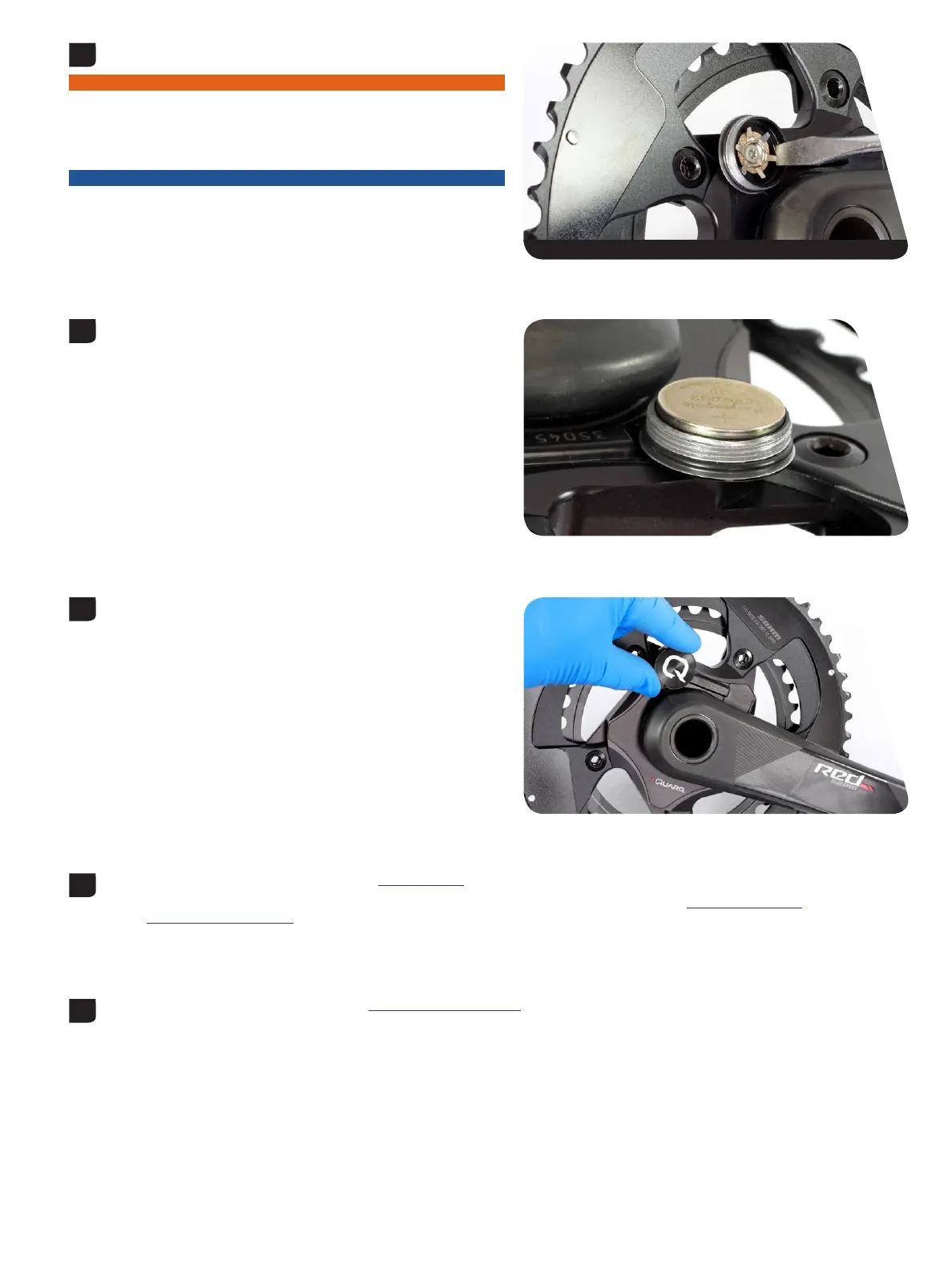
15Battery Compartment Installation (Legacy Power Meters Only)
Lift the battery contact prongs upward.
⚠ WARNING
Keep the battery out of reach of children. Do not put the battery in
your mouth. If ingested, seek medical attention immediately. Do not
disassemble, damage, or puncture the battery. Consult the battery
manufacturer for safe handling instructions.
NOTICE
If the battery contacts are flattened, the battery may move around the
compartment and cause an intermittent signal.
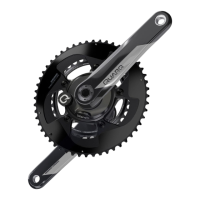
Check for proper battery height. Install a new CR2032 coin cell battery
into the battery compartment, positive side facing outward. When the
battery contact prongs are properly adjusted, the top of the battery will
protrude above the lip of the battery compartment.
Install the battery compartment lid until it is handtight. Watch for the red
LED to blink on.
If the LED blinks on, connect the power meter to Qalvin™ Legacy and update the power meter firmware, if needed.
If the LED does not blink on and the power meter will not pair to a head unit or Qalvin, then perform the Power Meter Reboot steps or
contact Quarq® customer support or your Quarq dealer.
Perform a Manual Zero Oset according to the power meter user manual's instructions.
This completes the troubleshooting for the Legacy Power Meter Spider Inspection service.
5
6
7
8
9


 To Next Page