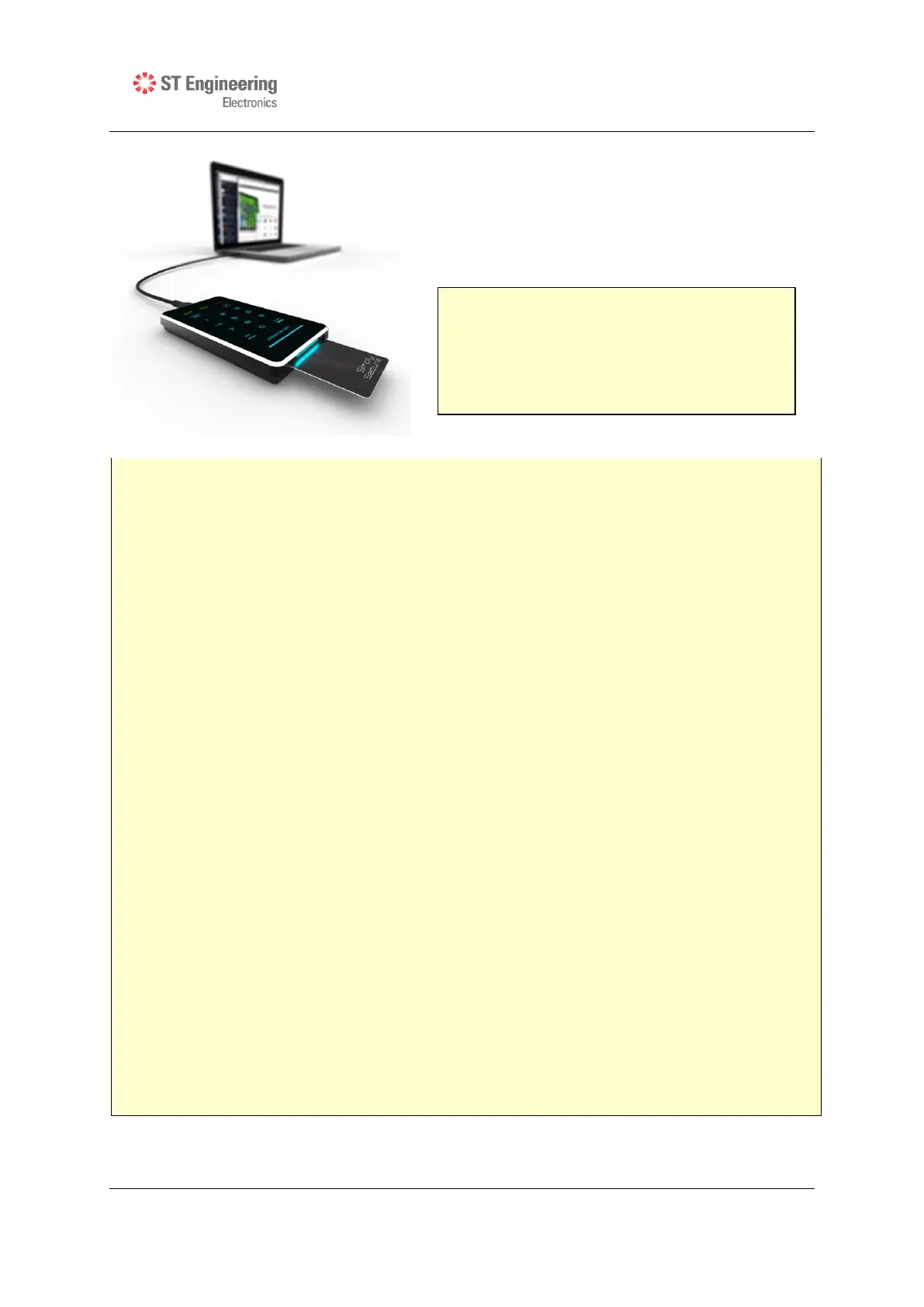
Insert the smart card into the smart card slot
with the contacts facing up.
Enter your 8-digit PIN, followed by the ENTER
button.
IMPORTANT:
It is recommended that the default PIN is changed for each smart card. Refer to
Section 4.1 for details.
The default mode is the “Lockout” mode. This is the recommended (higher
security) mode of usage.
In Lockout mode, DISKCRYPT M10 is automatically disconnected from the host PC
upon card removal. Do NOT remove the smart card while DISKCRYPT M10 is being
accessed as this may cause unrecoverable data loss/corruption.
If an incorrect PIN is entered, the ERROR LED will blink continuously. Press the
ESC button to restart DISKCRYPT M100. If you think you have mistyped your PIN,
press the ESC button at any time to restart the entire authentication process.
You will be locked out of your smart card after 8 consecutive incorrect PIN
attempts. Due to security implementations, it is not possible to unlock the smart
card. Please ensure that you have the correct PIN to the smart card.
Each DISKCRYPT M100 comes with two smart cards. It is recommended that you
use only one card and keep the other in a secure place. In the event that one card
is stolen/lost, you may authenticate with the other card.
Please always remove the smart card when the device is not in use or unattended.
Please perform preliminary visual inspection of the device for tamper signs before
usage.
The continuous blinking of the ERROR LED upon device boot up indicates Power-
On-Self-Test failure. Please contact your local reseller/distributor.
Users should not leave the device unattended.
NOTE:
DO NOT force the smart card into the
device. DISKCRYPT M100 is designed with
the smart card half inserted with a
purpose to remind users to remove the
smart card after use.



 To Next Page