40542-1507
2
21
RECORDING FINGERPRINTS
When you rst receive your safe there are no
recorded ngerprints. For security you must
record a ngerprint. Failure to do so will
compromise the safety and security of the safe.
You can record up to 20 dierent ngerprints
for opening the safe.
To record a ngerprint, rst press the Reset Buon on
the inside of the safe. e scanner will turn blue with
two beeps (if the sound is turned on) and the blue
light ashes twice, you will then record the same
nger three times as follows:
1. Press the scanner with the selected nger
until there is one beep (if the sound is turned
on) and the green light ashes once. Li your
nger o the scanner.
2. Press the scanner for a second time with the
same nger (holding the nger in a slightly
dierent position) until there is one beep (if
the sound is turned on) and the green light
ashes once. Li your nger o the scanner.
3. Press the scanner for a third time with the
same nger (holding the nger in a slightly
dierent position) until there are two beeps (if
the sound is turned on) and the green light
ashes twice. Li your nger o the scanner.
If the red light ashes three times with three beeps (if
the sound is turned on) your ngerprint did not get
recorded and you will have to start over.
Your ngerprint is now recorded.
If you try entering more than 20 ngerprints, the red
light will ash 5 times and there will be 5 beeps (if the
sound is turned on).
For convenience, record several dierent ngers and
record the most used nger several times. Position
nger on scanner as shown below.
OPENING THE SAFE USING YOUR
FINGERPRINT
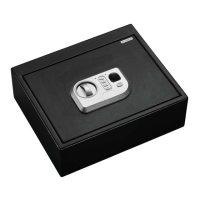
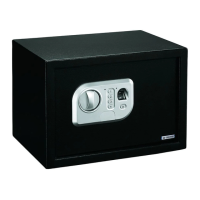
To open the safe, press the scanner with a recorded
nger. e blue light will come on with one beep (if
the sound is turned on) and the scan will begin.
If the green light ashes twice with 2 beeps (if the
sound is turned on), the scan has been accepted and
you will have 5 seconds to turn the handle to open
the door.
If the red light ashes once, the scanner did not read
your ngerprint and you must try again. If the red
light ashes 3 times, the scanner read your ngerprint
and did not accept it.
If there are 3 rejected scans, where your
ngerprint was read, and the red light ashes 5
times with 5 beeps (if the sound is turned on),
you will have an automatic lockout for 60
seconds before you can try a scan again. e
safe will beep one time (if the sound is turned
on) and the green light will ash once when the
lockout period is over.
If there is 1 more rejected scan where your
ngerprint was read and the red light ashes 5 times
with 5 beeps (if the sound is turned on), you will
have an automatic lockout for 5 minutes before you
can try a scan again. e safe will beep one time (if
the sound is turned on) and the green light will ash
once when the lockout period is over.


 To Next Page