EasyManua.ls Logo

Stack-On PS-1820-E - User Manual

Stack-On PS-1820-E
12 pages
Print Icon
To Next Page IconTo Next Page
Loading...
40787-2205
1
12
Your Electronic Safe Combination:
Serial #:
Instructions
Drill
Thin Bladed Flat Head Screwdriver
10 mm Wrench
3/8” (9.5 mm) Masonry Drill Bit for drilling into masonry
3/16” (5 mm) Drill Bit for drilling into wood and wall studs
(4) M6 x 50 mm (2” long) Lag Screws
(4) Washers

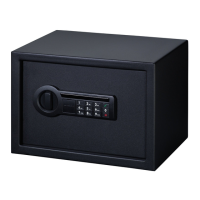
PS-1808-E
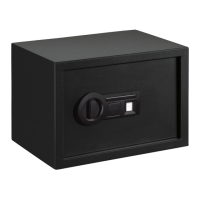
PS-1814-E / PS-1814-EF /SPSE1814BK22
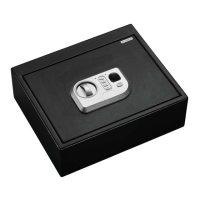
PS-1815-E
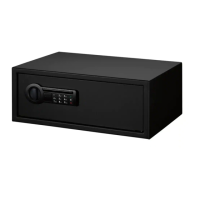
PS-1820-E
IMPORTANT
Record the serial number from the tag on the back
of the safe or the tag on the inside of the lock cover
plate on the front of the safe.
Record your combination number.
Keep keys and combination in a secure place away
from children.
DO NOT STORE KEYS OR YOUR COMBINATION
INSIDE SAFE
NOTE: This key has also been provided in case
you lose or forget your security code or the

purchase a replacement key by referencing the
serial number located under the removable lock

regarding replacement keys.




GETTING STARTED

you will need to open the door with the key in

included and are located inside the safe.

lock cover from the front of the faceplate using



knob to the right to open the door.
LOCK COVER
Battery Disposal
Please dispose the used batteries
per municipal or provincial law.
HARDWARE INCLUDED:
TOOLS REQUIRED:
WARNING: This product can expose you to
chemicals including Di(2-ethylhexyl)phthalate (DEHP)
which is known to the State of California to cause cancer
and birth defects or other reproductive harm. For more
information go to www.P65Warnings.ca.gov
REGISTER THIS PRODUCT
For warranty and customer support, please register this
product at “www.Stack-On.com/product-registration”

Question and Answer IconNeed help?

Do you have a question about the Stack-On PS-1820-E and is the answer not in the manual?

Summary

Important Safety and Setup Guidelines

Record Key Information

Record serial number, combination, and keep keys secure and away from children.

Getting Started

Initial Setup and Door Opening

Use the key to open the safe for battery installation and initial access.

Entering Your Security Code

Reset Button Procedure

Use a pen tip to press the reset button on the back of the door.

Setting New Code

Enter your personal security code (3-8 digits) and confirm with the key.

Code Entry Confirmation

Verify the new code by entering it and checking lock bolt retraction.

Internal LED and Keypad Sound

Battery Replacement and Locking

Locking the Safe

Close the door and turn the knob to the left (12:00 position) to lock.

Securing and Location

Securing the Safe

Mount the safe to a wall stud or permanent shelf/floor for security.

Mounting and Maintenance

Secure to Wall Stud

Anchor the safe to a wall stud in two locations using appropriate hardware.

Replacement Key;Combination Request

Stack-On PS-1820-E Specifications

General IconGeneral
BrandStack-On
ModelPS-1820-E
CategorySafes
LanguageEnglish

Related product manuals