EasyManua.ls Logo

Stack-On PS-1808-E - User Manual

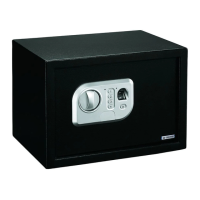
Stack-On PS-1808-E
12 pages
Print Icon
To Next Page IconTo Next Page
Loading...
40787-2205
1
12
Your Electronic Safe Combination:
Serial #:
Instructions
Drill
Thin Bladed Flat Head Screwdriver
10 mm Wrench
3/8” (9.5 mm) Masonry Drill Bit for drilling into masonry
3/16” (5 mm) Drill Bit for drilling into wood and wall studs
(4) M6 x 50 mm (2” long) Lag Screws
(4) Washers

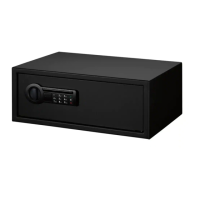
PS-1808-E
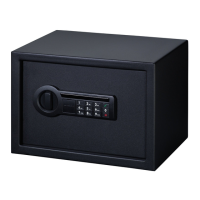
PS-1814-E / PS-1814-EF /SPSE1814BK22
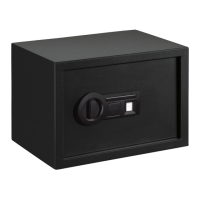
PS-1815-E
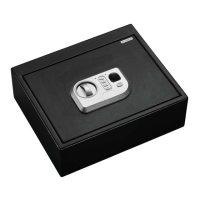
PS-1820-E
IMPORTANT
Record the serial number from the tag on the back
of the safe or the tag on the inside of the lock cover
plate on the front of the safe.
Record your combination number.
Keep keys and combination in a secure place away
from children.
DO NOT STORE KEYS OR YOUR COMBINATION
INSIDE SAFE
NOTE: This key has also been provided in case
you lose or forget your security code or the

purchase a replacement key by referencing the
serial number located under the removable lock

regarding replacement keys.




GETTING STARTED

you will need to open the door with the key in

included and are located inside the safe.

lock cover from the front of the faceplate using



knob to the right to open the door.
LOCK COVER
Battery Disposal
Please dispose the used batteries
per municipal or provincial law.
HARDWARE INCLUDED:
TOOLS REQUIRED:
WARNING: This product can expose you to
chemicals including Di(2-ethylhexyl)phthalate (DEHP)
which is known to the State of California to cause cancer
and birth defects or other reproductive harm. For more
information go to www.P65Warnings.ca.gov
REGISTER THIS PRODUCT
For warranty and customer support, please register this
product at “www.Stack-On.com/product-registration”
Question and Answer IconNeed help?

Do you have a question about the Stack-On PS-1808-E and is the answer not in the manual?

Summary

Getting Started

Opening the Safe with the Key

Instructions on using the key to open the safe by removing the lock cover and turning the knob.

Battery Installation

Locate and install batteries in the compartment on the back of the door.

Entering Your Security Code

Setting a New Security Code

Step-by-step guide to setting a new personal security code, confirming it, and testing the lock.

Incorrect Code Lockout Procedures

Details on lockout periods and visual/auditory alerts for incorrect code entries.

Internal LED Light and Keypad Sound

Internal LED Light Feature

Features an internal LED light that activates for 30 seconds when the correct combination is entered.

Keypad Sound Control

Allows users to turn the keypad 'beep' sound on or off by pressing a specific key.

Battery Replacement and Safe Operation

Battery Replacement Procedure

Instructions for replacing the safe's AA batteries, noting not to mix battery types.

Locking the Safe

Steps to lock the safe, including waiting 6 seconds after entering the code and turning the knob to 12:00.

Safe Mounting and Location

Mounting the safe to a wall stud/shelf/floor and selecting an isolated, dry, secure area.

Hardware, Mounting, and Maintenance

Wall Mounting Instructions

Securing the safe to a wall stud using pilot holes and fasteners.

Key Hooks Usage

Using key hooks to organize keys as illustrated.

Door Alignment Adjustment

Tighten the threaded stem at the door hinges to realign the door if it rubs the frame.

Replacement Device Requests

Ordering Replacement Keys;Combinations

Steps to request replacement keys, combinations, or RFID devices via the website.

Limited Three Year Warranty

Warranty Coverage and Exclusions

Details on warranty period, what is covered, and what is excluded, including limitations on damages.

Stack-On PS-1808-E Specifications

General IconGeneral
MaterialSteel
ColorBlack
Lock TypeElectronic
Fire RatingNot Fire Rated
Steel Thickness14 Gauge
Battery TypeAA
MountingPre-drilled holes for floor or wall mounting

Related product manuals