EasyManua.ls Logo

Stack-On PS-7-B - User Manual

Stack-On PS-7-B
18 pages
Print Icon
To Next Page IconTo Next Page
Loading...
40245-1206
1
18
®
SAFE FEATURES
IMPORTANT
NOTE: You can store your Key #, Serial # and
Combination on Stack-On’s SECURE web site –
www.stack-on.com under Service.
Storing your Key # or Combination will provide
instant access to this important information should
you ever lose your keys or your combination.
Only you will have access to this information.
Tools required: 10mm wrench, drill, 3/8” (9.5mm) drill bit.
Instructions
• Record the serial number from the tag on the
door front.
• Record your combination number.
• Keep keys in a secure place away from children.
• DO NOT store keys or your combination in the safe.
Serial #:
Your Combination #:
Safe Opening Options
MODELS:
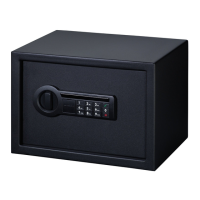
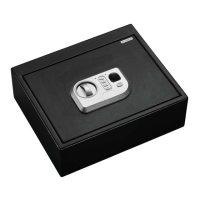
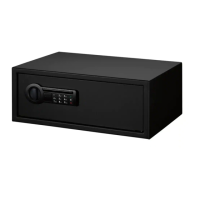
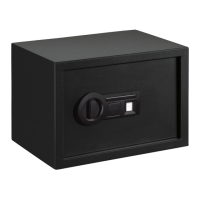
Personal Safes: PS-7-B, PS-10-B, PS-20-B
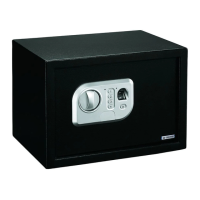
1. Knob to open and close door
2. Red indicator light
3. Four number key pad
4. Green indicator light
5. Fingerprint scanner
6. ENTER button
7. Key lock cover plate
8. Red Reset button
9. Battery compartment
You can open your safe using your
recorded fingerprint. Up to 32 fingerprints
can be recorded.
You can also open your safe using the
number key pad which you will program
with your own combination.
The safe also has a back up key for
emergency opening and for opening the
safe for the first time.
Question and Answer IconNeed help?

Do you have a question about the Stack-On PS-7-B and is the answer not in the manual?

Summary

Safe Features Overview

Knob Operation

Describes the function of the knob for opening and closing the safe door.

Indicator Lights

Details the function of red and green indicator lights for status and errors.

Keypad and Buttons

Covers the four-number keypad, ENTER button, and key lock cover plate.

Biometric and Reset Features

Explains the fingerprint scanner, red reset button, and battery compartment.

Safe Opening Options

Fingerprint Access

Allows opening the safe using a recorded fingerprint. Up to 32 fingerprints can be recorded.

Keypad Combination Access

Enables opening the safe using a programmed personal combination via the keypad.

Backup Key Access

Provides a backup key for emergency access and initial opening.

Getting Started

Opening with Key

Instructions on how to open the safe using the provided key.

Battery Installation

Guide for locating and installing the four AA batteries in the safe.

Programming Your Own Electronic Combination

Initiate and Confirm New Code

Steps to initiate programming, enter the current code, and set a new 4-8 digit combination.

Test New Combination

Verify the newly programmed combination by entering it and opening the safe.

Recording Fingerprints

Fingerprint Recording Process

Step-by-step guide to record up to 32 fingerprints using the scanner.

Tips for Accurate Fingerprint Recording

Suggestions for improving fingerprint identification success rates.

Opening the Safe Using Your Fingerprint

Fingerprint Scan Procedure

Instructions for using the fingerprint scanner to open the safe.

Memory and Battery Management

Clearing Memory and Resetting Combination

Steps to erase all recorded fingerprints and reset the combination to factory default.

Battery Replacement Guide

Information on battery type, lifespan, low battery indication, and replacement.

Safe Installation and Maintenance

Selecting an Installation Location

Recommendations for choosing an isolated, dry, and secure area for the safe.

Securing the Safe to Surfaces

Guidelines for fastening the safe securely to solid surfaces.

Safe Maintenance

Instructions for cleaning the safe using a damp cloth.

Important Information and Support

Key and Combination Storage

Advice on securely storing keys and combination numbers away from children.

Replacement Key Information

Instructions for ordering replacement key sets and contact details.

Key Request Form

Procedure for Replacement Key

Steps required to obtain a replacement key, including form completion and documentation.

Owner and Payment Information

Fields for owner details, purchase information, and payment for key replacement.

Limited Three Year Warranty

Warranty Coverage and Duration

Details warranty against defects in material and workmanship for three years.

Exclusions and Limitations

Specifies what the warranty does not cover and disclaims other warranties.

Customer Service and Contact

Information on how to contact customer service for warranty claims.

Stack-On PS-7-B Specifications

General IconGeneral
TypePersonal Safe
Lock TypeElectronic
MaterialSteel
ColorBlack
Fire RatingNo Fire Rating
Water ResistanceNo

Related product manuals