EasyManua.ls Logo

Stack-On TD5518-24-GP-E-S - User Manual

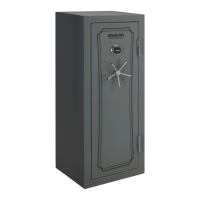
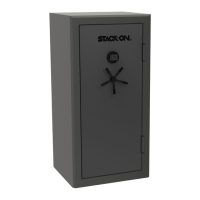
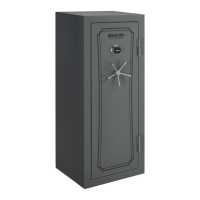
Stack-On TD5518-24-GP-E-S
14 pages
Print Icon
To Next Page IconTo Next Page
Loading...
• Keep keys and combination in a secure
place away from children.
• Record the serial number from the tag on
the top left corner of the safe's right side or
the tag on the inside of the lock face.
• Do not store the back up key, your
combination or this document in the safe.
• NOTE: Stack-On is not responsible for any
cost incurred if the safe is replaced
due to a flood.
Combination #:
Serial # :
• Warning: Keep your safe closed and
locked at all times when not in use. Children
could accidentally be locked inside the safe.
• Do not move this safe using its handle. The
handle should only be used for opening and
closing the door of the safe.
Screw the 5 handle spokes into the hub and
HANDLE ASSEMBLY
IMPORTANT:
40-0000108-2001
1
14
®
INSTRUCTIONS
TD5518-24-GP-E-S
TD18-40-GP-E-S
TD18-40-BP-E-S
• Do not store electronic media, computer
disks, SD cards, audio-visual media or
photographic negatives in this safe. In the
event of a fire, these materials will not survive
the rated internal temperature of the safe,
they could be damaged or destroyed.
(2) Gasket Washers
HARDWARE INCLUDED:
Battery Disposal
Please dispose the used batteries per municipal or
provincial law.
17mm Socket Wrench
TOOLS REQUIRED:
WARNING
Tip Over Hazard
A child or adult can tip the safe and be
killed or seriously injured.
Failure to secure the safe as shown in
these instructions can result in death
or serious injury to children and adults.
Children should not play with or
around the safe at any time.
WARNING:
to cause cancer and birth defects or other
to www W
REGISTER THIS PRODUCT
Question and Answer IconNeed help?

Do you have a question about the Stack-On TD5518-24-GP-E-S and is the answer not in the manual?

Summary

Important Safety and Product Information

Hazard Warnings and Safety Precautions

Includes tip-over hazard, chemical exposure, and general safety advice for safe use.

Handle Assembly and Battery Disposal

Instructions for assembling the safe handle and proper battery disposal.

Product Registration

Register for Warranty and Support

Register product for warranty and customer support at www.Stack-On.com/product-registration.

Initial Safe Setup and Operation

Safety Interlock Screw Removal

Remove Safety Interlock Screw for proper locking. Failure compromises security.

Battery Installation and Replacement

Install 9V battery. Low battery indicated by red light. Replace as needed.

Electronic Lock Activation

Activate keypad by touching any key. Use preset code 1-5-9-# for first opening.

Security Code Management and Operation

Setting Your Personal Security Code

Enter new code (3-8 digits) after factory code. Confirm by pressing '#'. Test before closing.

Locking the Safe

Close door and turn handle counter-clockwise until it stops. Wait 6 seconds after entering code.

Keypad Sound Control

Turn keypad beep sound on or off using codes *633 (off) or *66 (on).

Safe Installation and Mounting

Choosing a Safe Location

Mount to floor, adjacent to a wall, in an isolated, dry, secure area. Ensure it's flat.

Interior Electrical Outlet

Safe has UL Listed interior 110V outlet. Connect exterior power cord before securing.

Securing the Safe to the Floor

Must be secured with lag bolts/washers to ensure waterproof/fire rating. Remove skid/legs.

Accessories and Key Management

Using the Back Up Key

Use backup key to open safe if security code is forgotten or lost. Follow steps to unlock.

Shelf Installation

Install shelf clips to desired location and set shelf in place.

Gun Rest Installation

Gun rests are pre-installed with L brackets. Adjust height by moving brackets.

Door Organizer Accessories

Door organizer provides storage options. Ensure it doesn't interfere with closing.

Limited Lifetime Warranty and Guarantee

Warranty Coverage and Terms

Covers theft, fire, water damage. Repair or replace safe. Excludes labor, tampering. Locks/paint 5-year warranty.

Warranty Exclusions and Limitations

Excludes misuse, accident, negligence, improper installation, alteration. Not liable for incidental/consequential damages.

Submitting a Warranty Claim

Send written claim with details, model/serial numbers, photos, proof of purchase, and incident reports.

Flood Protection Reimbursement Guarantee

Reimbursement Terms and Conditions

Reimburses up to $15,000 for valuables lost in flood (max 24 inches water, 72 hours). Excludes fire-related water damage.

Guarantee Exclusions

Does not cover consequential damages, electronic media. Null if improperly installed or left open during flood.

Requesting Content Reimbursement

Send written request with details, photos, reports, and proof of purchase.
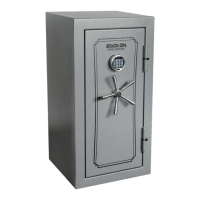
Stack-On TD5518-24-GP-E-S Specifications

General IconGeneral
BrandStack-On
ModelTD5518-24-GP-E-S
CategorySafes
LanguageEnglish

Related product manuals