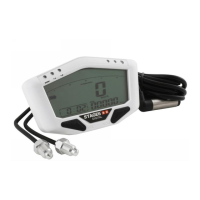
S6
INSTRUCTIONS
PRECISION REV COUNTER
EN
Press the button once to switch to the ADJ7 set-up screen, where you can set the clock.
Press and hold the button for 3 seconds to enter the set-up screen.
Press and hold the button for 3 seconds to move to the digit you want to change.
Press the button to change the digit.
E.g.: The time is changed from 00:00 to 14:05.
When you have nished the set-up, press and hold the button for 3 seconds to return
to the ADJ7 set-up screen.
Press the button once to switch to the ADJ8 set-up screen, where you can set the alarm light.
Press and hold the button for 3 seconds to enter the set-up screen.
Press the button to adjust the setting.
E.g.: The setting is changed from “Auto LED” to “On LED”.
When you have nished the set-up, press and hold the button for 3 seconds to return
to the ADJ8 set-up screen.
Press the button once to return to the main screen.
NOTE
Auto LED: The warning light will function only when the external
power is connected.
On LED: The warning light will function all the time.
The setting is
ashing.
The setting is
ashing.
26



 To Next Page