EasyManua.ls Logo

Stage6 S6 - User Manual

Default Icon
66 pages
Go to English
Print Icon
To Next Page IconTo Next Page
Loading...
S6-4052 06/2009 · INS405.001
DE
PRÄZISIONS-DREHZAHLMESSER
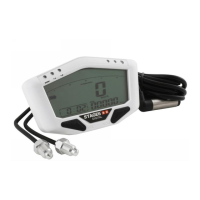
PRECISION REV COUNTER
EN
COMPTE-TOURS
FR
CONTAGIRI AD ALTA
PRECISIONE
I
CUENTARREVOLUCIONES
DE PRECISION
ES
STAGE6 DEVELOPMENT · Matzenberg 171 · 66115 Saarbrücken · Germany · phone +49 681 94880 0 · fax +49 681 94880 44 · www.stage6.de · info@stage6.de

Questions and Answers

Stage6 S6 Specifications

General IconGeneral
BrandStage6
ModelS6
CategoryMeasuring Instruments
LanguageEnglish

Summary

Product Introduction and Safety Precautions

Explanation of Symbols

Defines icons and symbols used throughout the manual for clear instruction following.

Important Safety Guidelines

Outlines critical safety instructions for installation and operation to prevent damage or injury.

Included and Optional Accessories

List of Included Accessories

Details all components provided with the rev counter kit for installation.

Optional Accessories for Enhancement

Describes additional items available for purchase to expand the rev counter's capabilities.

Wiring and Installation Guide

Detailed Wiring Diagram

Provides a visual representation of the electrical connections required for proper rev counter installation.

Installation and Maintenance Procedures

Oxygen Sensor Installation Steps

Step-by-step instructions for mounting the oxygen sensor onto the exhaust system.

Internal Battery Replacement Process

Guidance on how to safely remove and replace the instrument's internal battery.

Understanding the Rev Counter Display

Display Information and Modes

Explains the different data displayed on the rev counter screen and how to interpret them.

Rev Counter Functions and Specifications

Technical Data and Specifications

Lists the performance metrics, operational ranges, and physical dimensions of the rev counter.

Navigating the Rev Counter Interface

Switching Between Display Screens

Instructions on how to cycle through various screens and functions using the device's buttons.

Basic Operation and Setup

How to Reset Max Record

Procedure for clearing the highest recorded engine speed from the device's memory.

Initial Rev Counter Setup

Guides users through the initial configuration steps, starting with stroke and cylinder settings.

Advanced Configuration Options

Cylinder Count and RPM Range Settings

Details how to set the engine's cylinder configuration and select the appropriate tachometer range.

Customizing Performance Settings

Shift Light and Sensor Configuration

Instructions for setting the shift light RPM threshold and configuring the A/F ratio sensor inputs.

Temperature Monitoring Setup

Temperature Unit and Warning Alerts

Explains how to set temperature units and configure warning thresholds for high temperatures.

Clock and Alarm Light Configuration

Setting the Clock and Alarm Light

Guides on setting the internal clock and customizing the behavior of the alarm indicator light.

Troubleshooting Common Issues

Problem Diagnosis and Solutions

Offers solutions for common problems encountered with the rev counter, such as display or reading errors.

Related product manuals