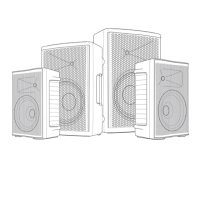
REAR PANEL
RIOTBOX 8 & 10:
1- MIC VOLUME: Controls the volume of microphone input 2.
2- XLR input: The XLR connects to a low impedance microphone.
3- LINE/ Bluetooth
®
wireless technology Volume: Controls the volume of inputs 4, 5 and the
Bluetooth
®
wireless technology signal
4- AUX input: 3,5mm mini stereo jack , connects to a line level signal.
5- Phone jack input: connects to a line level signal
6- Bluetooth
®
wireless technology on/off switch: When this switch is on, the speaker can be
connected to a smartphone. To do so, access the Bluetooth
®
wireless technology in your
phone settings, search the speaker among the available devices and connect both units.
7- Bluetooth
®
wireless technology LED: This LED is off when the Bluetooth
®
wireless technology
is switched off. It blinks when the speaker is searching for a connection. It is on when the
connection is established.
PLEASE NOTE that in the AUX group only one device can be used at a time.
When Bluetooth
®
wireless technology is used it will switch off inputs 4 and 5.
8- DC 13,2V: Connects to the external SMPS power supply. (100-250VAC 13,2V DC).
As soon as the charger is connected it will start to charge the build in Li- ion battery.
9- DC 5V 1000mA output: to charge or power devises.
10- CHARGE indicator LED: This LED turns on red when the battery is charging.
It turns on green when the battery is fully charged.
11- Battery capacity display: This LED bar shows the remaining capacity of the battery.
12- POWER switch: This switch turns on/off the power of the amplier.
RIOTBOX 8U & 10U:
13- WIRELESS MIC VOLUME: Controls the volume of the UHF wireless microphone.
14- Antenna connector: Connects the UHF antenna.
15- Microphone on /off push button: Push shortly to switch on, push one second to switch
off the microphone.
16- Microphone display: Shows the operational frequency, the microphone battery level and
a warning at low battery level.


 To Next Page