Operation
1.
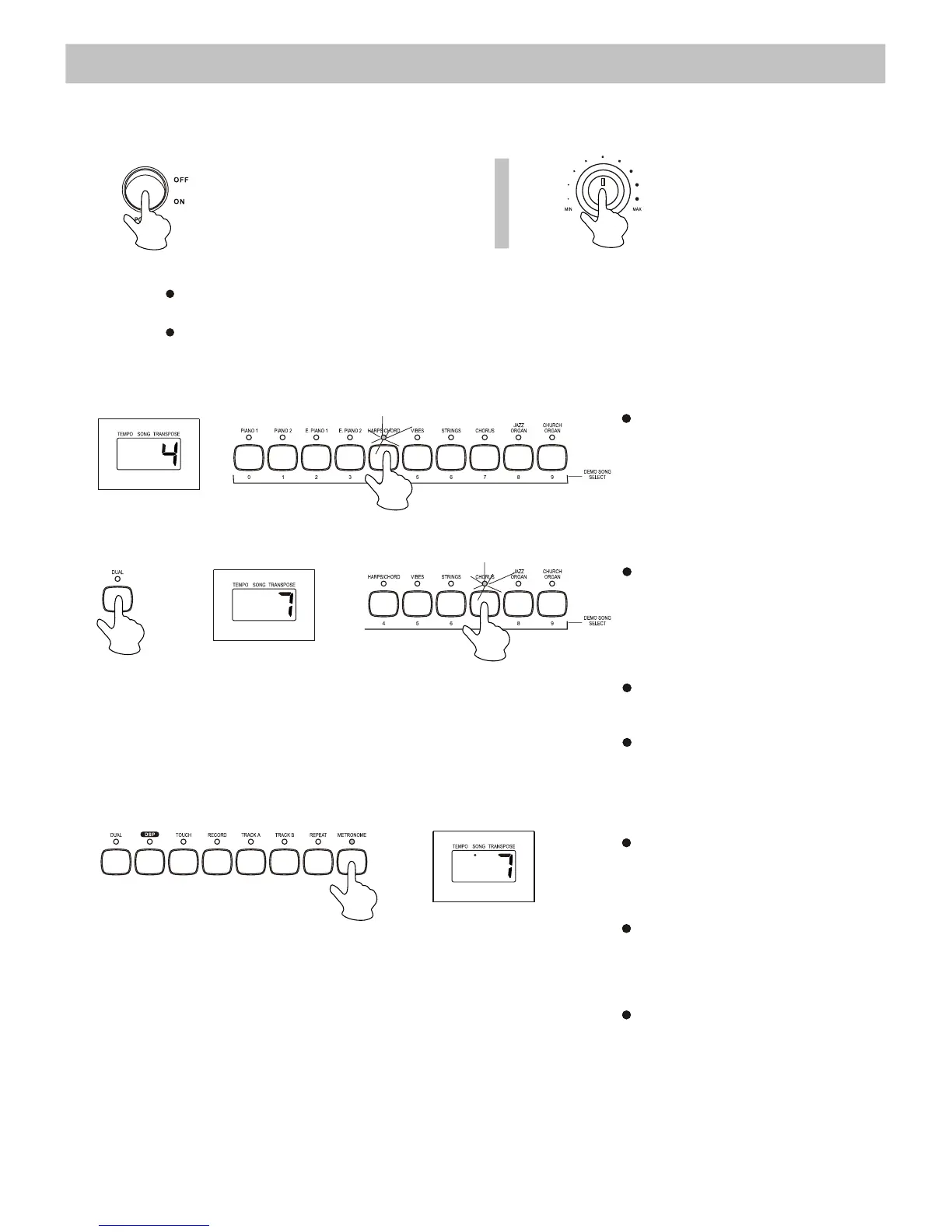
1. Turn the POWER switch on.
The
LED display lights up.
2.
Note
: If the LED display has not lit up after you turned on the piano, please check
the
power supply.
If
the piano is silent, the volume may be adjusted to its minimum level.
2.
3. Metronome
Press the [DUAL] button to
enter
the Dual Voice mode,
then
select the second voice
by
pressing a [VOICE] button.
To quit the Dual Voice mode,
press
the [DUAL] button again.
While
recording, Voice 2 will
turn
off automatically.
Press
the [METRONOME]
button
to turn on/off the
metronome
function.
You cannot use the
metronome
function when
the
DEMO song is playing.
You can also turn off the
metronome by pressing
the
[STOP] button.
10
Use the volume control
knob to adjust the volume
to your desired level
Choose a voice by pressing one of
the [VOICE] buttons. The related
LED indicator will then light up and
the number of the selected voice will
appear on the LED display.
Power Switch & Volume
Voice/ Dual Voice


 To Next Page