EasyManua.ls Logo

Standard Horizon HX400 - User Manual

Standard Horizon HX400
48 pages
Print Icon
To Next Page IconTo Next Page
Loading...
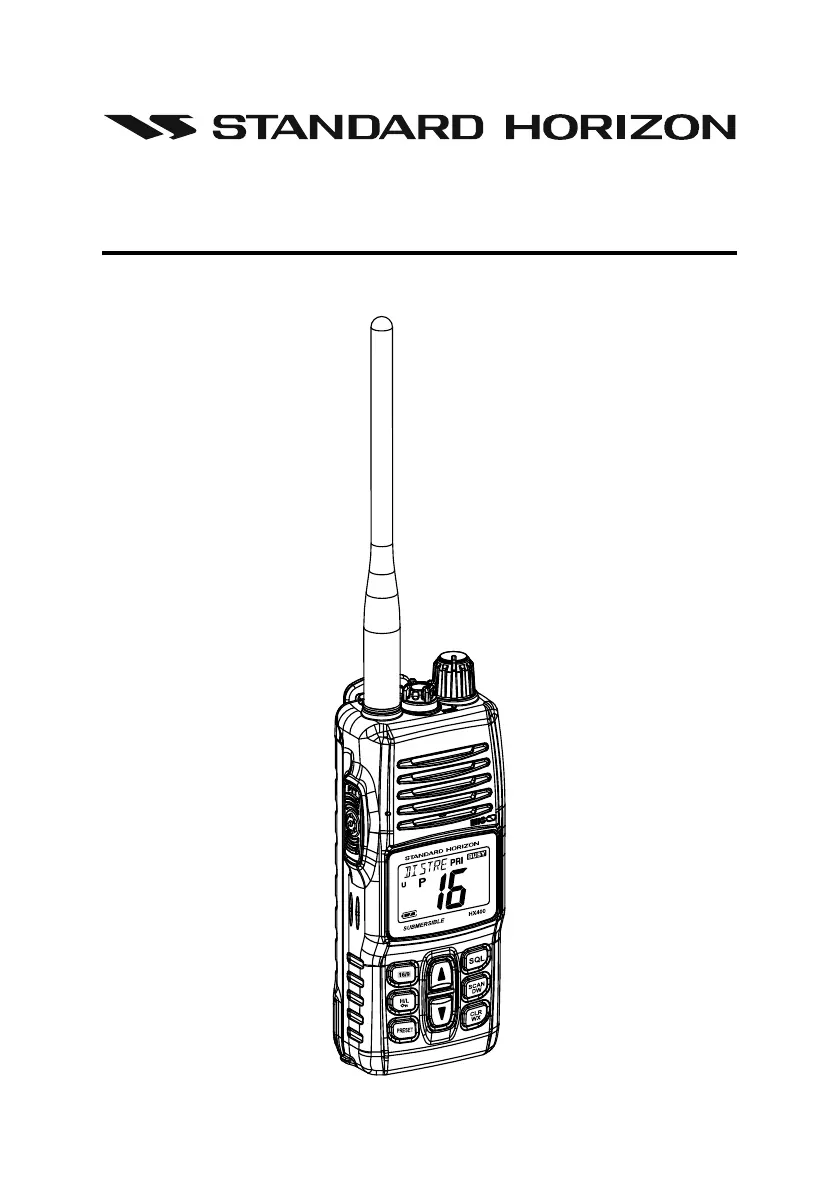
Page 1HX400
HX400
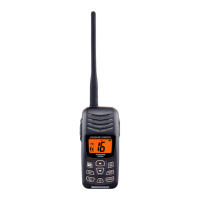
VHF FM Marine Transceiver
Owners Manual

Other manuals for Standard Horizon HX400

Questions and Answers

  • M
    Morgan BerryJul 26, 2025
    What to do if speaker audio is not heard on my Standard Horizon HX400 Marine Radio?
    • Y
      Yvonne JacksonJul 26, 2025
      If you cannot hear speaker audio when pressing and holding the key on your Standard Horizon Marine Radio, there are a couple of things to check: * First, ensure that the battery has sufficient charge. If the battery is low, charge it. * Second, verify that the audio volume isn't set too low. Turn the VOL knob clockwise to increase the volume.
  • K
    Kristen LeeAug 3, 2025
    Why doesn't the key start the scan on my Standard Horizon HX400 Marine Radio?
    • K
      Kristen AndersonAug 3, 2025
      If the key on your Standard Horizon Marine Radio does not start the scan, here are a couple of potential reasons and solutions: * First, check if there are any channels memorized. If not, use the key to enter desired channels into the Preset memory. * Second, the squelch might not be adjusted properly. Adjust the squelch to the threshold or to the point where noise just disappears.
  • L
    Lauren DavidsonAug 9, 2025
    How to select USA, INTL, or Canadian bands on my Standard Horizon Marine Radio?
    • R
      Rachel RobinsonAug 9, 2025
      If you're unable to select between USA, INTL, or Canadian bands on your Standard Horizon Marine Radio, ensure you are following the correct procedure: HOLD down the key and press the key.
  • H
    hcarterAug 18, 2025
    What to do if some keys do not operate on my Standard Horizon HX400 Marine Radio?
    • I
      isaiah45Aug 18, 2025
      If some keys on your Standard Horizon Marine Radio are not working, it's possible that the Key Lock is activated. Turn the Key Lock off to enable the keys.

Summary

Quick Reference Guide

Basic Operation Overview

Guides the user through basic radio operations based on numbered illustrations and steps.

FCC RF Exposure Requirements

Compliance Standards and Guidelines

Details compliance with FCC and IEEE standards for radio frequency exposure.

Occupational Use Classification

Explains the radio's classification for occupational use and associated hazards.

Safe Usage Guidelines

Provides essential precautions for safe RF exposure during operation.

Body-Worn Use and Accessories

Specifies requirements for body-worn operation and approved accessories.

General Information

RF Exposure Safety Statement

Details the device's RF exposure limits and safe operating practices.

About This Radio

Emergency Procedures on Channel 16

Provides a step-by-step guide for making emergency calls on Channel 16.

Batteries and Chargers

Battery Safety Precautions

Critical safety warnings regarding Li-Ion battery handling and disposal.

Controls and Indicators

Transceiver Controls and Connections

Identifies and describes the function of each physical control and connection.

Keypad Functions

Detailed explanation of primary, secondary, and advanced keypad key functions.

Keypad Operations

Further details on key operations including squelch, scan, and Dual Watch activation.

LCD Indicators

Alpha;numeric Tag and Priority Indicators

Explains the meaning of 'Tag', 'PRI', and 'BUSY' indicators on the LCD.

Basic Operation

Receiving Signals

Guide to turning on, adjusting volume, and setting squelch for reception.

Transmitting Signals

Instructions for transmitting, including power selection and microphone use.

Keypad Functions

Programming Preset Channels

Steps for saving and assigning channels to the preset memory bank.

Memory Scan

Programming Scan Memory

Guide to programming channels into the scan memory list.

Priority Scan

Setting the Priority Channel

Procedure for selecting Channel 16, 9, or a preset channel as priority.

Scanning Modes

Voice Scrambler

Menu (Set) Mode

Navigating and Adjusting Menu Settings

Procedure for accessing and configuring various radio settings via the menu.

Service and Troubleshooting

Troubleshooting Common Issues

A chart listing common symptoms, probable causes, and remedies.

Installation of Options

Specifications

Transmitter Specifications

Details the transmitter's power output, modulation, and impedance.

Receiver Specifications

Details the receiver's circuit type, selectivity, sensitivity, and AF output.

Standard Horizon HX400 Specifications

General IconGeneral
TypeHandheld VHF Marine Radio
Battery TypeLithium-ion
ChannelsUSA, International, Canadian
Output Power6W / 1W
Battery1800 mAh
Waterproof RatingIPX8
GPSNo
DSCYes
Battery DetailsRechargeable Lithium-ion
FloatationYes
DisplayLCD