EasyManua.ls Logo

Standard Horizon MATRIX GX2100 - User Manual

Standard Horizon MATRIX GX2100
136 pages
Print Icon
To Next Page IconTo Next Page
Loading...
Page 1GX2000/GX2100
MATRIX SERIES
GX2000 and GX2100
25 Watt VHF/FM
Marine Transceivers
Owner's Manual
Integrated dual channel AIS (Automatic Identification System) receiver (GX2100)
AIS (Automatic Identification System) receiver or transponder connection (GX2000)
AIS target display: MMSI. Call Sign, Ship Name, BRG, DST, SOG, and COG
Contact AIS Ship with DSC*
38400 AIS VDM sentence output to compatible GPS Chart Plotter (GX2100)
80 dB Commercial grade receiver
Class D DSC (Digital Selective Calling) with Individual, All Ship, Position Report, Posi-
tion Request, and Distress.
Automatically poll up to 4 ships
Independent Channel 70 receiver built-in for continuous DSC watch
Local/Distance attenuator
Enter, Save, and Navigation to waypoint with Compass page
Navigation to a DSC Distress Call
Submersible JIS-7 / IPX7 (3.3 feet for 30 minutes)
ClearVoice noise canceling speaker microphone with channel selection and 16/9 key
Oversized rotary channel knob with push to enter, backlit display and keys
30 Watt PA/Loud Hailer with pre-programmed fog signals and (listen back GX2100)
Capable of connecting an optional RAM3 second station remote microphone
Intercom between radio and RAM3
DSC position request and report function when connected to compatible GPS chart
plotter
Voice Scrambler (optional)
One button access to Channel 16 and 9
User programmable soft keys
Navigation (LAT/LON, SOG, and COG) information shown on display
E2O (Easy-To-Operate) menu system
When connected to an optional GPS (GX2100)
When connected to an optional GPS and AIS receiver or transponder (GX2000)
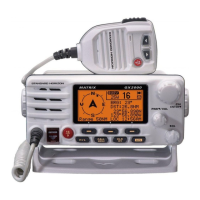
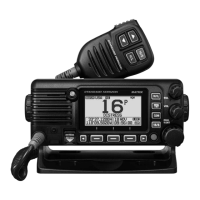
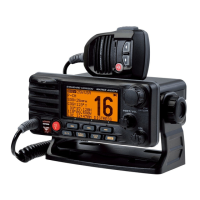
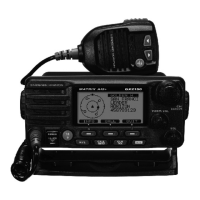
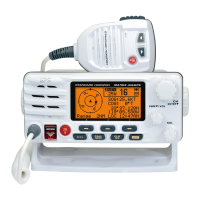
MATRIX AIS GX2100 MATRIX GX2000

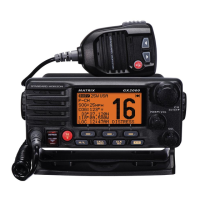
Table of Contents

Questions and Answers

  • D
    David MccormickAug 15, 2025
    Why does my Standard Horizon Transceiver show 'HI BATTERY' or 'LO BATTERY'?
    • M
      mgrahamAug 15, 2025
      The 'HI BATTERY' or 'LO BATTERY' message on your Standard Horizon Transceiver indicates that the power supply voltage is either too high or too low. Verify that the connected power supply voltage is not above 17 volts or below 10 volts.
  • A
    Andrew SmithAug 18, 2025
    How to fix a Standard Horizon Transceiver that won't turn on?
    • M
      Mike LewisAug 18, 2025
      If your Standard Horizon Transceiver isn't powering up, the issue might be related to the power supply or the power knob. First, check the 12VDC battery connections and the fuse. Then, ensure that you press and hold the VOL/PWR knob to switch the radio on.
  • R
    Robert SimmonsAug 22, 2025
    What to do if my Standard Horizon MATRIX GX2100 Transceiver keeps blowing fuses?
    • A
      Amanda JarvisAug 22, 2025
      If your Standard Horizon Transceiver repeatedly blows fuses when connected to the power supply, the power wires may be reversed. Check the power cable for DC voltage and replace the fuse (6A 250V). Ensure the red wire connects to the positive (+) battery post and the black wire to the negative (-) post. If the fuse continues to blow, contact your Dealer.
  • A
    Ashley HolmesAug 25, 2025
    Why is my Standard Horizon MATRIX GX2100 transmit power low?
    • K
      Kristina JohnsonAug 26, 2025
      If a receiving station reports low transmit power from your Standard Horizon Transceiver, even when set to HI power, the antenna might be the problem. Have the antenna checked, or test the transceiver with an alternative antenna. If the problem continues, contact your Dealer.
  • S
    Scott SmithAug 28, 2025
    How to stop engine noise on my Standard Horizon MATRIX GX2100 speaker?
    • M
      Manuel AriasAug 28, 2025
      If you're hearing popping or whining noises from the Standard Horizon Transceiver speaker while the engine is running, it's likely due to engine noise. Try rerouting the DC power cables away from the engine. You can also add a noise suppressor on the power cable, switch to resistive spark plug wires, and/or install an alternator whine filter.
  • F
    fatkinsAug 31, 2025
    Why isn't my position displayed on my Standard Horizon Transceiver?
    • J
      Jack StephensAug 31, 2025
      If your position isn't showing on your Standard Horizon Transceiver, the issue could be with the accessory cable connection or the GPS navigation receiver settings. Check the accessory cable connection, noting that some GPS units use the battery ground line for NMEA connections. Also, verify that the output signal format of the GPS navigation receiver is set to NMEA0183 with GLL, RMB, or RMC sentence as the output signal. If your GPS has a baud rate setting, ensure it is set to 4800 with parity set to NONE.
  • T
    Thomas ParsonsSep 4, 2025
    What to do if AIS information is not displayed on my Standard Horizon GX2000 Transceiver?
    • L
      Lauren JonesSep 4, 2025
      If AIS information is not displayed on your Standard Horizon GX2000 Transceiver, check the accessory cable connection. Specifically, short circuit the NMEA-HS(+) cable (BROWN) and NMEA-COMMON (–) cable (GREEN). Also, confirm that the baud rate setting of the AIS receiver is set to 38400 baud.
  • Q
    qpittsSep 7, 2025
    Why is there no sound from the PA speaker on my Standard Horizon Transceiver?
    • J
      Justin ObrienSep 7, 2025
      If no sound is coming from the PA speaker of your Standard Horizon Transceiver, the accessory cable connection might be the cause. Check the accessory cable connection, ensuring you short circuit the PA speaker cable RED/SHIELD.
  • G
    Geoffrey JonesSep 10, 2025
    Why is there no sound from the speakers of my Standard Horizon Transceiver?
    • W
      William MorrowSep 12, 2025
      If sound isn't being emitted from either the internal or external speaker of your Standard Horizon Transceiver, the accessory cable could be the issue. Inspect the accessory cable connections, and short circuit the external speaker cable WHITE/SHIELD.

Summary

General Information

Introduction to Standard Horizon Matrix Series

Overview of GX2000/GX2100 VHF/FM transceivers and key features.

Safety and FCC Compliance

Safety and Warning Information

Covers safety precautions and RF exposure requirements for installation.

FCC Radio License Information

Information on obtaining and requirements for a ship station license.

FCC Notice

Notices on unauthorized modifications and FCC compliance regarding interference.

Getting Started with VHF Radio

About VHF Radio

Explains VHF radio frequencies, range, and factors affecting transmission.

Selecting an Antenna

Guidance on selecting marine antennas based on gain and type.

Emergency Procedures

Procedure for making a Mayday distress call on Channel 16.

Calling Another Vessel

Procedures for initial contact and communication with other vessels.

Installation Guide

Radio Mounting Options

Describes desktop, overhead, and flush mounting procedures.

Electrical Connections

Details on connecting power, antenna, and accessories.

Accessory Cable Connections

Wiring diagrams for connecting GPS, AIS, speakers, and PA horns.

Controls and Indicators

Radio Controls Overview

Explanation of primary controls like CHANNEL, PWR/VOL, and SQL knobs.

Basic Operation

Receiving and Transmitting

Instructions for receiving signals and making transmissions.

Display Types

How to select different display modes like NORMAL, AIS, COMPASS.

NOAA Weather Channels

Instructions for receiving NOAA weather broadcasts and alerts.

Scanning Functions

How to set up and operate Memory and Priority scanning modes.

PA;Fog Horn Operation

Instructions for using the PA hailer and fog horn functions.

Intercom Operation

How to use the intercom feature with the optional RAM3 microphone.

Digital Selective Calling (DSC)

MMSI Setup and Usage

Procedure for programming and verifying the Maritime Mobile Service Identity (MMSI).

DSC Distress Calls

Detailed steps for transmitting and receiving DSC distress calls.

Individual and Group Calls

Procedures for making and receiving All Ships, Individual, and Group calls.

Position Requests and Reports

How to request and send vessel position information using DSC.

DSC Test Functions

Steps for performing DSC test calls to verify functionality.

General Setup Options

Display Configuration

Configuring display settings for screen types like NORMAL, AIS, COMPASS.

Receiver Sensitivity Adjustment

Adjusting receiver sensitivity using LOCAL or DISTANCE modes.

Soft Key Customization

Assigning functions to soft keys and configuring key timer settings.

Channel Function Setup

Scan Memory and Type

Programming channels into memory and selecting scan types.

Weather Alert Configuration

Configuring NOAA weather alert modes and functions.

Channel Naming

How to assign custom names to radio channels.

AIS and Compass Setup

Automatic Identification System (AIS)

Overview of the AIS system, vessel classes, and reception range.

AIS Display and Alarms

Configuring AIS display direction, range, CPA, and TCPA alarms.

AIS Operation

How to view and interact with AIS targets on the radio display.

Waypoint Navigation

Marking and Adding Waypoints

Procedures for marking current position and adding new waypoints.

Navigating to Saved Waypoints

Steps for navigating to saved waypoints using the compass display.

Remote Microphone Operation

Remote MIC Controls

Explanation of the controls and buttons on the CMP30 (RAM3) remote mic.

Assigning Soft Keys

Customizing soft key functions for the remote microphone.

Maintenance and Troubleshooting

Replacement Parts and Service

Information on ordering replacement parts and obtaining factory service.

Troubleshooting Common Issues

A chart to diagnose and resolve common transceiver problems.

Channel Assignments

Warranty Information

Reset Procedures

Memory Clear

Procedure to clear scan memory and preset memory.

Microprocessor Resetting

Procedure to reset the radio to factory default settings.

Specifications

General Specifications

General specs including channels, voltage, current, dimensions, weight.

Transmitter Specifications

Technical details of the transmitter's performance.

Receiver Specifications

Technical details of the receiver's performance for voice and DSC.

NMEA Input;Output Details

Details on NMEA 0183 input/output formats for GPS, DSC, and AIS.

Physical Dimensions

Diagrams showing the unit's physical dimensions.

Standard Horizon MATRIX GX2100 Specifications

General IconGeneral
BrandStandard Horizon
ModelMATRIX GX2100
CategoryTransceiver
LanguageEnglish

Related product manuals