1. Before You Begin
4
1-2 Machine Pars Description
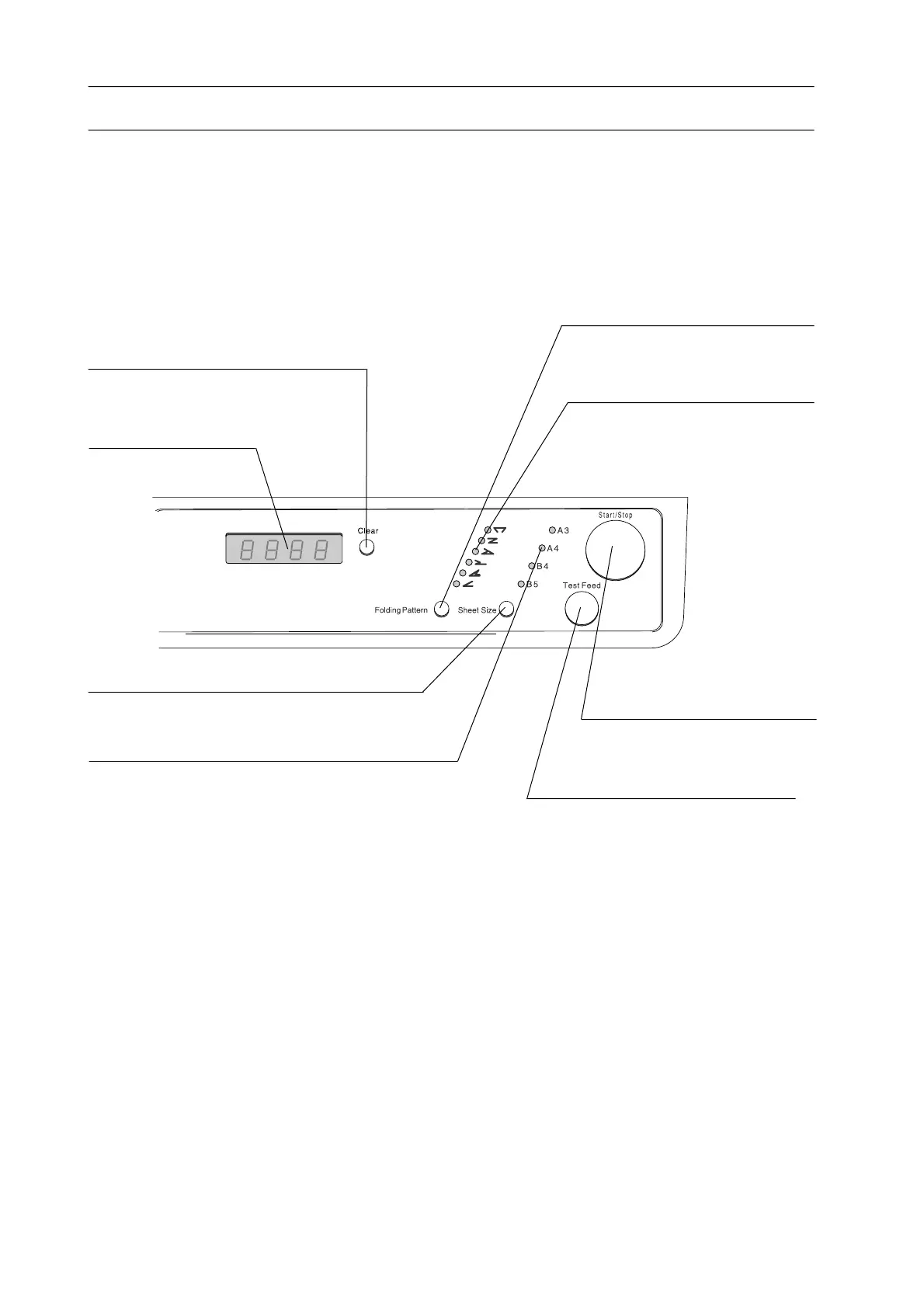
1-2-2 Operation Panel
Clear Button
Used to clear display.
Display
Indicates number of
folded sheets.
Sheet Size Select Button
Used to select sheet size.
Sheet Size Lamp
Indicates sheet size.
Test Feed Button
Used to feed one sheet for
testing.
Start/Stop Button
Used to start/stop folding.
Fold Pattern Lamp
Used to indicate fold pat-
tern selected.
Fold Pattern Select Button
Used to select fold pattern.


 To Next Page