4. Maintenance
31
4-4 Count Sensor Cleaning
1
S
t
o
p
p
e
r
1 Stopper
2
S
t
o
p
p
e
r
2 Stopper
5
5
PF-P310PF-P310
P
E
P
E
R
F
O
L
D
E
R
PEPER FOLDER
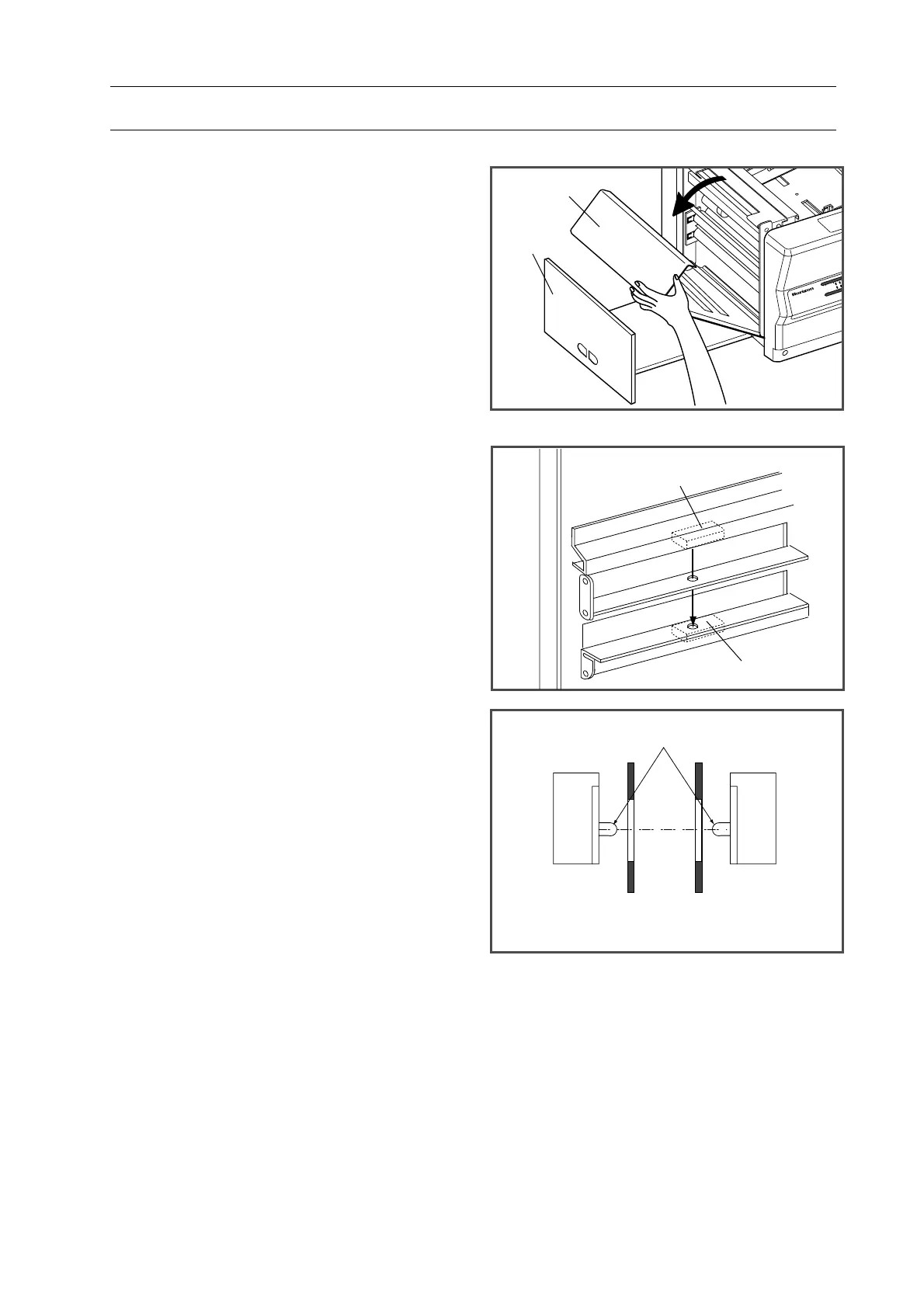
The count sensor inside the delivery section
detects the sheets and counts the folded
sheets. If the paper dust stains on the sensor,
the sensor can not detect correctly. In that
case, clean the sensor.
1. Pull out the delivery tray and open the
cover to the direction that the arrow
shows.
2. Receiving part and projecting part of the
sensor is on the back of the cover.
3. Clean the lens using a cotton swab.
Sensor
Sensor
Cover
Delivery
Tray
Projecting Part/Receiving Part


 To Next Page