page 18 page 19
F. Speed Selector
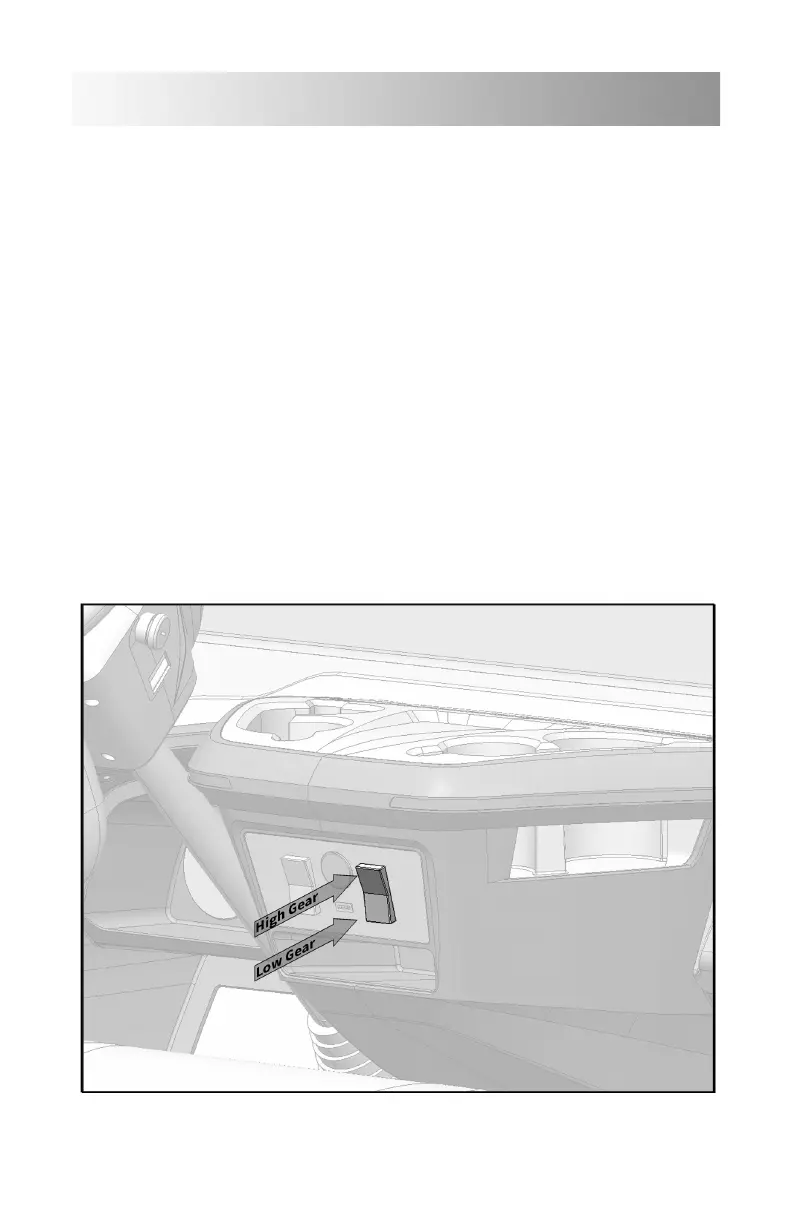
The Sirius has two forward speeds, Low-Speed and High-Speed. Low-
Speed is oen used to conserve battery charge if a rapid pace is not
required. These speeds are selected by a two position rocker switch
on the right side of the control panel, center on the dash. If Low-
Speed is desired, simply press the bottom of the rocker switch and
confirmation of a yellow turtle icon will illuminate in the lower right
corner of the digital display.
High-Speed is also an option if a more rapid pace is desired and
conditions permit. High-Speed is the top position of the same rocker
switch and when selected you will see a green rabbit icon illuminate in
the lower right corner of the digital display.
Basic Operation


 To Next Page